– 17 –
5.2. Battery Backup Indication (BATTERY
BACKUP)
8
Referring to Fig. 3-1, the remaining voltage value of the
Memory Backup Battery will be displayed.
8
Displayed always without any Item Selection and
Execution.
5.3. CPU Test (CPU TEST)
8
Referring to Fig. 3-1, select the CPU TEST Item by either
UP or DOWN Cursor Key.
8
Execute the CPU TEST Item by pressing the Enter Key.
8
When executing, the Self Check will start for ROM (Flash
Memory) and four RAMs (RAM1, RAM2, RAM3 and
RAM4), and check the Serial Communication in between
Main CPU and Sub CPU.
8
A result after Self Check, displayed "OK" in passed item
and displayed "NG" in defective item.
5.4. Serial Interface Test (SERIAL I/F TEST)
8
Connect the Return Cable and the Return Connectors to
the MIDI Connector, RS-422/485 Connector, TO PC
Connector.
8
Insert the SMPTE Board to the Slot of the SMPTE Board
and supply the Time Code from the Time Code Generator.
8
Connect the Return Connector to the Meter Bridge I/F
Connector.
8
Referring to Fig. 3-1, select the SIR I/F TEST Item by
either UP or DOWN Cursor Key.
8
Execute the SERIAL I/F TEST Item by pressing the Enter
Key.
8
When executing, the Self Check will start for the Interface
of MIDI, RS-422/485, TO PC, SMPTE and METER
BRIDGE.
8
A result after Self Check, displayed "OK" in passed item
and displayed "NG" in defective item.
5.5. Multi IC/Mix IC Test (MLT/MIX TEST)
8
Move the Cursor to most bottom position by either UP or
DOWN Cursor Key.
8
Select the Diagnostic Item (DIAG2) by either LEFT or
RIGHT Cursor Key.
8
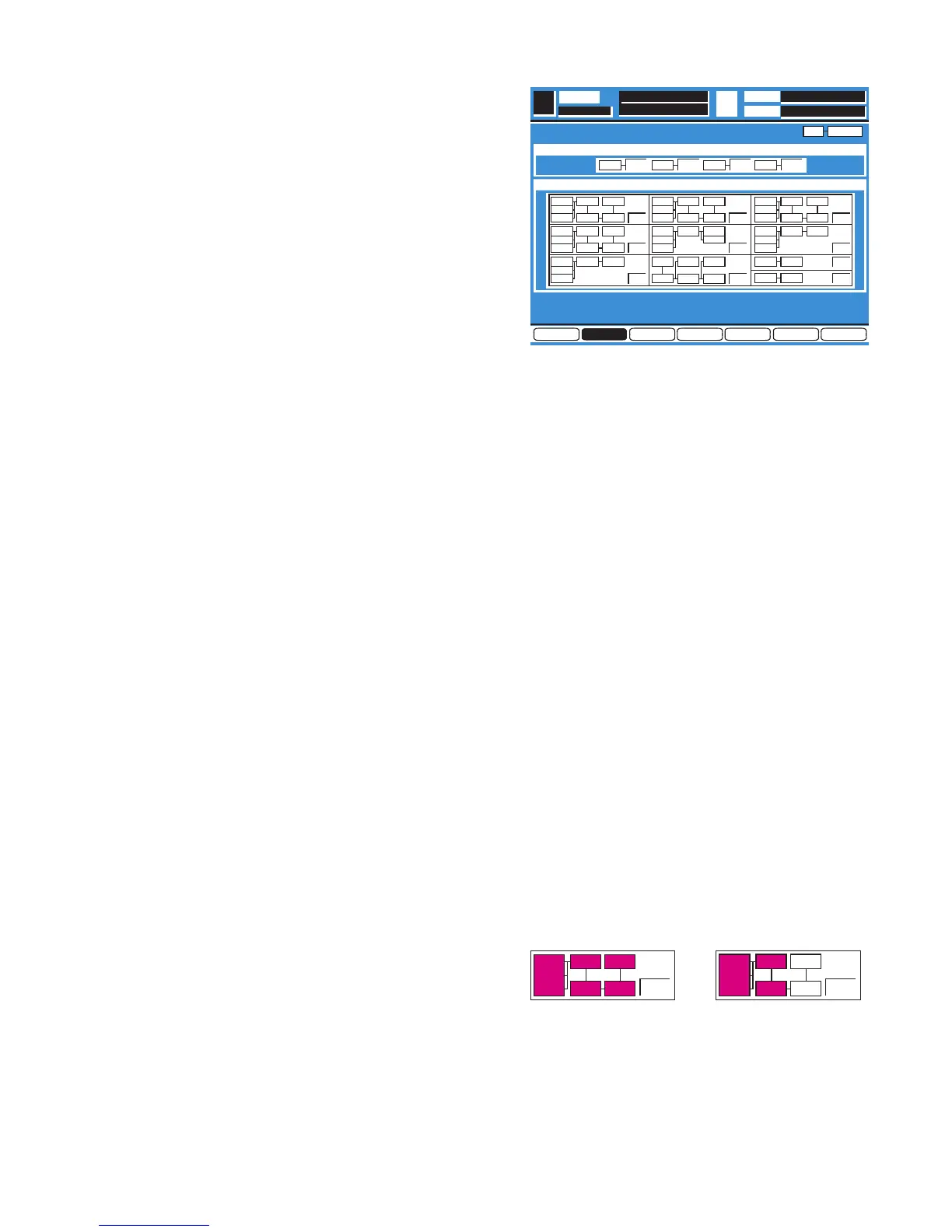
Press the Enter Key, the Diagnostic Menu 2 as shown in
Fig. 5-1 is displayed.
Fig. 5-1
8
Referring to Fig. 5-1, select the MLT/MIX TEST Item by
either UP or DOWN Cursor.
8
Execute the MLT/MIX TEST Item by pressing the Enter
Key.
8
When executing, the Self Check will start for the three MIX
ICs (IC523 - IC525) and one Multi IC (IC526).
8
A result after Self Check, displayed "OK" in passed item
and displayed "NG" in defective item.
5.6. Multi IC/Mix IC/DSP Overall Test
(MLT/MIX/DSP TEST)
8
Referring to Fig. 5-1, select the MLT/MIX/DSP TEST Item
by either UP or DOWN Cursor.
8
Execute the MLT/MIX/DSP TEST Item by pressing the
Enter Key.
8
When executing, the Self Check will start for chains of
signal path consist of three MIX ICs (IC523 - IC525) and
nineteen DSP ICs (IC501 - IC519).
8
Each DSP IC has been controlled through the Multi IC
(IC526) so that the Self Check for the Multi IC is made in
this section.
8
A result after Self Check, displayed "OK" in passed item
and displayed "NG" in defective item.
8
In the case displayed "NG" in defective signal path,
passed IC number(s) is (are) displayed reverse indication
in a half way.
So that easy to find which signal path is defected as
shown in Fig. 5-2.
Fig. 5-2


 To Next Page