13
RAMTECHGLOBAL.COM
LED Indications
WES3 Medical Interface
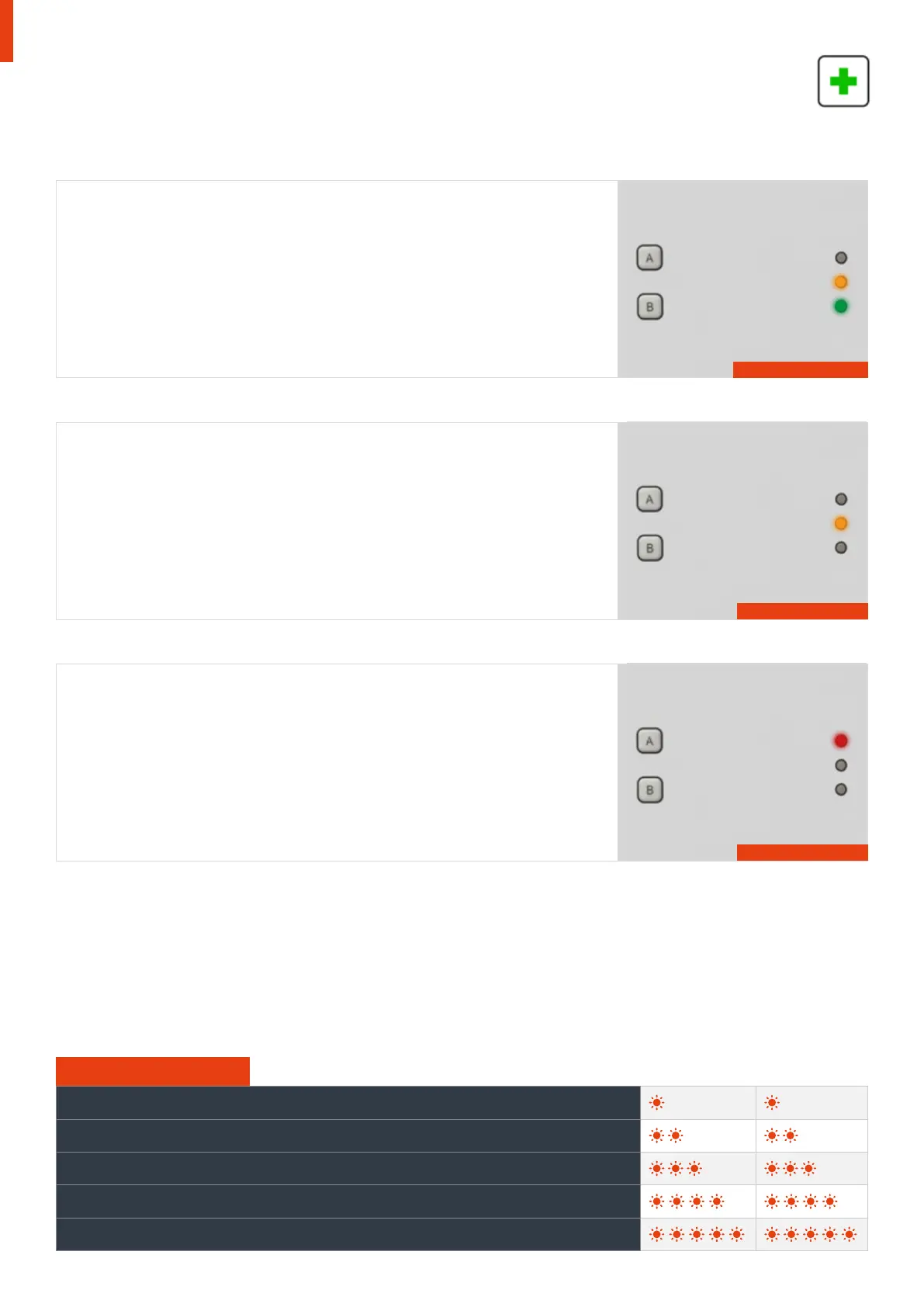
Green LED
Active units with no faults will flash a slow periodic flash of both amber and green
LED to indicate that the unit is operational and “unlatched”.
Amber LED
Each WES3 unit monitors itself for a number of faults. These are indicated via the
amber LED, which will flash in grouped patterns with longer than usual gaps in
between them.
Units displaying one of these patterns require further investigation and should not
be relied upon as part of the fire alarm and detection system until the fault has
been corrected. Use the chart at the bottom of this page to determine the nature
of the issue.
Red LED
The red LED will flash every 4 seconds when the unit has been triggered.
Flash of both green and amber
Note: Clearing the medical alert from the WES3 system will need to be performed on the WES3 Connect unit by
selecting the ‘MED’ alert on the Warnings screen, pressing the green tick box on the keypad, then pressing the
arrow next to Yes to confirm.
The access code is required to clear the alert. The access code is required to clear the alert. The default PIN
number is 1234. This can be changed on site - refer to the WES3 Installation and Operation Manual.
Group Flash 1 - Low Battery
Group Flash 2 - Low Signal
Group Flash 3 - Unpaired / No Signal
Group Flash 4 - Tamper
Group Flash 5 - Unit Latched
Amber LED Flash Sequence
See Amber LED table below
Red LED flash every 4 seconds



 To Next Page