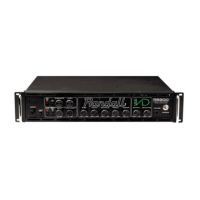
PROGRAMMING THE FOOTSWITCH
When using the RF4 MIDI foot controller (optional), it must be programmed to each channel, before it will work
correctly. After connecting the RF4 foot controller to the MIDI in on the rear panel of the RM4, Please follow
the list below to correctly program the RM4 with the MIDI foot controller.
1. First connect the RF4 using the 7-Pin MIDI cable to the IN on your RM4 or MIDI guitar preamp.
2. Push #1 button on the foot controller
3. Set to Channel 1 on the RM4 preamp. (Both the foot controller and the RM4 should be on Channel 1
4. Press & hold the Channel button on the RM4 for 2-3 seconds.
5. Push # 2 button on the foot controller
6. Set to Channel 2 on the RM4 preamp. (Both the foot controller and the RM4 should be on Channel 2.
7. Press & hold the Channel button on the RM4 for 2-3 seconds.
8. Repeat process for channels 3 & 4. Push #3 button, select to Channel 3 on the RM4, push the channel
button for 2-3 seconds. Push #4 button, select to Channel 4 on the RM4, push the channel button for 2-3
seconds.
If this process does not program the foot controller to the RM4, turn the unit off/on, and repeat the process.
Please contact our customer service dept., if you should have any questions or problems.
CUSTOMER SERVICE
TEL: (800) 877-6863 ext. 230 or e-mail: randall@randallamplifiers.com



 To Next Page