9
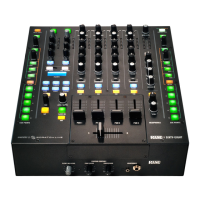
MP25
CLUB MIXER
Phones
e Headphone Monitor provides stereo or mono Split Cue
operation.
• In Stereo operation, the Pan control pans between stereo Cue
and the stereo Main Mix.
• In Split Cue operation, the Pan control pans between Mono
Cue in the left ear and mono Main Mix in the right ear.
• Individual Cue buttons are provided for PGM 1, PGM 2,
PGM 3, PGM 4 and the FlexFX Loop.
• e Headphone Level control sets the level in both the front
panel 3.5 mm and ¼˝ output jacks.
• e headphone output includes 2-band full-cut tone controls.
Tone control range is O to +6 dB. ese headphone tone
controls are adjusted from the computer using the MP25
driver control panel.
Main Mix and Main/Zone Outputs
e Main Mix is made from MIC 1, MIC 2, PGM 1, PGM 2,
PGM 3, PGM 4 and the FlexFX Mix.
• Mono the Main Mix by pressing the front panel Mono but-
ton. To mono only a specic output, use the rear panel Mono
switch on the Main Outs, or the auto-mono single plug feature
of the Zone and Booth Outs.
• Apply eects to the entire Main Mix by engaging the Main
Mix (blue) FlexFX button. is button instantly sends PGMs
1-4 and Mic 1-2 to the FlexFX Bus.
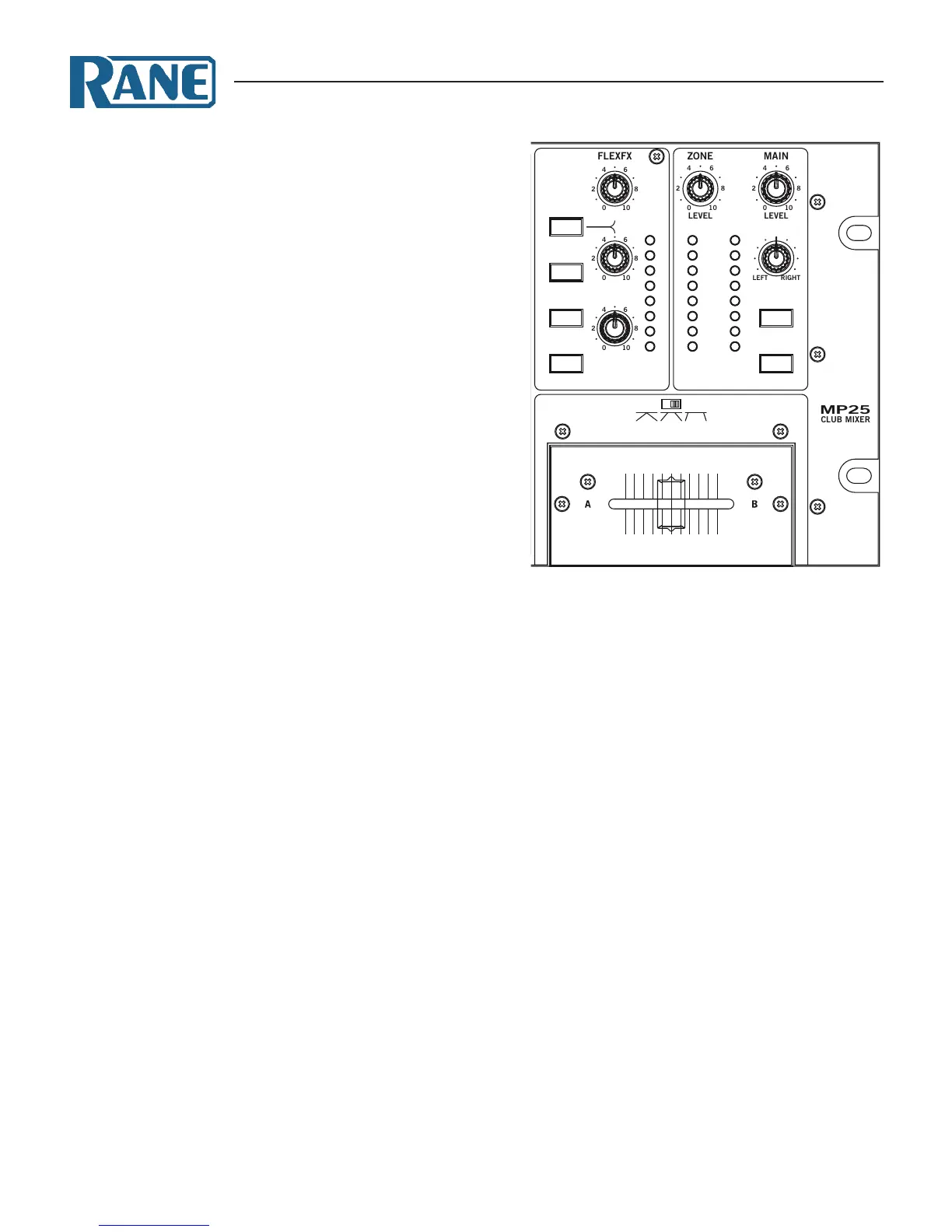
• e Main Mix is metered using a stereo rms/peak signal meter
with peak-hold.
e Main Mix feeds these outputs:
• Main Outs
• Front panel Balance and Level controls manage the relative
(left/right) and overall levels respectively.
• e rear panel Mono switch combines the left and right
channels of the Main output, and an attenuator controls
the Max Out dB from 8 Vrms (0 dB) to 0.5 Vrms (-24 dB).
• e Main Output is available on balanced XLR and unbal-
anced RCA connectors.
• Booth and Zone Outs
• Front panel Booth and Zone Level controls adjust the cor-
responding output level.
• Booth and Zone Outputs are available on balanced ¼˝
TRS jacks. Left and right jacks automatically provide a
mono signal if the other plug is not inserted.
• Record Outs
• Stereo unbalanced RCA and S/PDIF outputs.
• e S/PDIF output is a 24-bit 48 kHz digital output.
• e Main Mix, Mic 1, or Mic 2, may be recorded via USB
record channel six. Record source selection is made in the
computer’s MP25 driver control panel.
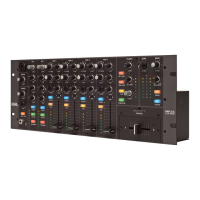
Magnetic Crossfader
e MP25’s crossfader is a eld replaceable, no-noise, no-bleed
magnetic fader.
• Assign each PGM channel to the A-side, B-side or Post-Cross-
fader with switches in the program strips.
• Select one of three crossfader slopes with the Contour switch.
Crossfader Questions and Answers
Q: Can I install magnetic crossfaders in any other mixer?
A: e connectors may be similar, but the circuits are very dier-
ent. Connecting the fader to anything other than the intend-
ed cable in the MP25 could permanently damage it.
Q: Can I install another crossfader in my MP25?
A: No. e cable connections are specially designed for Rane
magnetic faders.
See "Faders" on page 14.
CONTOUR
POST
MIC ON
TALKOVER
FLEXFX
MIC ON
TALKOVER
FLEXFX
SOURCE
D1 A3
A4P1
A1 A2
SOURCE
D2 A3
A4P2
A1 A2
SOURCE
D3 A3
A4P3
A1 A2
SOURCE
D4 A3
A4P4
A1 A2
LEVEL
HIGH
PAN
LOW
LEVEL
HIGH
PAN
LOW
FLEXFX
SEND
RETURN
LEVEL
MID
HIGH
LOW
MID
HIGH
LOW
MID
HIGH
LOW
MID
HIGH
LOWFILTER
BALANCE
FLEXFX ON
CUE
FLEXFX
MONO
USB LOOP
EXT LOOP
OL
+6
+3
0
-3
-12
-6
-18


 To Next Page