8
MP25
CLUB MIXER
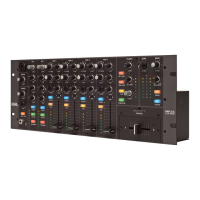
Mixer Controls
Mic Inputs
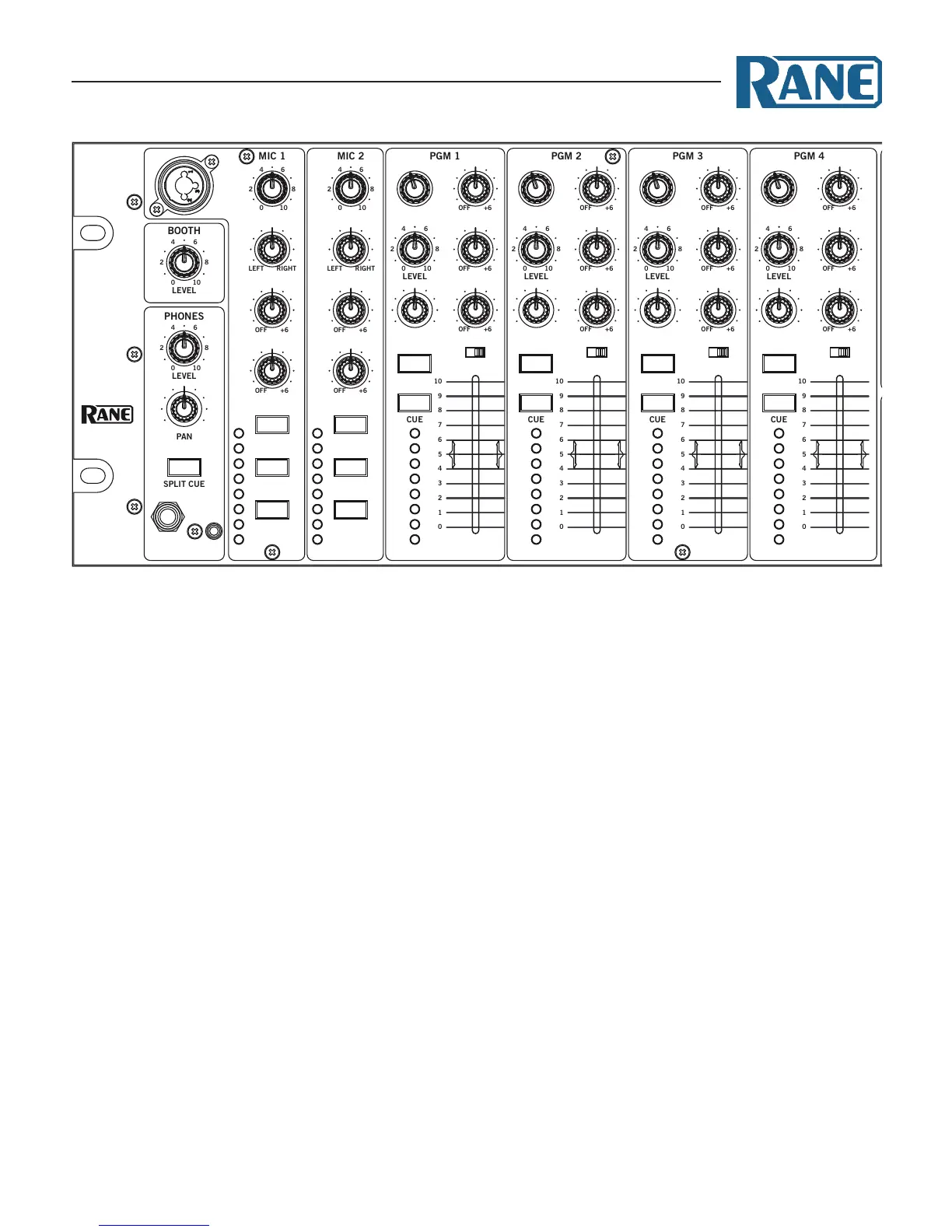
Two Microphone Inputs are fully independent, each with these
controls:
• Level control.
• Pan the signal from Left to Right.
• High / Low 2-band, full-cut tone controls. e range is O to
+6 dB, with unity gain at 12 o’clock.
• FlexFX Assign takes the signal out of the Main Mix and sends
it to the FlexFX Loop.
• Mic On adds the Mic to the Main Mix as a program input. If
Talkover is engaged on the other Mic, this Mic is ducked like
any other program input.
• Talkover engages the Mic in the Main Mix and ducks all
program inputs. If Talkover is engaged on the other Mic, this
Mic is not ducked.
• Peak signal / rms meter displays the signal level with peak-
hold.
• Mic 1 front panel connector is intended for a wired dynamic
mic. A gooseneck mic is not recommended as it could damage
the jack and not be covered under Rane’s Warranty.
• Mic 2 allows selection of a Mic- or Line-level input via the
rear panel switch. Line-level is usually for wireless mics.
• Mic 1, Mic 2, or the Main Mix may be recorded via USB
Record-6. Record source selection is made in the computer’s
MP25 driver control panel.
Program Strips
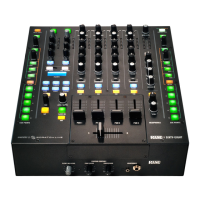
Four program input strips include the following controls:
•
Source selection: Each program input x may select from Px,
Dx, A1, A2, A3, or A4.
• Level adjustment is O to +12 dB, with unity gain at 12
o’clock.
• High / Mid / Low 3-band, full-cut tone control range is O to
+6 dB, with unity gain at 12 o’clock.
• Filter with Low-pass and High-pass:
• Flat response is in the center at 12 o'clock.
• Low-pass lter cut-o moves from 20 kHz toward 20 Hz as
the knob is turned counter-clockwise.
• High-pass lter cut-o moves from 20 Hz toward 20 kHz
as the knob is turned clockwise.
• e lter resonance can be switched high or low in the
computer’s MP25 driver control panel.
• e A-B-Post switch assigns the program channel to A-side,
B-side, or Post-Crossfader.
• FlexFX assign takes the channel out of the Main Mix and
sends it to the FlexFX Bus (post-fader).
• Cue select assigns the channel to the headphones (pre-fader).
• Peak signal / rms meter displays a mono signal level with
peak-hold.
• A 60 mm long-throw program fader controls the level of the
program channel in the Main Mix.
• PGM 1-4 post-fader, stereo program channels are streamed
to the computer via USB record channels 1-4. ese channels
may be recorded for post production editing and mix-down.
A B
POST
A B
POST
A B
POST
A B
POST
MIC ON
TALKOVER
FLEXFX
MIC ON
TALKOVER
FLEXFX
SOURCE
D1 A3
A4P1
A1 A2
SOURCE
D2 A3
A4P2
A1 A2
SOURCE
D3 A3
A4P3
A1 A2
SOURCE
D4 A3
A4P4
A1 A2
LEVEL
HIGH
PAN
LOW
LEVEL
HIGH
PAN
LOW
FLEXFX
MID
HIGH
LOW
MID
HIGH
LOW
MID
HIGH
LOW
MID
HIGH
LOWFILTER
FILTER
FILTER
FILTER
FLEXFX FLEXFX FLEXFX
FLEXFX ON
CUE
FLEXFX
MONO
USB LOOP
EXT LOOP
CUE MAIN
HIGHLOW
HIGHLOW
HIGHLOW
HIGHLOW


 To Next Page