10
MP25
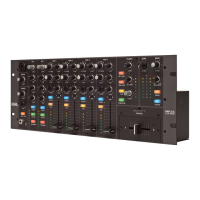
CLUB MIXER
FlexFX
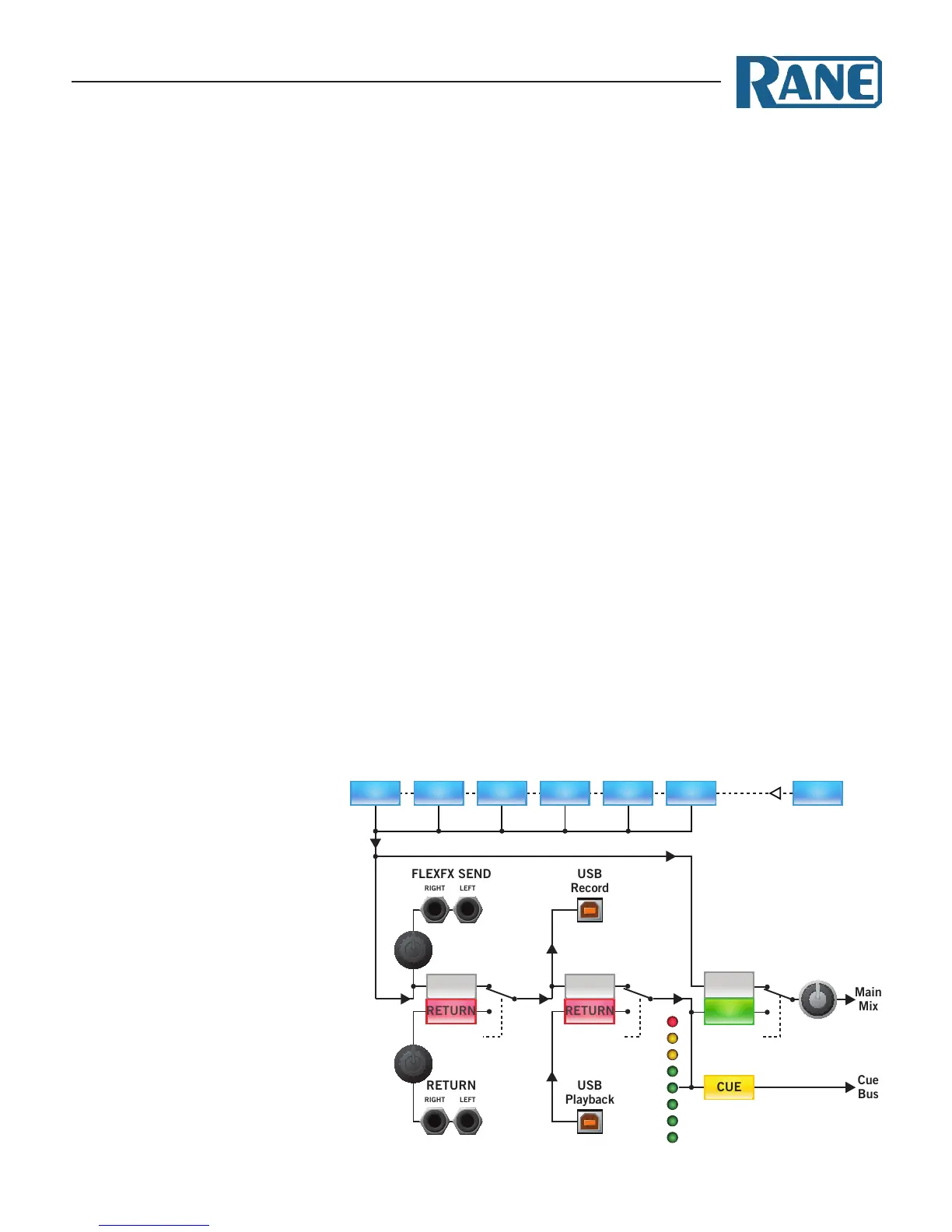
e FlexFX architecture in the MP25 is more powerful than
typical eect insert solutions. e architecture includes the
FlexFX Bus, an auxiliary bus routed to the FlexFX Loop which
includes two independent eects inserts. Any combination of
PGM 1-4 and Mic 1-2 may be routed to the FlexFX Bus. Any
combination of external analog and USB eects may be applied
within the FlexFX Loop. It is possible to cue and meter the
FlexFX Loop return. You can bypass the entire FlexFX Loop us-
ing a single button to instantly punch in and out a combination
of eects. e nal FlexFX Output Level controls the level of
the FlexFX audio in the Main Mix. e exibility of the FlexFX
architecture makes it a very powerful tool. So, it is important
to take some time to understand FlexFX signal routing and
controls.
e order of processing in the MP25’s FlexFX architecture is:
1 Independent FlexFX assign for PGM 1-4 and Mic 1-2, or as-
sign all sources simultaneously with the Main FlexFX button.
2 Ext. Analog Insert, with Send and Return Levels.
3 USB Insert.
4 FlexFX Loop return Cue and Meter.
5 FlexFX On (FlexFX Loop Bypass).
6 FlexFX Mix Level control.
1 e FlexFX buttons in the PGM and MIC strips assign the
post-fader audio to the FlexFX Bus when on, and to the Main
Mix when o. is allows multiple inputs to the FlexFX Bus,
and allows drumming dierent signals into and out of an ap-
plied eect.
e FlexFX button in the Main Mix section assigns all PGM
and Mic channels to the FlexFX Loop, applying eects to the
entire mix.
2 e Ext Loop button engages or bypasses
the analog eects insert. Use the Send
level to avoid clipping the input of your
eects processor. e Return level allows
you to bring the signal of the aected
output back up to your normal mix level.
e FlexFX Bus is always output on the
analog loop send, even if Ext Loop is
bypassed. is means you may always use
the analog Send to record the dry FlexFX
mix.
3 e
USB Loop button engages or bypasses the USB eects
insert. e USB insert uses USB record-5 and playback-5 to
form an eects loop. Even when the USB insert is bypassed,
the audio from the external analog loop is sent to the USB
Send. erefore, when the analog loop is bypassed, USB re-
cord-5 can serve as an audio output for recording the FlexFX
mix on your computer.
4 e FlexFX Cue and Meter are located at the return of the
FlexFX Loop, after the analog and USB inserts and before the
FlexFX ON switch. is allows cuing the FlexFX mix and
any applied eects before they are heard in the Main Mix.
5 e FlexFX On button toggles between wet and dry versions of
the FlexFX mix. When this switch is o, the FlexFX Loop is
bypassed and the dry FlexFX mix is routed to the Main Mix.
is allows applying and cueing any combination of eects
in the FlexFX Loop before hearing those eects in the Main
Mix. When you’re ready to listen to the aected audio, engage
the FlexFX On button (green) and the wet signal is applied to
the Main Mix (as long as the FlexFX Level is up).
6 e FlexFX Level controls the level of the FlexFX audio in the
Main Mix. Turn down the FlexFX Level to keep the FlexFX
audio out of the Main Mix. en, you can Cue the FlexFX
mix and eects. When the mix is correct and the eects are
set up, turn up the FlexFX Level to bring the FlexFX mix into
the Main Mix.
FLEXFX FLEXFX FLEXFX FLEXFX FLEXFX FLEXFX FLEXFX
PGM 1 PGM 2 PGM 3 PGM 4MIC 1 MIC 2 MAIN
EXT LOOP
SEND
FLEXFX ON
BYPASS
ON
RETURN
SEND
RETURN
USB LOOP
FLEXFX
LEVEL


 To Next Page