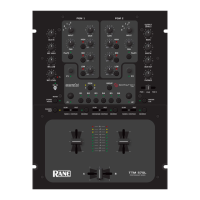
Program Channels
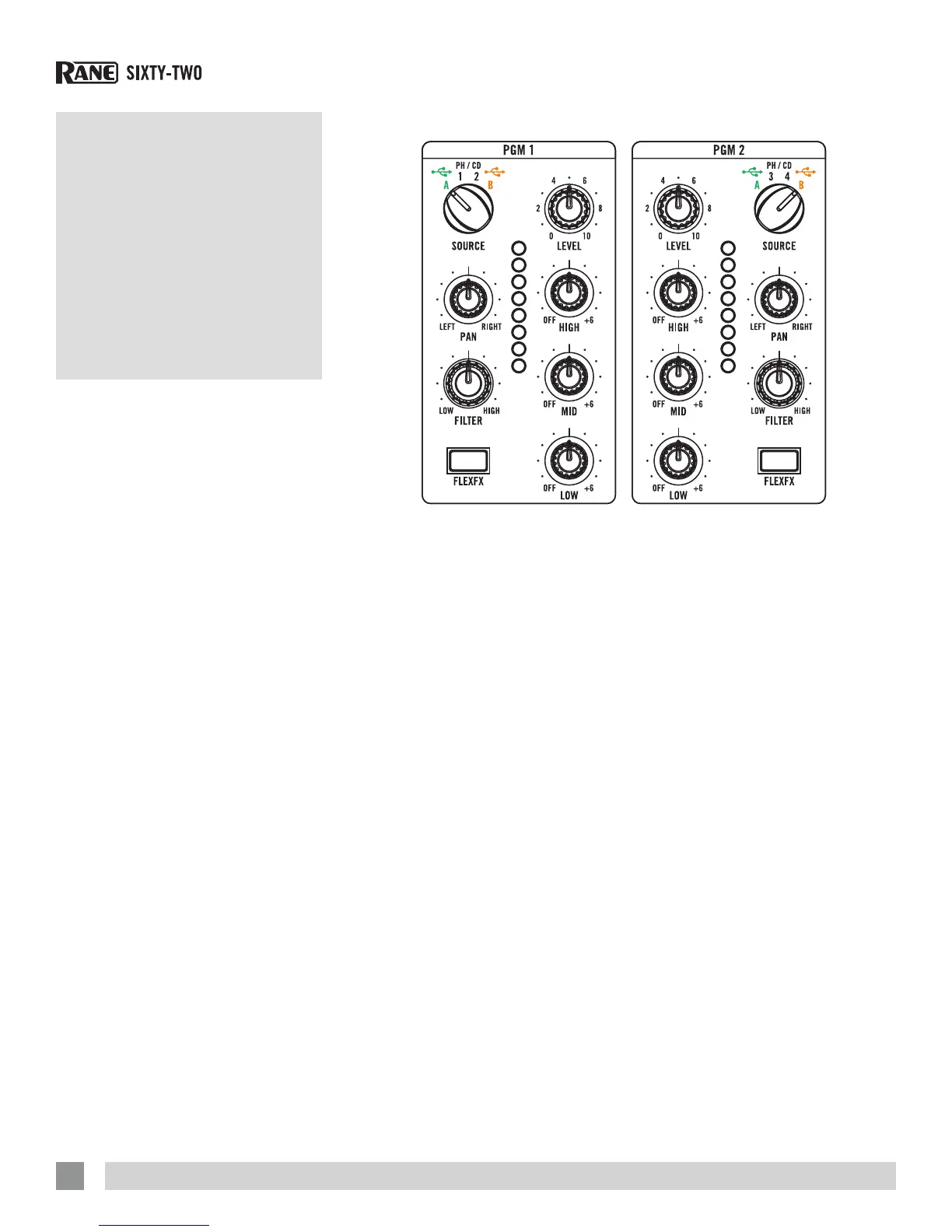
Two Program channels, or buses,
have nearly identical controls with the
exception of the Source selectors.
Source Selector
The SOURCE selector for PGM 1 selects
one of four sources:
• Left Virtual Deck (USB stereo playback
pair 1-2) from USB A.
• Also assigns the MIDI controls for the
Left-Deck software and PGM 1 mixer to
USB A.
• PH / CD 1 (THRU): Set to PH or CD with
the rear panel switch.
• When selected in software, this input
is available on USB record 5-6 for use
as the DVS control signal or for audio
recording. To select this control source
in Serato Scratch Live: go to Setup >
Hardware > Control Source > PGM 1
and select “1”. See “Control Source”
on page 42.
• PH / CD 2 (THRU): Set to PH or CD with
the rear panel switch.
• When selected in software, this input
is available on USB record 5-6 for use
as the DVS control signal or for audio
recording. To select this as the control
source in Serato Scratch Live: go to
Setup > Hardware > Control Source >
PGM 1 and select “2”.
• Left Virtual Deck (USB stereo playback
pair 1-2) from USB B.
• Also assigns the MIDI controls for the
Left-Deck software and PGM 1 mixer to
USB B.
Mixer
Controls
Level
LEVEL controls adjust the input gain from
off to +15 dB. Unity gain (no boost or cut)
is at 12 o’clock.
Pan
Left / Right PAN controls adjust the balance
of left and right signals. Left and right are
equal at 12 o’clock .
Tone Controls
HIGH, MID and LOW full-cut tone controls
adjust the frequency response from off to
+6 dB. Unity gain (no boost or cut) is at 12
o’clock.
Filter
The FILTER sweeps from Low-Pass to
High-Pass. Set to 12 o’clock for a at
frequency response. Moving the lter
toward the LOW position progressively
reduces high-frequencies. Moving the
lter toward the HIGH position progressively
reduces low-frequencies. The Resonance
or Q of the Filter can be adjusted in
Scratch Live: go to Setup > Hardware
> to set the Resonance. High resonance
adds a “zip” effect to the Filter when it is
moved. Low resonance is best when the
Filter is used for mixing.
The SOURCE selector for PGM 2 selects
one of four sources:
• Right Virtual Deck (USB stereo playback
pair 3-4) from USB A.
• Also assigns the MIDI controls for the
Right-Deck software and PGM 2 mixer
to USB A.
• PH / CD 3 (THRU): Set to PH or CD with
the rear panel switch.
• When selected in software, this input
is available on USB record 7-8 for use
as the DVS control signal or for audio
recording. To select this control source
in Serato Scratch Live: go to Setup >
Hardware > Control Source > PGM 2
and select “3”.
• PH / CD 4 (THRU): Set to PH or CD with
the rear panel switch.
• When selected in software, this input
is available on USB record 7-8 for use
as the DVS control signal or for audio
recording. To select this control source
in Serato Scratch Live: go to Setup >
Hardware > Control Source > PGM 2
and select “4”.
• Right Virtual Deck (USB stereo playback
pair 3-4) from USB B.
• Also assigns the MIDI controls for the
Left-Deck software and PGM 2 mixer to
USB B.
RANE SIXTY-TWO MIXER FOR SERATO SCRATCH LIVE • OPERATOR’S MANUAL 2.4.4
8



 To Next Page