9
Operating the Ovens
Conventional zoned ovens and fan ovens
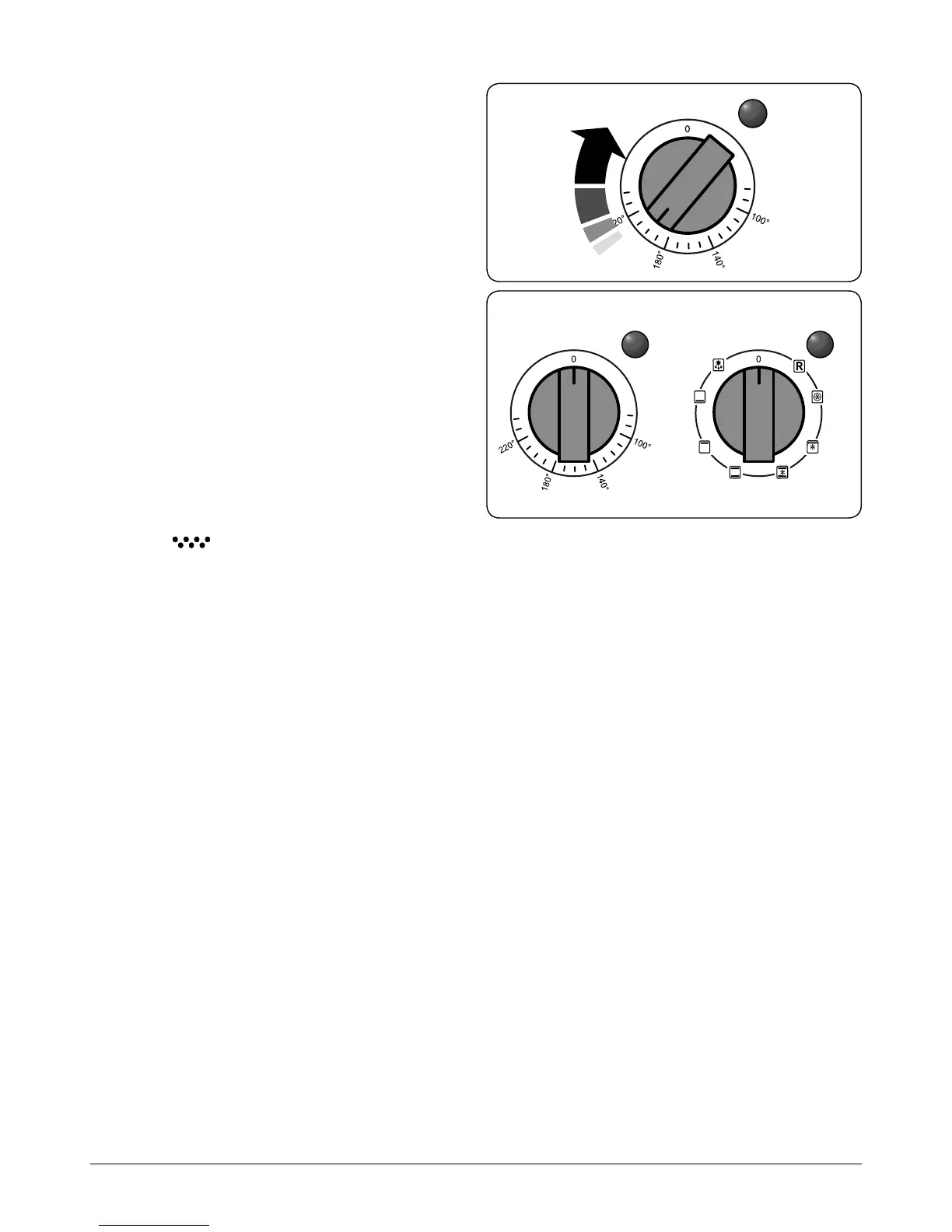
Turn the oven knob to the desired temperature (Fig. 2.14).
The oven indicator light will glow until the oven has reached
the temperature selected. It will then cycle on and o during
cooking.
Multifunction ovens
The multi-function oven has two controls: a function selector
and a temperature setting knob (Fig. 2.15).
Turn the function selector control to a cooking function. Turn
the oven temperature knob to the temperature required (Fig.
2.14).
The oven heating light will glow until the oven has reached
the temperature you selected. It will then cycle on and o
during cooking.
The Browning Element (conventional ovens)
The browning element is positioned in the top of the left-
hand oven. It can be used at the end of a normal cooking
period to give extra browning to au gratin dishes or give a
crisper nish to meat.
After the normal cooking is nished turn the left-hand
oven thermostat knob clockwise to the browning position,
indicated by (
) on the fascia panel.
Only the browning element will operate when the thermostat
is turned to this position. The top and base cooking elements
will automatically switch o.
Temperature control Function control
Fig. 2.14
Fig. 2.15



 To Next Page