Operating PRO 3.0
4
Turning the unit ON
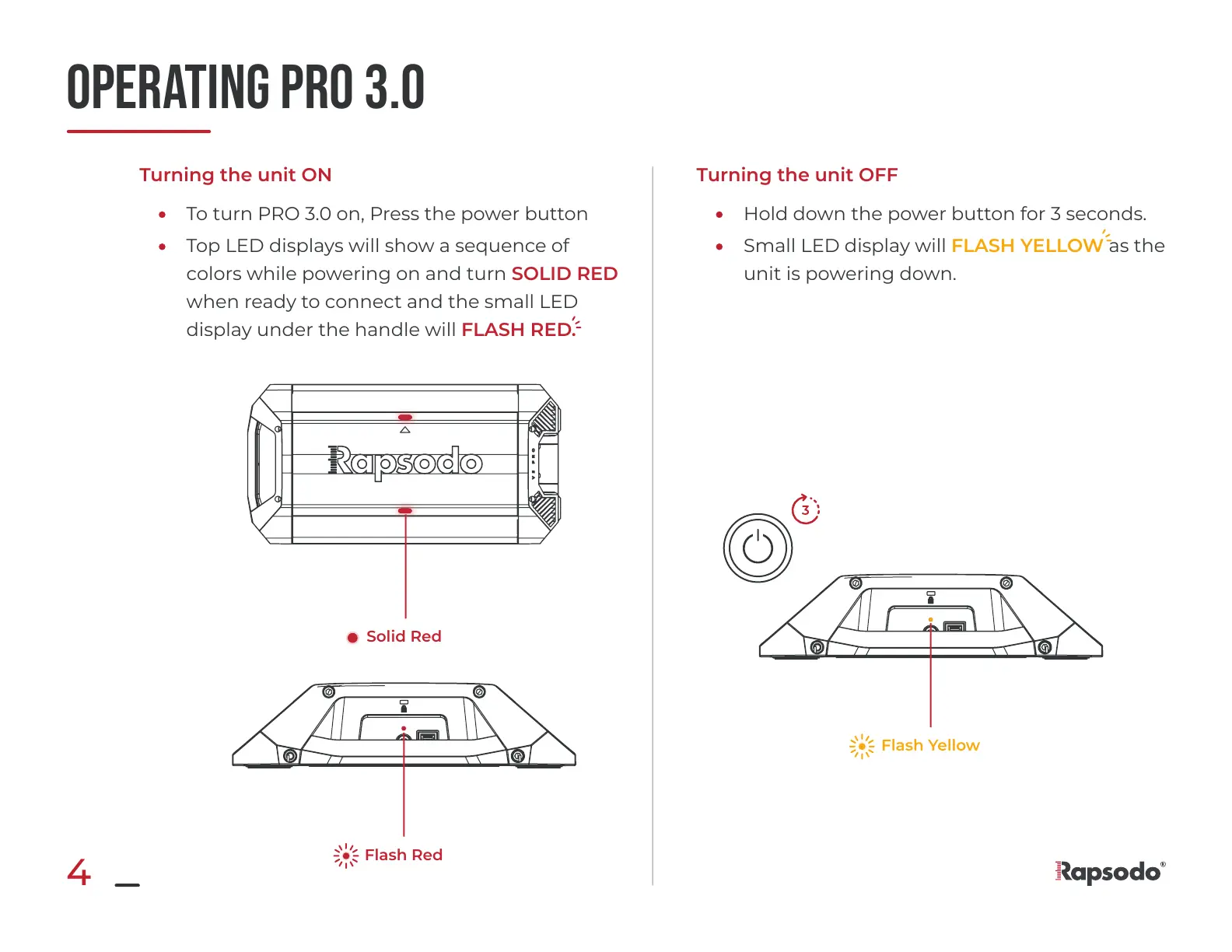
To turn PRO 3.0 on, Press the power button
Top LED displays will show a sequence of
colors while powering on and turn SOLID RED
when ready to connect and the small LED
display under the handle will FLASH RED.
Turning the unit OFF
Hold down the power button for 3 seconds.
Small LED display will FLASH YELLOW as the
unit is powering down.
Flash Yellow
Solid Red
Flash Red


 To Next Page