Pairing PRO 3.0 and Diamond App
Open Rapsodo Diamond App
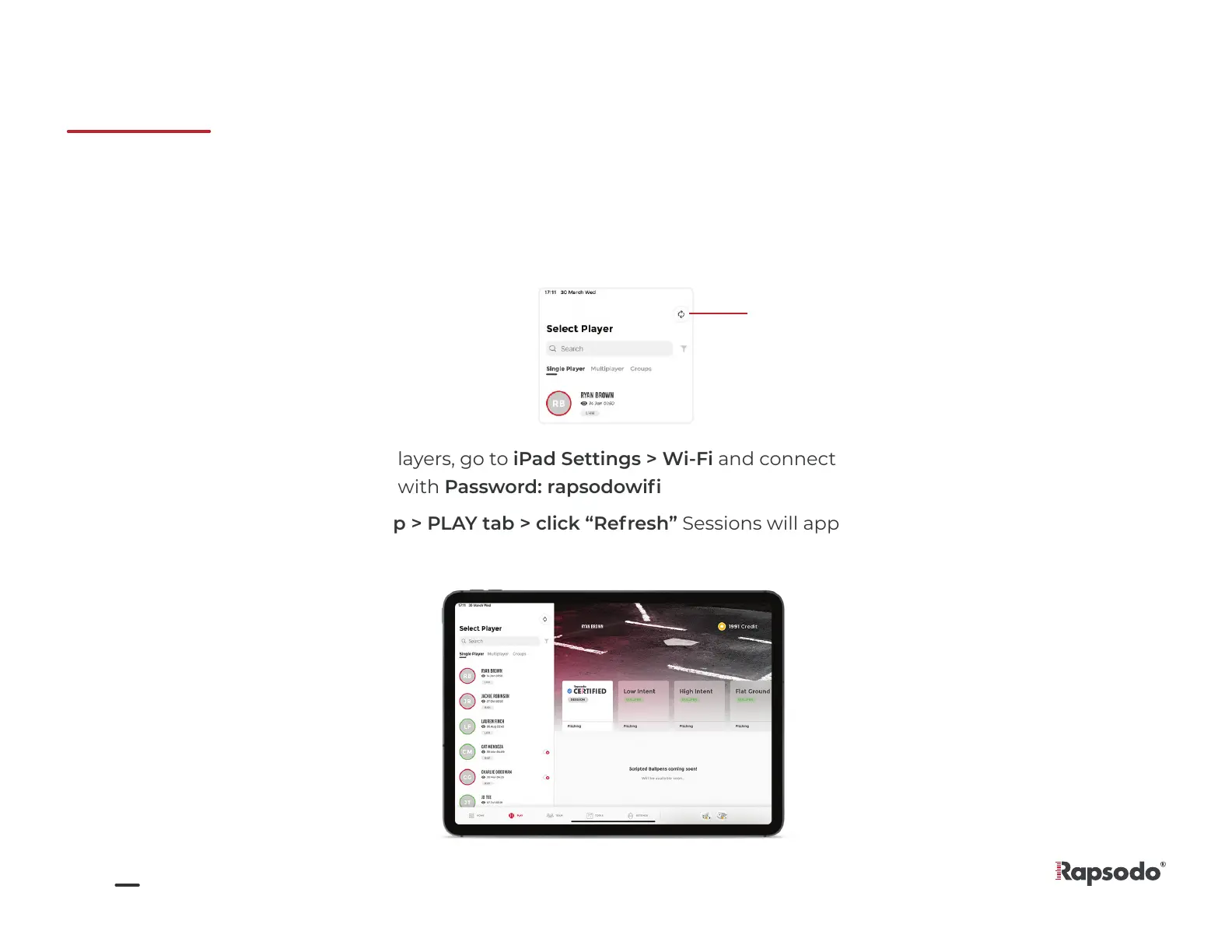
Open Play tab and tap SYNC button on the top right of the white “Select Player” section
Once you see all your players, go to iPad Settings > Wi-Fi and connect to PRO 3.0 Access Point– shown as
“Rapsodo_V3_Serial#” with Password: rapsodowifi
Connect to Internet (Wi-Fi)
1.
2.
3.
4.
Re-Open Diamond App > PLAY tab > click “Refresh” Sessions will appear after a few seconds
5.
SYNC button
7


 To Next Page