18
Rascal P327 Mini / P327 Mini SL Powerchair Owner’s Manual & Service Record
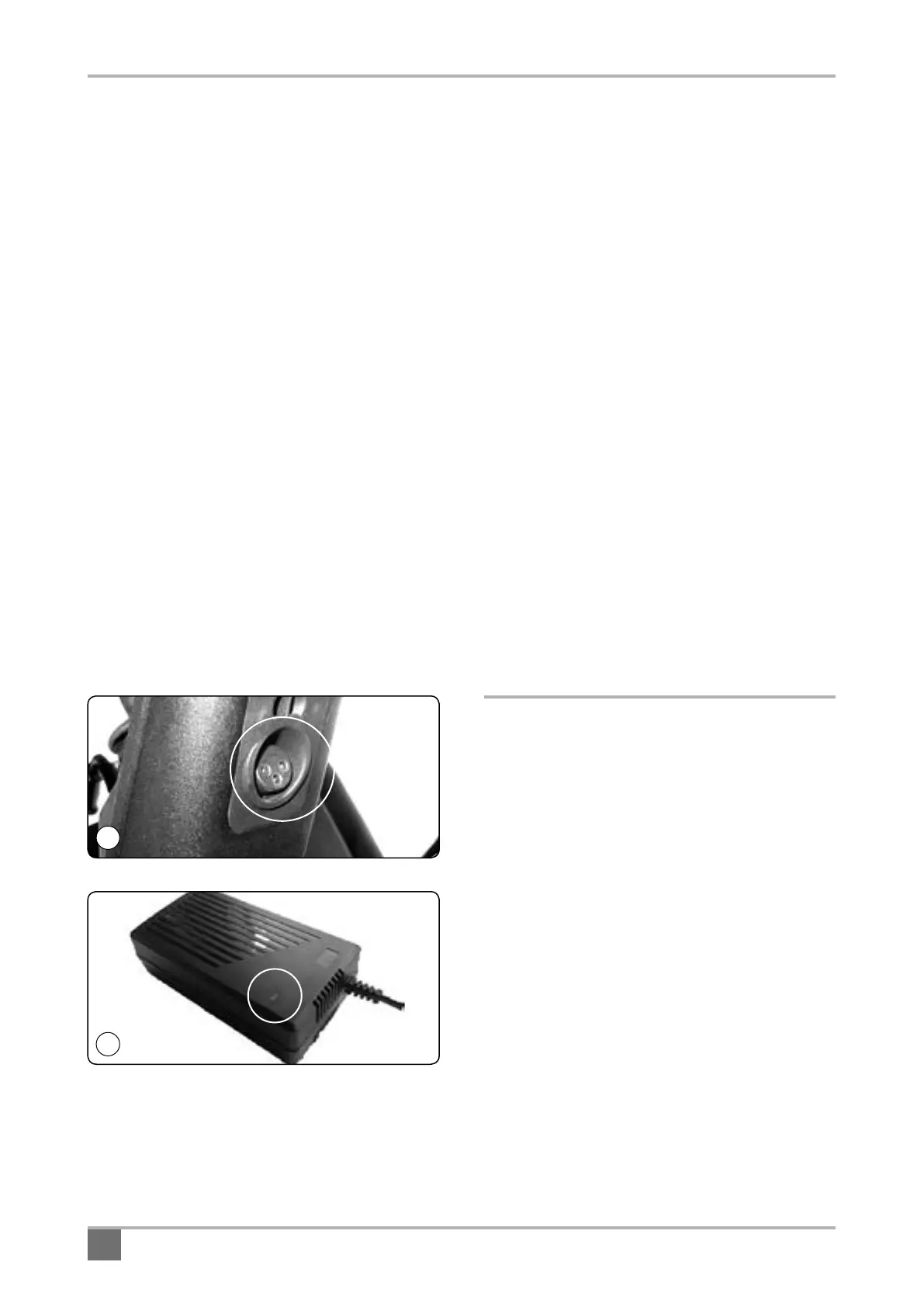
The charging socket is located below the front of the
joystick assembly (Fig.17). With the charger discon-
nected from the mains, push the charger plug into the
socket. When the vehicle is charged always remove
the plug.
The battery charger has a multi-coloured
charge status LED This lamp changes colour
depending on the status of the charger (Fig.18).
• The LED colours have the following meanings:
• Flashing red: Standby or fault – A fault exists if
the charger is connected to the mains power and
scooter but continues to flash. Standby state exists
if the charger is plugged into the mains but not into
the scooter charge port.
• Solid Red: Charging
• Solid Green: Fully charged
• No Light: Mains power is not connected to the
charger or the charger is faulty.
Tip: Always ensure that the lamp shows green
before switching off and disconnecting the charger
at the mains.
Note: the charger contains a fan and will emit a slight
humming noise when in use.
Connection Instructions
When you receive your vehicle the batteries are only
partially charged – always fully charge them before
use, preferably over-night.
1. Place your machine in an area that is dry and
well ventilated. Make sure a power point is nearby.
2. Check the vehicle is switched off and the
joystick power key off.
3. Check the mains switch is off. Never connect
or disconnect the charger from the Powerchair with
the mains on.
4. Connect the charger to the charging point..
5. Connect the mains plug and switch on.
6. The lamp illuminates red when the charger
is powered up and charging has started (this
lamp will flash red if there is a battery fault or
the charging plug has not been properly pushed
into the charging socket). The LED will show
green when the Powerchair batteries are fully charged.
7. Switch off the mains and remove the
charging plug from the Powerchair charging
socket when fully charged. Do not leave the
charger plugged in with the power off. This may
gradually discharge your batteries.
17
18



 To Next Page