Controls - Seat Lift
P327 SL only
Introduction
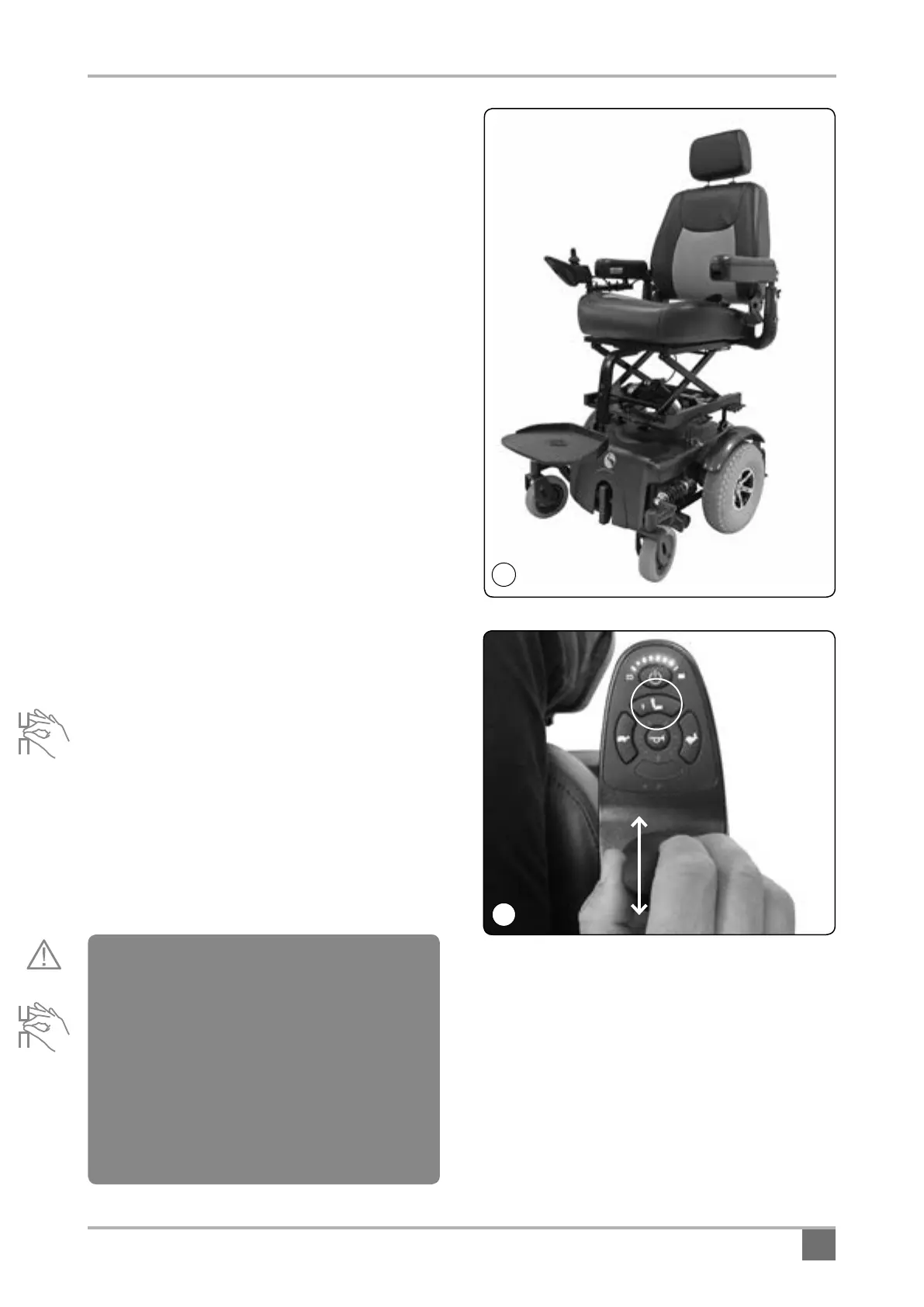
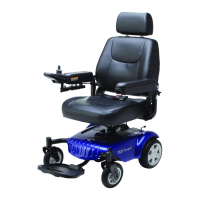
The seat lift version of this Powerchair (P327SL)
offers an elevating seat function (Fig.2) to allow the
user to reach higher when seated. This
configuration of the Powerchair reduces the
maximum user weight to 400 lbs (181.4kg / 28.5
stones). This reduction in maximum user weight is
to safeguard the stability of the Powerchair when
traveling in the elevated mode. The maximum
speed will be reduced when the chair is in the
elevated mode for safety reasons. Never attempt to
modify the Powerchair or attempt to override
the safety function.
Controlling the seat lift function:
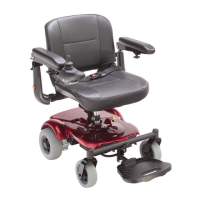
Fig.3 shows the Powerchair controller / joystick unit.
Controlling the basic driving functions is the same
as the other versions of this Powerchair described
earlier in this manual.
To adjust the seat height:
Press the button (1) in Fig.3 - this enters seat
adjustment mode (button will illuminate) and the
drive functions will be disabled. Now move the
seat up or down by pushing the joystick control
backwards or forwards. When the desired height
is reached press button (1) again and drive will be
enabled. Remember that you will not be able to
drive at full speed until the seat is back at the
lowest seat height.
9
Warning! NEVER attempt to get in or out of
the Powerchair when the seat is in an elevated
position. NEVER put body parts or other
objects under the seat as this may damage the
unit and or cause serious injury. The lifting
scissors present a serious risk of pinching and
or crushing. Always keep objects and body
parts clear of the elevating mechanism during
seat height adjustment. NEVER stand on the
front footrest.
3
2


 To Next Page