EasyManua.ls Logo

Raspberry Pi 3 B+ - User Manual

Raspberry Pi 3 B+
3 pages
Print Icon
To Next Page IconTo Next Page
Loading...
RDK-B (Raspberry Pi 3 B+) Build and Setup Manual -
Router Profile
Introduction
Build Instructions and Flashing Procedure
Hardware and Setup Information
RDK-B Bootup Sequence
Router Profile Test Bed using RPI
Router Functionality Use Case - Internet connectivity for Wired and Wireless Client(s)
Lists of Supported Features
Supported Features User manual
Additional Links
Yocto Modification for RDK B+ Support
Introduction
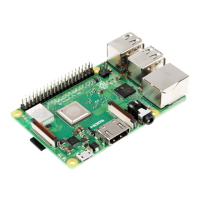
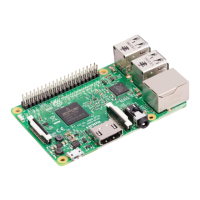
The Raspberry Pi 3 Model B+ featuring a 64-bit quad core running at 1.4 Ghz. R-Pi3 B+ supports the dual band processor 2.4GHz and 5GHz IEEE
802.11.b/g/n/ac wireless LAN which provides an high edge for the broadband developer community to test the RDK-B stack with Router, WiFi
functionalities.
Build Instructions and Flashing Procedure
RDK-B Raspberrypi - Host SetUp and Build Instructions
Hardware and Setup Information
RDKB RPI Setup Information
Note : RPI-3 B and B+ have same Build instructions and testing procedure
RDK-B Bootup Sequence
GwProvApp-Ethwan is the entry point for RDK-B stack middleware. It does all gateway initialization as above
Responsible to initiate the registration of all services on boot -up. Responsible for all provisioning of LAN,FIREWALL(iptables),BRIDGE,etc
GwProvApp-EthWan is specifically designed for Ethernet only Input feed for WAN Network Connection(i,e erouter0)
Router Profile Test Bed using RPI
Question and Answer IconNeed help?

Do you have a question about the Raspberry Pi 3 B+ and is the answer not in the manual?

Summary

Introduction to RDK-B on Raspberry Pi

RDK-B Overview and Hardware

Describes the Raspberry Pi 3 Model B+ and its suitability for RDK-B testing with WiFi functionalities.

RDK-B Build and Setup Procedures

Build Instructions and Flashing

Guide for setting up the host environment and flashing RDK-B onto the Raspberry Pi.

Hardware and Setup Information

Details on RDKB RPI setup, noting build instructions are the same for RPi 3 B and B+.

RDK-B Bootup Sequence and Core Components

RDK-B Bootup Sequence Diagram

Visualizes the systemd and event handler registration during RDK-B boot.

RDK-B Middleware Initialization

Explains GwProvApp-Ethwan's role in RDK-B initialization and service registration.

RDK-B Router Functionality and Test Bed

Internet Connectivity Use Case

Detailed steps for connecting wired and wireless clients to the internet via RDK-B on RPi.

Supported Wireless SSIDs

Default SSID names and passwords for 2.4GHz and 5GHz WiFi bands on RDK-B.

RDK-B Supported Features and Documentation

List of Supported Features

Enumerates features like DHCP, Device Management, Parental Control, Firewall, and WPS.

Supported Features User Manuals

References user manuals for specific RDK-B features such as WiFi Management and MAC Filtering.

Additional Resources and Yocto Support

Additional Links

Provides links to RDK-B components documentation and Utopia basic routing features.

Yocto Modification for RDK B+ Support

Details on kernel and firmware modifications for RDK B+ support in Yocto build.

Overview

The RDK-B (Router Development Kit for Broadband) Raspberry Pi 3 B+ Router Profile is a comprehensive platform designed for broadband developers to test and implement router and WiFi functionalities. This manual outlines the build, setup, and operational aspects of the RDK-B stack on the Raspberry Pi 3 Model B+.

Function Description

The RDK-B Raspberry Pi 3 B+ serves as a robust router platform, enabling the development and testing of various network functionalities. At its core, the device facilitates internet connectivity for both wired and wireless clients. The system's bootup sequence, managed by GwProvApp-Ethwan, is a critical component, initiating all gateway functionalities, including the registration of services like LAN, FIREWALL (iptables), and BRIDGE. This application is specifically designed to handle the state machine for gateway installation, ensuring a structured and reliable startup process. It initializes the RDK-B database (syscfg database), the sysevent daemon, and registers various DLL event handlers, which are essential for managing network operations such as bridge, IPv4, LAN handling, multinet, WAN, firewall, and DHCP server functions. The GwProvApp-Ethwan acts as the central entry point for the RDK-B stack middleware, orchestrating the provisioning of network services and managing the Ethernet-only input feed for the WAN network connection.

Usage Features

The RDK-B Raspberry Pi 3 B+ offers a wide array of usage features, making it a versatile tool for network development and testing.

Network Connectivity:

  • WAN Connection: The Ethernet port of the Raspberry Pi should be connected to a WAN network to establish internet access.
  • WiFi Connectivity: A WiFi Dongle connected to the RPI enables wireless network capabilities. The system supports dual-band 2.4GHz and 5GHz IEEE 802.11.b/g/n/ac wireless LAN.
  • Wired Client Connectivity: Client PCs can be connected to the RPI via a USB2Ethernet adapter, with an optional Ethernet switch for multiple wired clients.
  • Interface Listing: Upon power-on, the RPI lists network interfaces such as erouter0, brlan0, and wlan0, confirming successful boot-up.
  • Private IP Assignment: Connected client PCs and mobile devices receive private IP addresses within the 10.0.0.x range.
  • Default WiFi SSIDs: The RPI broadcasts default SSIDs for both 2.4GHz ("RPI3_RDKB-AP0" with password "rdk@1234") and 5GHz ("RPI3_RDKB-AP1" with password "rdk@1234") radios, allowing for immediate wireless connections.
  • Captive Portal: For initial internet access, users must configure a captive portal by accessing any URL or 10.0.0.1 from a browser. This portal redirects to a page where users can re-configure default SSID names and passwords.
  • Internet Browsing: After captive portal configuration and reconnection with the reconfigured SSID, both mobile and wired clients can browse the internet.
  • Connected Devices Monitoring: Information about connected client PCs and mobile devices can be verified through the web UI by accessing 10.0.0.1 and logging in with default credentials (username: admin, password: password).

Supported Features: The RDK-B Raspberry Pi 3 B+ supports numerous functionalities, including:

  • DHCP Gateway Configuration
  • Monitoring of Connected Devices (Wired/Wireless)
  • Private Wifi (2g/5g)
  • Xfinity-wifi (2g/5g)
  • Parental Control (Managed Devices, Sites, Services)
  • Port Forwarding
  • Remote Management (HTTP support only)
  • DMZ (Demilitarized Zone)
  • Captive Portal
  • Test and Diagnostics
  • Bridge Mode
  • Webpa
  • WPS (Wi-Fi Protected Setup)
  • MAC Filtering
  • Firewall Settings
  • Log level control through CcspLogAgent
  • SNMP (Simple Network Management Protocol)
  • Band Steering using RSSI (Received Signal Strength Indicator)

Maintenance Features

The RDK-B Raspberry Pi 3 B+ incorporates several features to facilitate maintenance and system management.

  • Factory-Reset: This feature allows users to restore the device to its original factory settings, which is useful for troubleshooting or reconfiguring the system from scratch.
  • Password-Reset: Users can reset the device's password, ensuring secure access management.
  • Firmware Upgrade: The device supports firmware upgrades using a dual-bank system, which enhances reliability during updates. It also supports firmware upgrades via HTTP protocol.
  • Backup and Restore: This functionality enables users to back up their device configurations and restore them when needed, preventing data loss and simplifying system recovery.
  • SelfHeal: The RDK-B platform includes a SelfHeal mechanism, designed to automatically detect and resolve certain system issues, improving device resilience and reducing manual intervention.
  • Bootchart: This feature provides insights into the device's boot-up process, helping developers optimize boot times and identify potential bottlenecks.
  • Log Rotation Support: The system supports log rotation, which helps manage log file sizes and ensures that critical system logs are maintained efficiently without consuming excessive storage.
  • Telemetry: Telemetry features allow for the collection and transmission of operational data, which can be used for monitoring device performance, diagnosing issues, and improving overall system stability.
  • Log Level Control: Through the CcspLogAgent, users can control the log level, allowing for detailed debugging or more concise logging depending on their needs.
  • WebUI Access: The web-based user interface (accessible via 10.0.0.1) provides a centralized platform for managing and monitoring various device features, including connected devices, network settings, and security configurations. This interface requires authentication with admin credentials.
  • RDK-B Components and Utopia: The RDK-B Components provide a framework for supported functionalities, while Utopia covers basic routing features, offering a modular approach to system management and development.
  • Yocto Modification for RDK B+ Support: Specific modifications to the Yocto build system, such as back-porting the Linux kernel, modifying linux-firmware bbappend for wireless interface support, and adjusting bcm2835-bootfiles bbappend and rdk-rpi.inc for RPI B+ board boot-up, ensure ongoing compatibility and performance enhancements.

Raspberry Pi 3 B+ Specifications

General IconGeneral
BrandRaspberry Pi
Model3 B+
CategoryComputer Hardware
LanguageEnglish

Related product manuals