28
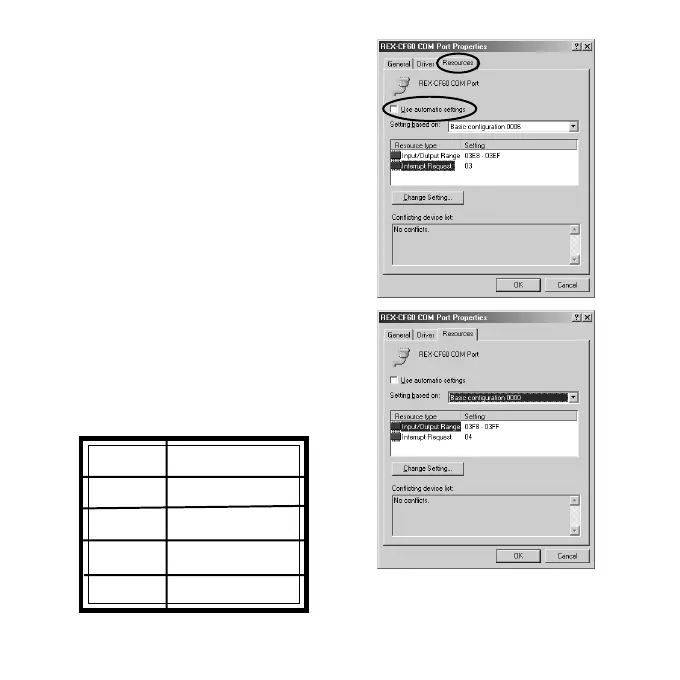
2)Select the [Resources] tab and uncheck the
box at [Use automatic settings].
3)Change [Basic configuration xxxx] at
[Setting based on]. Refer to the
following table and change the I/O address
to the COM port number you want.
COM# I/O address
COM1 3F8h-3FFh
COM2 2F8h-3FFh
COM3 3E8h-3EFh
COM4 2E8h-2EFh


 To Next Page