7
2-1.Connecting the CF60U
2.Installation
1)If you connect the CF60U into a PDA, just insert the CF60U. After inserting
the CF60U, COM port is available in the PDA. Proceed to Chapter 3.
2)If you connect the CF60U into a Windows PC, follow the steps:
i)Turn on your Windows PC
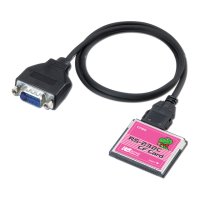
ii)Connect the bundled cable to the CF60U
iii)If you insert the CF60U into a PC Card Slot, you need to attach the CF60U
to a CF Type II Adapter and then insert it into a PC Card Slot.
(CF Type II Adapter is sold separately)
If you insert the CF60U into a CF Card Slot, insert the CF60U into the slot.
--->If you are a Windows 98SE user, proceed to 2-2.
--->If you are a Windows Me user, proceed to 2-3.
--->If you are a Windows 2000 user, proceed to 2-5.
--->If you are a Windows XP user, proceed to 2-5.


 To Next Page