17
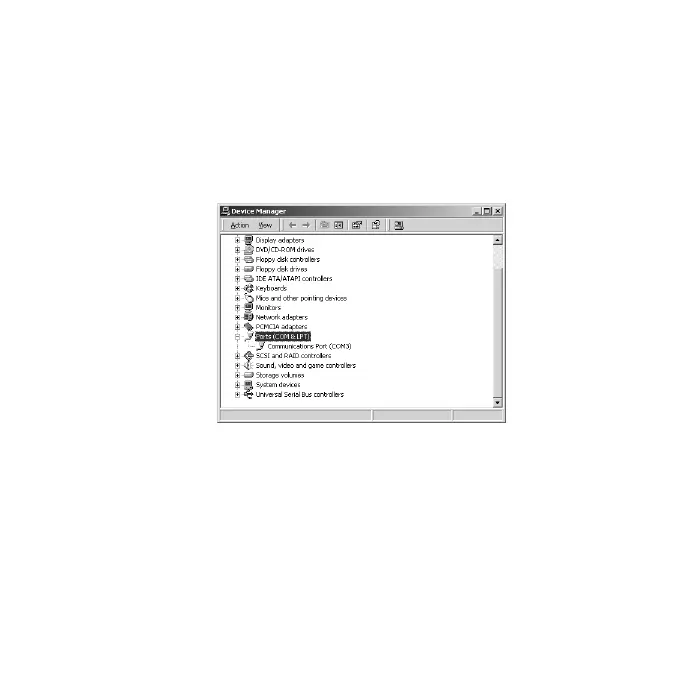
2-6.Confirming Windows 2000/XP Installation
Follow the steps in order to confirm the driver has copied successfully.
1)Right-click on [My Computer] and select [Properties]. Select the
[Hardware] tab and then click the [Device Manager] button.
2)Double-clikc [Communications port(COMn)](n is a number) under the
[Ports(COM & LPT)] string in order to show its properties.


 To Next Page