16
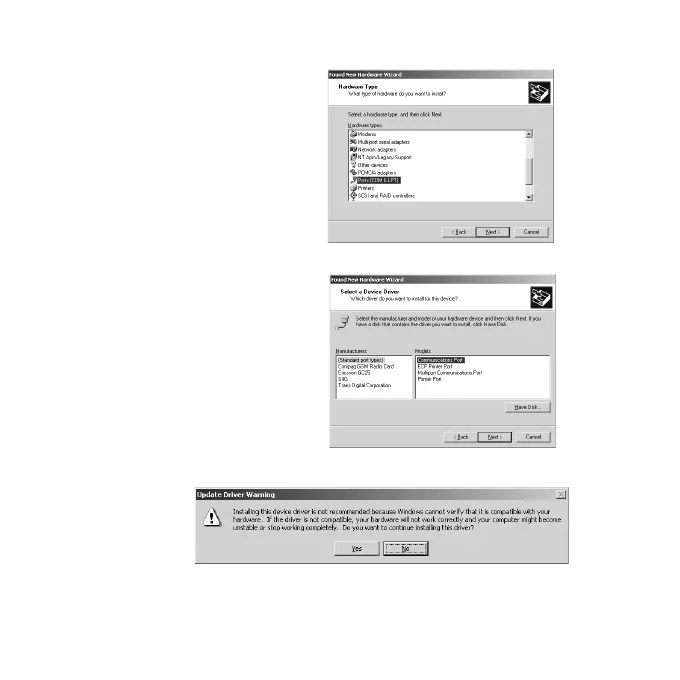
3)Select [Ports(COM & LPT)] and click [Next].
4)Select [Standard port types] as [Manufacturers] and [Communications
port] as [Models]. Then, click [Next].
5)The following warning message will appear. Click [Yes].
6)Follow on-screen messages and complete the driver installation.
Proceed to 2-6 to confirm the driver installation.


 To Next Page