Display Setting
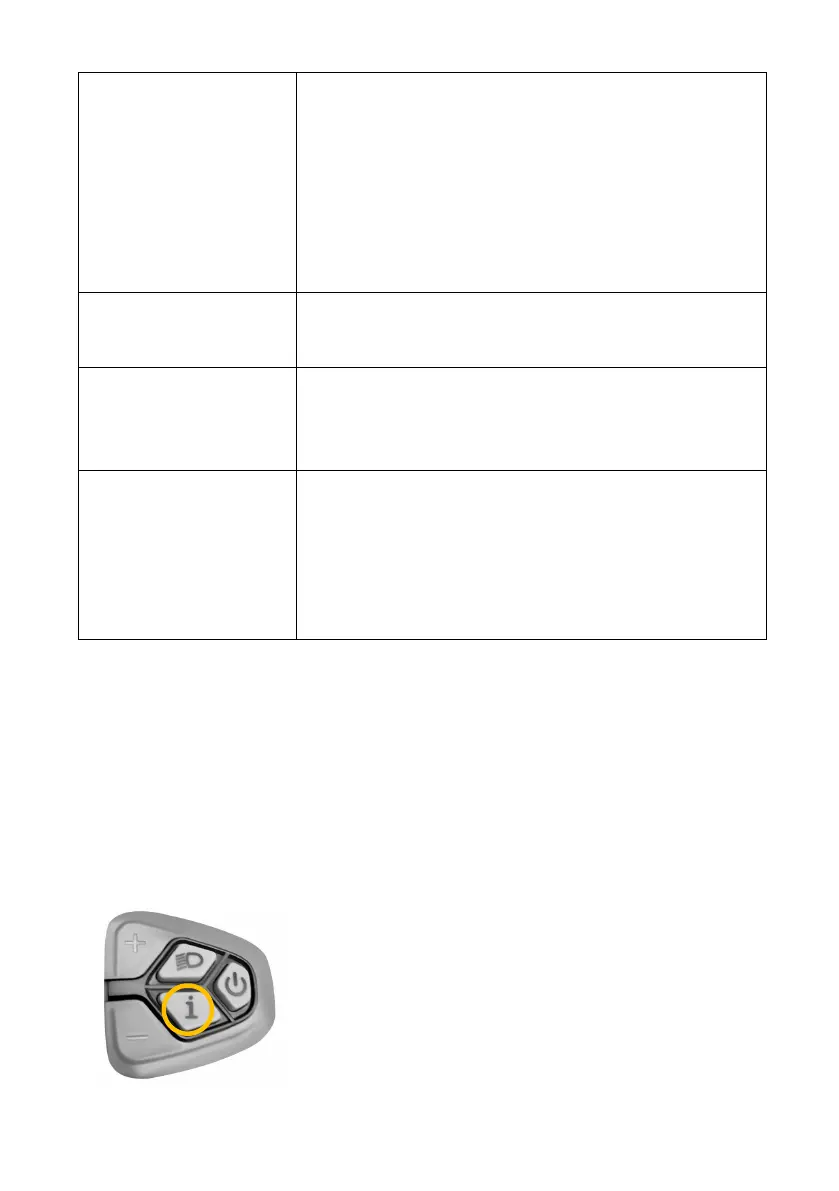
* Select the setting via "+" / "-" and press "i" to enter the corresponding
setup or confirm setting.
1. Turn On/Off The Display
Press "i" constantly till the mode changes on
the display, there are three modes: ECO,
Normal and Sport. The acceleration of ECO
mode is small while the Sport mode`s is big.
ECO mode will consume the power of the
battery least while Sport mode will consume
it most.
Turn on / off the
headlight manually
Access the display
setting
Press the "+" and "-" buttons constantly for 3
seconds, then "+" stands for last one, "-"
stands for next one, "i" stands for confirm.
Press "-" button constantly till the motor
engages, then the bike will go with a con-
stant speed of 3 mph.
*The walking mode will stop as soon as the
"-" button is not being press constantly.
Press the power button for 2~4s, turn on the
display and power system connection.
Press the power button for 2~4s, turn off the
display and the power system connection is
disconnected.
* The display will be off when there are over 5
minutes not in use.


 To Next Page