EasyManua.ls Logo

RATTAN Pathfinder - Page 20

RATTAN Pathfinder
30 pages
Print Icon
To Next Page IconTo Next Page
To Previous Page IconTo Previous Page
Loading...
- 19 -
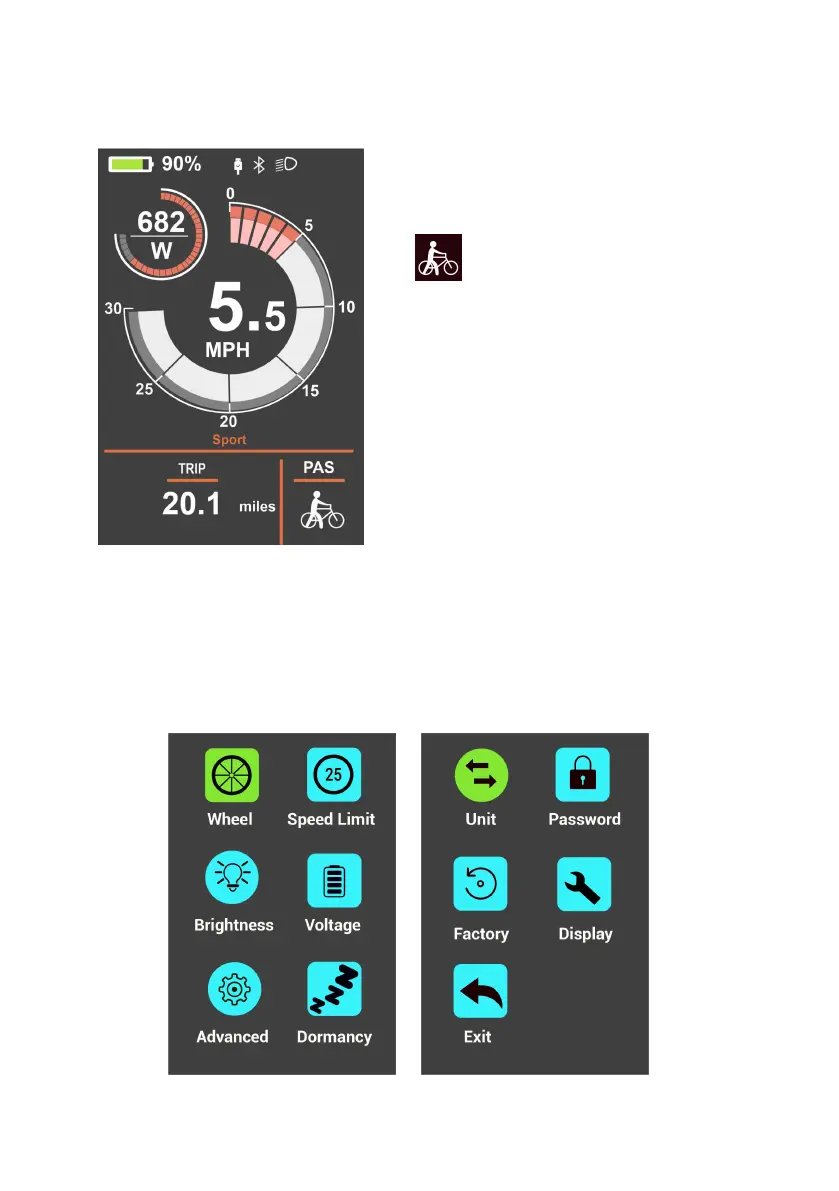
3. Walk Mode
4. Display Setting
Turn on the display, press" +" and "-" 2s simultaneously to access .
* Do not change the setting when riding for safety first.
Turn on the display, press the "-" for 2s
and the bike will start in walk mode.
" " will show on the screen and it
will drive at a uniform speed of less
than 6kmh.
Release the "-" button, will stop the
electric power assisted mode.
* Walk mode is available only you
when you need to walk the bike with
little effort.