BLADE
GAMING USB
KEYBOARD
14
EN
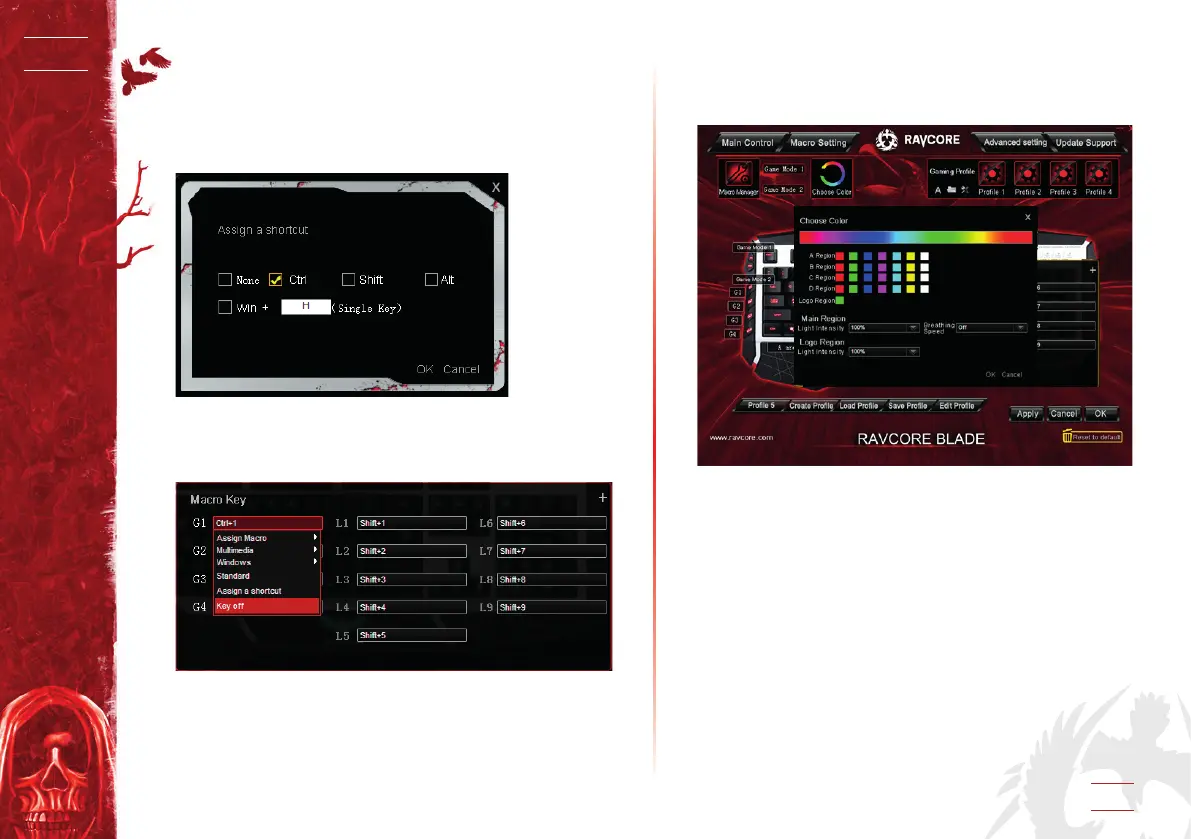
2.5 Assign a shortcut
1. Click dialog of the Macro key you need to dene, select “Assign
a shortcut”.
2. Select combination of keys and input a single key then click
“Apply”.
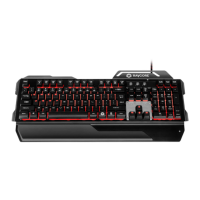
2.6 Key o
1. Click dialog of the Macro key and select “Key o” then click
“Apply”.
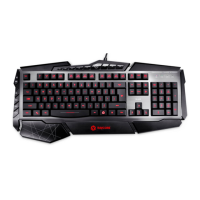
3. COLOR CHANGE
Click the “choose color” option, appear the following dialog, set
the color and intensity of each area.


 To Next Page