EasyManua.ls Logo

Ravel RE –102 - User Manual

Ravel RE –102
33 pages
Print Icon
To Next Page IconTo Next Page
Loading...
RE –102
RE - 104
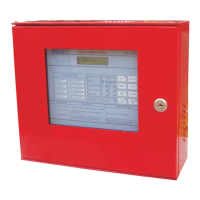
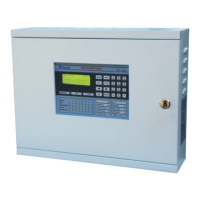
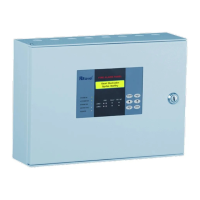
Fire Alarm Control Panel
Installation, Commissioning & Operating
Manual

Questions and Answers

  • N
    Natalie WileyAug 1, 2025
    What to do if there are false alarms from the detector on my Ravel Control Panel?
    • A
      Amy BoydAug 1, 2025
      If your Ravel Control Panel is showing false alarms from the detector, it might be due to a faulty detector or an issue with the EOL resistor. Ensure that the AC supply is within the range of 185 - 245v. If the issue persists, consider changing the faulty detector.
  • L
    Linda FowlerAug 8, 2025
    Why is my Ravel Control Panel showing a hooter fault indication?
    • S
      Sarah LynnAug 8, 2025
      A hooter fault indication on your Ravel Control Panel can arise from connection problems in the hooter or a loop fault. Here's what to check: * If no hooter is connected to the output, verify if an EOL resistor is connected. * Use a meter to check the loop wiring for shorts or opens. * For non-polarized hooters, ensure each hooter’s positive loop is connected to the cathode of a 1N 4007 diode, and the hooter’s negative loop is connected to the anode of the 1N 4007.
  • C
    Christopher SmithAug 16, 2025
    How to troubleshoot a Ravel Control Panel with no indication?
    • A
      Anna GrahamAug 16, 2025
      If there is no indication on your Ravel Control Panel, the cause may be no power to the panel. Check both the AC power and the standby power.
  • Z
    Zachary IngramAug 23, 2025
    What to do if the Detector OPEN is not detected by the Ravel Control Panel?
    • M
      mark57Aug 23, 2025
      If the Ravel Control Panel isn't detecting a Detector OPEN, it could be because the total zone loop current exceeds the rated value. Check the number of detectors connected in the loop, ensuring that the total detector current does not exceed 3mA.

Summary

Chapter 1: Introduction

1.1 System Design & Planning

Assumes system designed by competent fire alarm system designer adhering to IS 2189: 1999 and local codes.

1.2 General

General overview of the panel's self-contained nature, microprocessor control, and compliance with IS 2189: 1999.

1.3 Fire Alarm Procedures

Details procedures for dealing with fire alarms, fault warnings, and system isolation as per IS 2189: 1999.

1.4 User Responsibility

User's responsibilities include routine testing, actions following fire/fault, and implementing remedial action for false alarms.

1.5 Routine Testing

Recommends daily, weekly, quarterly, and annually checks to ensure system operational compliance with IS 2189: 1999.

Chapter 2: Product Description

2.1 Product Features

Lists key features like rugged construction, 220V AC operation, battery backup, LED indicators, LCD display, and tactile keypad.

2.2 Specification

Details technical specifications for AC Power, Battery, Initiating Device Circuits, Notification Appliance Circuits, and Relays.

2.3 Controls and Indication

Explains the function of panel LEDs for status, power, faults, and zone indications, and describes control keys.

2.4 Mechanical Construction

Details panel enclosure construction (CRCA sheet, IP-54), cable entry, and battery provision for 2 x 12V, 7Ah batteries.

Chapter 3: Installation

3.1 Installation Precautions

Provides critical safety warnings for handling static-sensitive devices, high voltage, and environmental conditions during installation.

3.2 Mounting Details

Illustrates panel dimensions and provides instructions for wall mounting using screws and cable entry via knockouts.

3.3 Input Circuits

Explains the 2/4 zone input circuits, Class B wiring, loop resistance limit (50 ohms), and supervision for opens/ground faults.

3.4 Output Circuits

Details Notification Appliance Circuits (Sounder) and Form-C relays for Fire and Fault outputs, including specifications.

Chapter 4: Operating Instruction

4.1 Switch Functions

Explains the operation of panel keys: SILENCE, RESET, ENTER, and CURSOR keys for system control and navigation.

4.2 Status LED

Describes the meaning of normal status LEDs (SYSTEM ON, AC POWER ON, BATTERY ON) and fault/silence indications.

4.3 Operation

Details zone fault response, fault restoral, fire response, and fire restoral procedures for panel operation.

Chapter 5: Servicing

5.1 Walk Test Mode

Explains how to perform system walk tests without triggering the Fire Relay, allowing testing of all zones.

5.2 Installation;Replacement of PCB

Provides instructions for removing and replacing the Printed Circuit Board (PCB) in the panel.

5.3 Test

Details the procedure for testing LED and zone card functionality, including Open, Short, and Fire tests.

5.4 Lamp Test

Describes how to perform a lamp test by pressing the 'ENTER' key to verify all panel LEDs are functioning.

Chapter 6: Battery Calculation

Chapter 7: Trouble Shooting

Chapter 8: Terminal Details

Ravel RE –102 Specifications

General IconGeneral
BrandRavel
ModelRE –102
CategoryControl Panel
LanguageEnglish

Related product manuals