EasyManua.ls Logo

Ravel RE - 104 - User Manual

Default Icon
33 pages
Print Icon
To Next Page IconTo Next Page
Loading...
RE –102
RE - 104
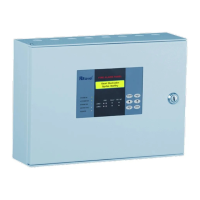
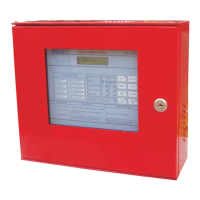
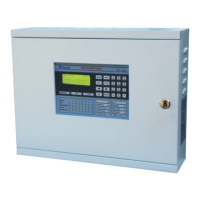
Fire Alarm Control Panel
Installation, Commissioning & Operating
Manual

Questions and Answers

  • A
    Allison ConleyAug 8, 2025
    What to do if there are false alarms from the detector on my Ravel Control Panel?
    • T
      Tracey CarpenterAug 8, 2025
      If your Ravel Control Panel is showing false alarms from the detector, it might be due to a faulty detector or an issue with the EOL resistor. Ensure that the AC supply is within the range of 185 - 245v. If the issue persists, consider changing the faulty detector.
  • D
    Danielle ThomasAug 15, 2025
    Why is my Ravel Control Panel showing a hooter fault indication?
    • I
      iyoungAug 15, 2025
      A hooter fault indication on your Ravel Control Panel can arise from connection problems in the hooter or a loop fault. Here's what to check: * If no hooter is connected to the output, verify if an EOL resistor is connected. * Use a meter to check the loop wiring for shorts or opens. * For non-polarized hooters, ensure each hooter’s positive loop is connected to the cathode of a 1N 4007 diode, and the hooter’s negative loop is connected to the anode of the 1N 4007.
  • K
    Kaylee JohnsonAug 23, 2025
    How to troubleshoot a Ravel Control Panel with no indication?
    • M
      Martin WhiteAug 23, 2025
      If there is no indication on your Ravel Control Panel, the cause may be no power to the panel. Check both the AC power and the standby power.
  • D
    Derek CoxAug 31, 2025
    What to do if the Detector OPEN is not detected by the Ravel Control Panel?
    • M
      Megan RasmussenAug 31, 2025
      If the Ravel Control Panel isn't detecting a Detector OPEN, it could be because the total zone loop current exceeds the rated value. Check the number of detectors connected in the loop, ensuring that the total detector current does not exceed 3mA.

Summary

Introduction

System Design and Planning

Assumes competent design by fire alarm system designer per IS 2189: 1999 standards.

General Panel Information

Details the panel's self-contained design, microprocessor control, and zone capacity for detectors.

Fire Alarm and Fault Procedures

Outlines procedures for fire, fault warnings, and system isolation as per IS 2189: 1999.

User Responsibilities for Fire Safety

Defines user's role in actions after fire/faults and remedial actions for false alarms.

Routine System Testing Procedures

Provides recommended daily, weekly, quarterly, and annual checks for system operational integrity.

Product Description and Features

Key Product Features

Lists features: rugged construction, 220V AC supply, LED indication, LCD display, and zone testing.

Technical Specifications

Details AC power, battery, initiating device circuits, sounder circuits, and relay ratings.

Panel Controls and LED Indicators

Describes front panel layout, LED indicators for status, and control keys like Silence and Reset.

Panel Mechanical Construction and Dimensions

Explains enclosure material, IP-54 protection, cable entry knockouts, and battery provision.

Installation Guide

Installation Safety Precautions

Highlights essential safety warnings and precautions for installing the fire alarm control panel.

Panel Mounting and Cable Entry

Provides dimensions and guidance for securely mounting the panel to a wall using provided slots.

Initiating Device Circuit Details

Describes 2/4 zone input circuits, loop resistance limits, and compatibility with detectors.

Notification Appliance and Relay Outputs

Details sounder circuits and standard Form-C relays for Fire and Fault indication.

Operating the Fire Alarm Panel

Control Panel Switch Functions

Explains operation of control keys like SILENCE, RESET, ENTER, and CURSOR for panel interaction.

Status LED Indicators Explained

Defines meanings of LED indicators for system status, power, faults, and silencing.

Panel Operation Modes and Responses

Covers zone fault/fire responses, LED indications, buzzer tones, and system reset procedures.

Panel Servicing and Maintenance

Performing Walk Test Mode

Details system walk tests without fire relay activation for zone verification.

PCB Installation and Replacement

Provides instructions for safely removing and replacing the Printed Circuit Board (PCB) in the panel.

System and Zone Testing

Describes process to test LED and zone card functionality for specific zones or the entire system.

Lamp Test Functionality

Explains activation of Lamp Test function to verify all panel LEDs are operational.

Battery Capacity Calculation

Troubleshooting Common Issues

Terminal Connections Diagram

Ravel RE - 104 Specifications

General IconGeneral
BrandRavel
ModelRE - 104
CategoryControl Panel
LanguageEnglish

Related product manuals