4
© 2019 Raven Industries, Inc.
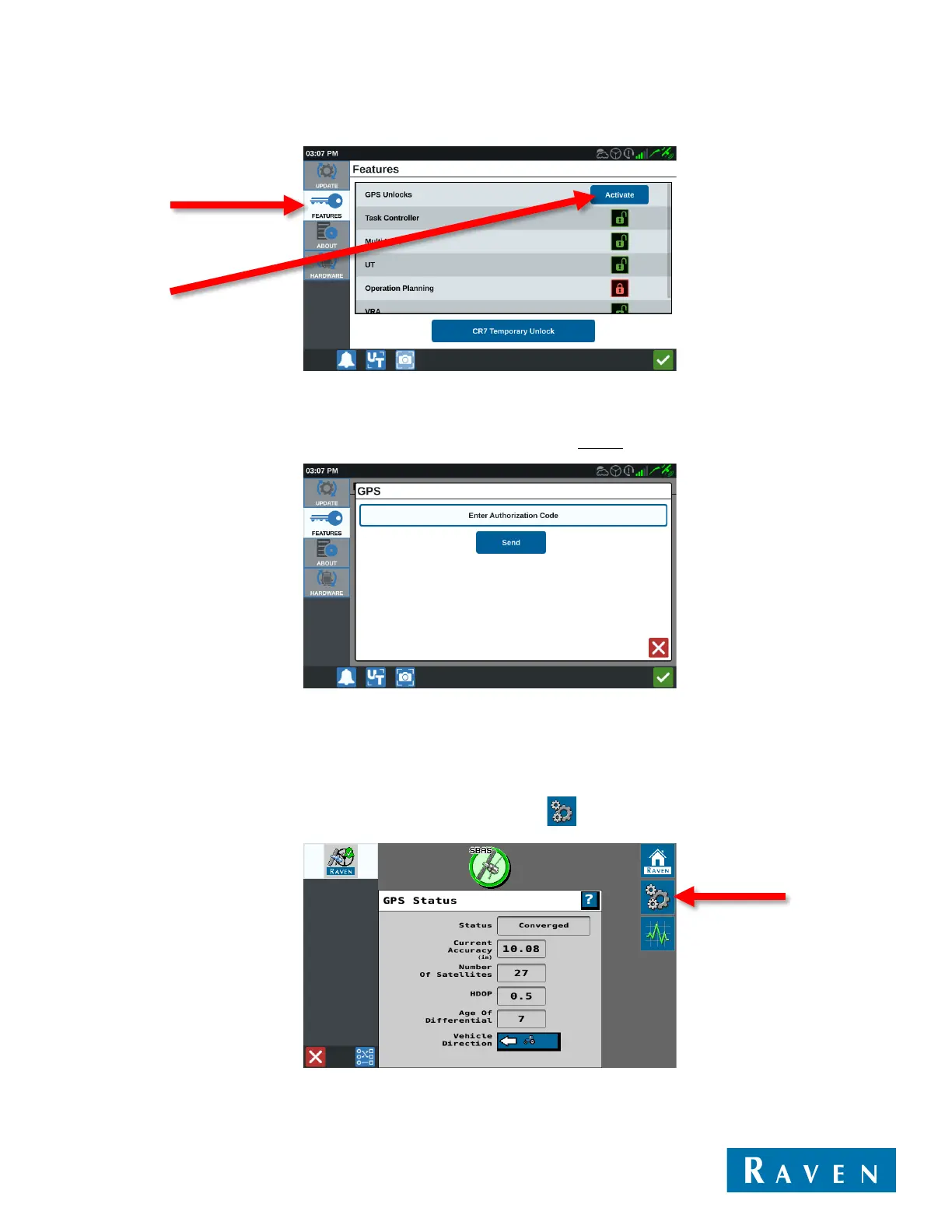
2. Select the Features tab and then select the Activate button next to GPS Unlocks.
3. If you received a 56-digit code, enter that code first and then select the Send button. Once the receiver resets,
you can then enter the 10-digit code using the same process. If you did not receive a 56-digit code, you will only
need to enter the 10-digit code. Remember to enter these codes exactly as they appear (case sensitive).
After the 10-digit code is entered, the 500S™ will immediately be capable of receiving GS corrections.
USING THE SC1™
1.3.0.90 or higher SC1™ software is required for configuring the 500S™ through the SC1™.
1. From the Home screen on the SC1™, select the Tools softkey .



 To Next Page
 Loading...
