6
© 2019 Raven Industries, Inc.
VERIFY CORRECTIONS ARE WORKING
USING THE CR7™
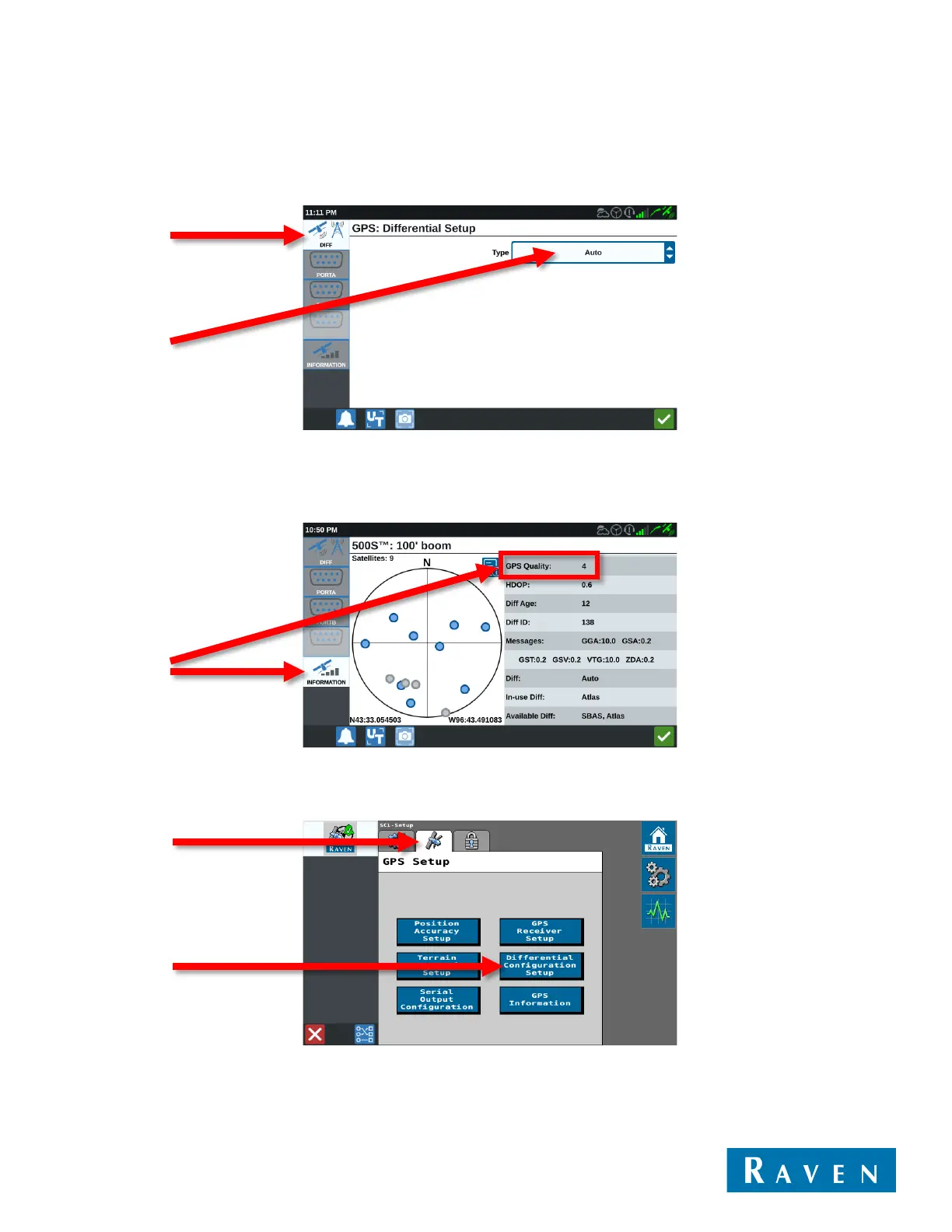
1. Navigate back to the GPS Settings menu and then go to the Diff tab. On this screen, set the Type to Auto.
2. Now go to the Information tab.
a. If subscribed to Satellite GS, the GPS Quality number should be 4. This may take up to 30 minutes.
b. If unlocked for GS-Lite, the GPS Quality number should be 2.
USING THE SC1™
1. Navigate back to the Tools menu and then go to the GPS Setup tab. Select Differential Configuration Setup.



 To Next Page
 Loading...
