50
GB
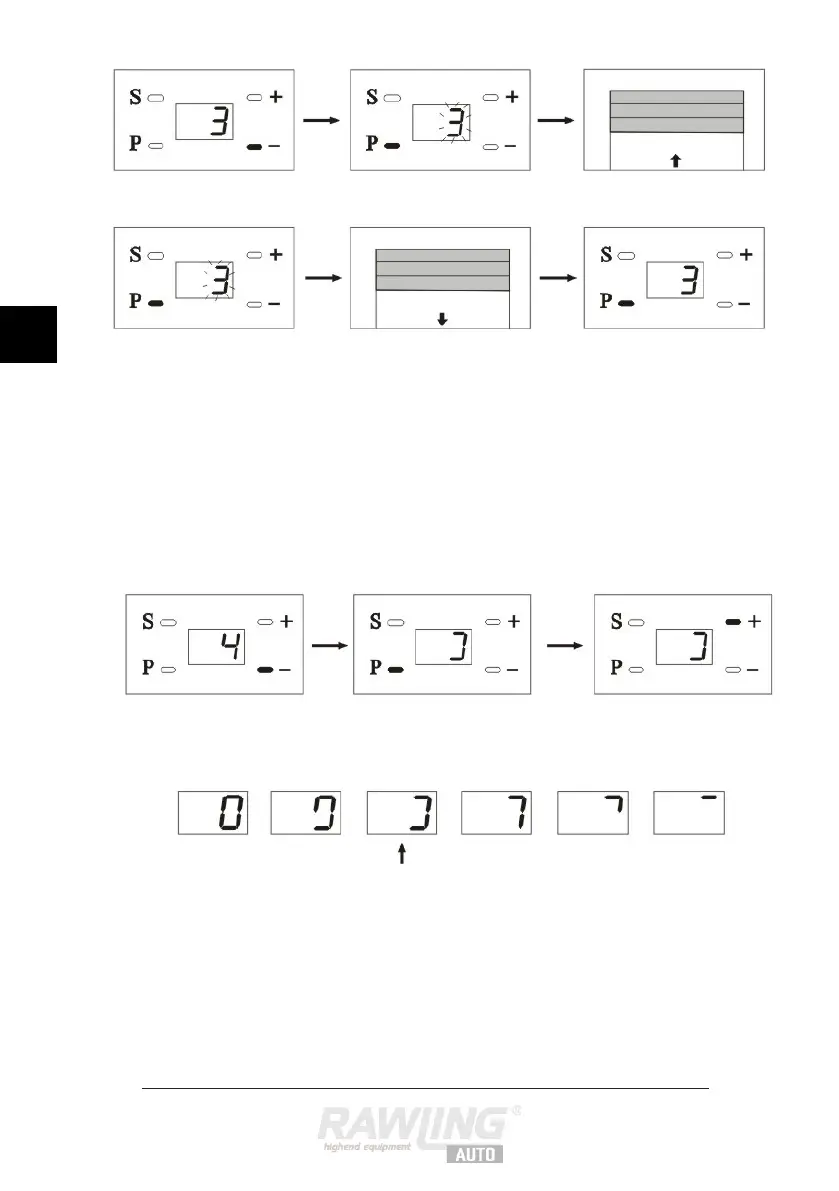
Press the – button. “3” appears on the
display to indicate that you are in menu 3.
Press the P button. “3” flashes on the display.
The door goes up automatically.
Press the P button twice.
The door goes down.
Press the P button to save the setting.
If you prefer not to make any further
settings at this point, press the + button to
select menu 1, and then hold the P button
down until “0” appears on the display.
Otherwise you must move on to the next
point.
Press the – button. “4” appears on the
display to indicate that you are in menu 4.
Press the + and – buttons to set resistance.
Resistance is shown by various symbols on
the display.
From the factory, resistance is set at level
4, which is normally the ideal setting. If
sensitivity is set too high the door will not
function as it should.


 To Next Page