51
NO
SE
FI
GB
DE
DK
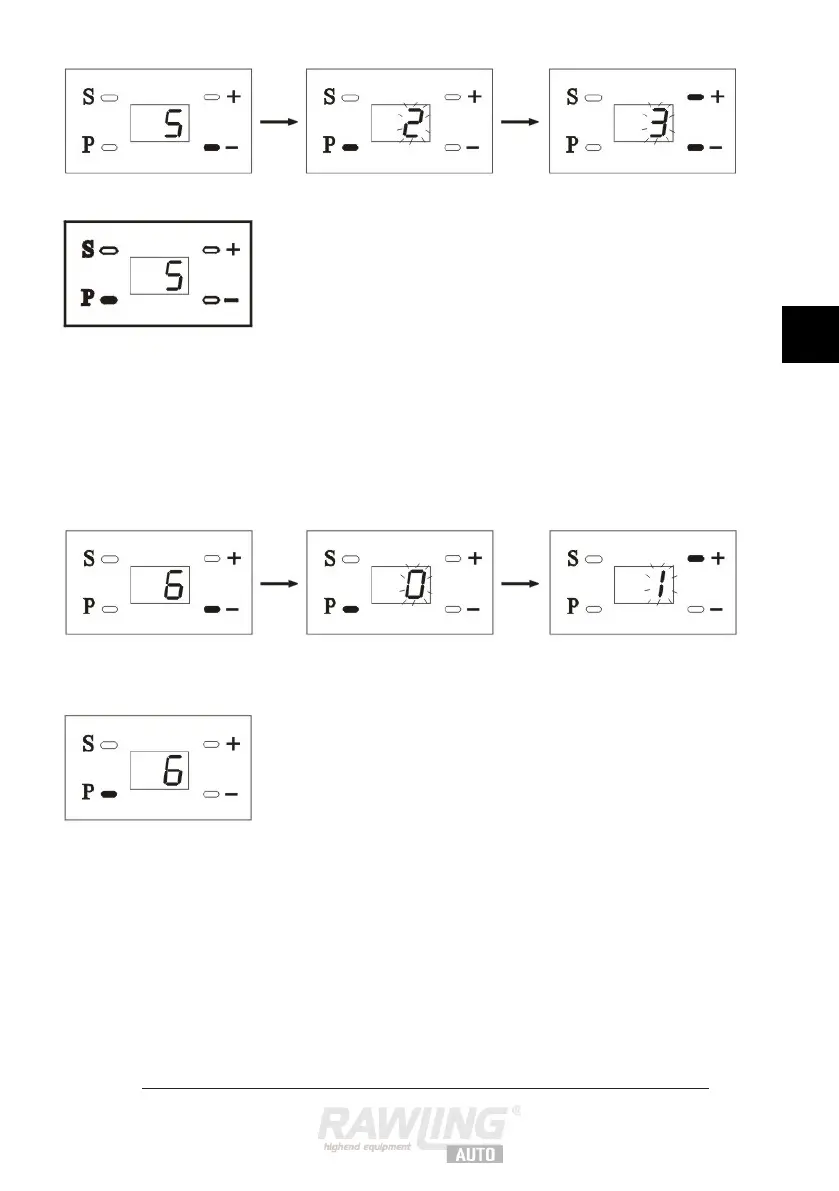
If you want to control several doors using
the same remote control, you have to set
this in menu 5 as follows:
Press the – button. “5” appears on the
display to indicate that you are in menu 5.
Press the P button. “2” appears.
Press the + and – buttons to set the number
of the remote control.
Press the P button to save the setting.
Press the – button. “6” appears on the
display to indicate that you are in menu 6.
Press on the P button. “0” flashes on the
display to indicate that the alarm function is
switched off.
Press the + button to switch the alarm
function on. “1” flashes on the display.
Press the P button to save the setting.


 To Next Page