11
Additional Safety Information:
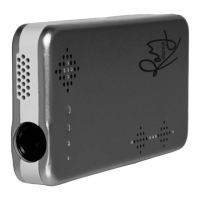
Ray projects video through a lens on to a screen using LED light sources.
The closer an object is to the lens of the Ray, the brighter the image/light
emitted from the lens.
A properly connected Ray will output an image through the lens. To verify
an image, hold the Ray 6 inches from a light colored surface.
Ray Projector
Longevity:
To prolong the life of the Ray Projector avoid operating on a flat surface.
Use the tripod or an equivalent to allow air circulation around the Ray to
cool the projector when overheated. The Ray may emit a sound if the in-
ternal fan is not operating/ventilating properly. This is a signal to turn the
projector off.
Important Maintenance & Operating Information:
Carrying Ray:
The Ray Projector contains optical and other sensitive components.
Do not bend, drop, puncture or crush Ray.
Using connectors and ports:
Do not force a connector into a port. Before connecting carefully check
the port for obstructions. If the connector and port don’t join with reason-
able ease, they don’t match. Make sure the connector matches the port
and is correctly positioned in relation to the port.
Climate Control:
For optimum results operate Ray in an environment with a temperature
reading between 0º and 35º C (32º to 95º F). The projector’s playing time
might temporarily shorten in cooler temperature conditions.


 To Next Page