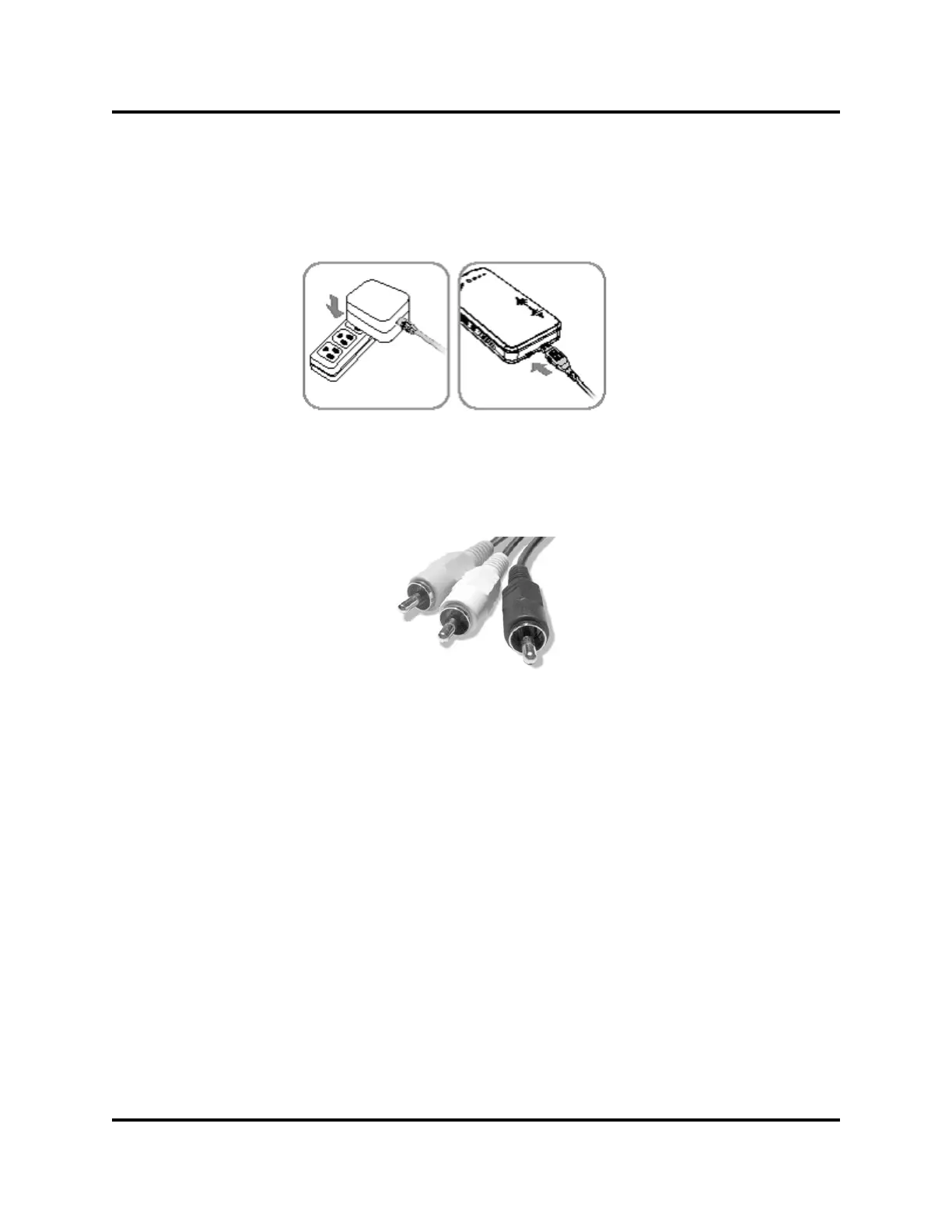
If the Pico Projector battery is discharged (DEAD), plug the AC Adapter
into an electrical outlet and connect the mini USB plug to the Projector.
The Power/Charge Light will start flashing once every second (60
flashes per minute) indicating the AC Adapter is connected to the Pico
Projector.
AC Adapter
USB Power
Watching Videos:
Video output from MP3/MP4 video players, cell phones, cameras, cam-
corders, portable DVD players and other video players have a standard
The TV connection has three color coded connectors:
x Yellow is Video
x White is the Left Speaker
x Red Is the Right Speaker.
Connecting Equipment:
The RCA connectors and couplers are color coded to assist in connect-
ing the cables.
xPlug the RCA Audio\Video Cable, ( item 5) into the RCA Coupler,
(item 7)
xPlug the connector attached to the camcorder, iPod, iPone, cell
phone, portable DVD player and other products with RCA plug
outputs, into the RCA coupler as shown.
RCA TV Connections
5


 To Next Page