57
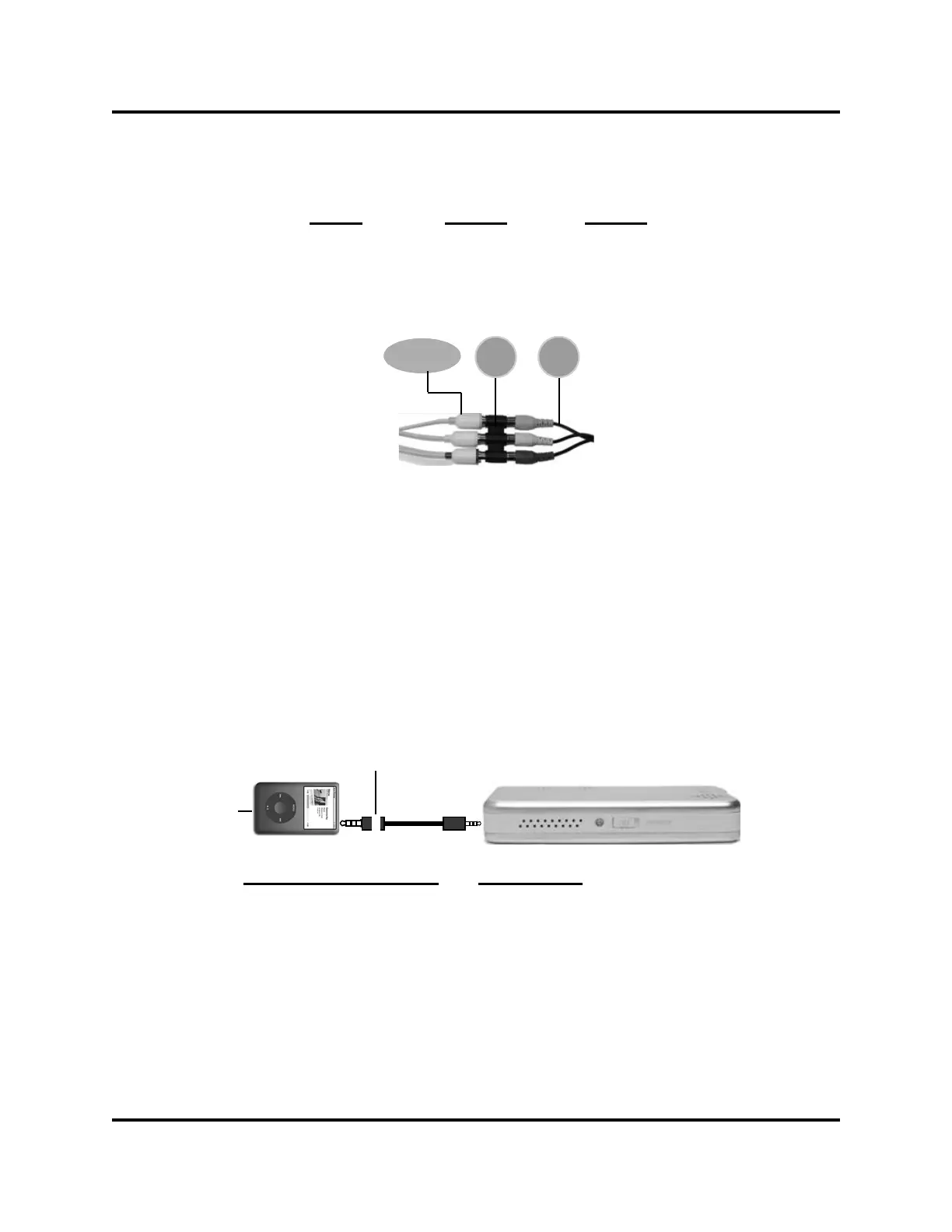
iPod, Cell
Phone, DVD
Input
RCA Coupler
Item 7
RCA Audio/
Video Cable
Item 5
Yello w Yello w Yello w
White White White
Red Red Red
Input
Standard cables have been included as an alternative to the RCA connec-
tion, to directly connect the video source to the
Ray Projector.
White band
Video Source
Video Source/Product Cable Color
iPod, Zune® White
ARCHOS
TM
, COWN, ZEN
Vision
Black
Cameras and camcorders do not always have three RCA plugs. Cameras
without sound typically have a single yellow plug for video while some with
sound have two RCA plugs-- yellow for video and white for audio. To oper-
ate the Ray, match camera or camcorder RCA connectors to the RCA cou-
pler (item 7).
6


 To Next Page