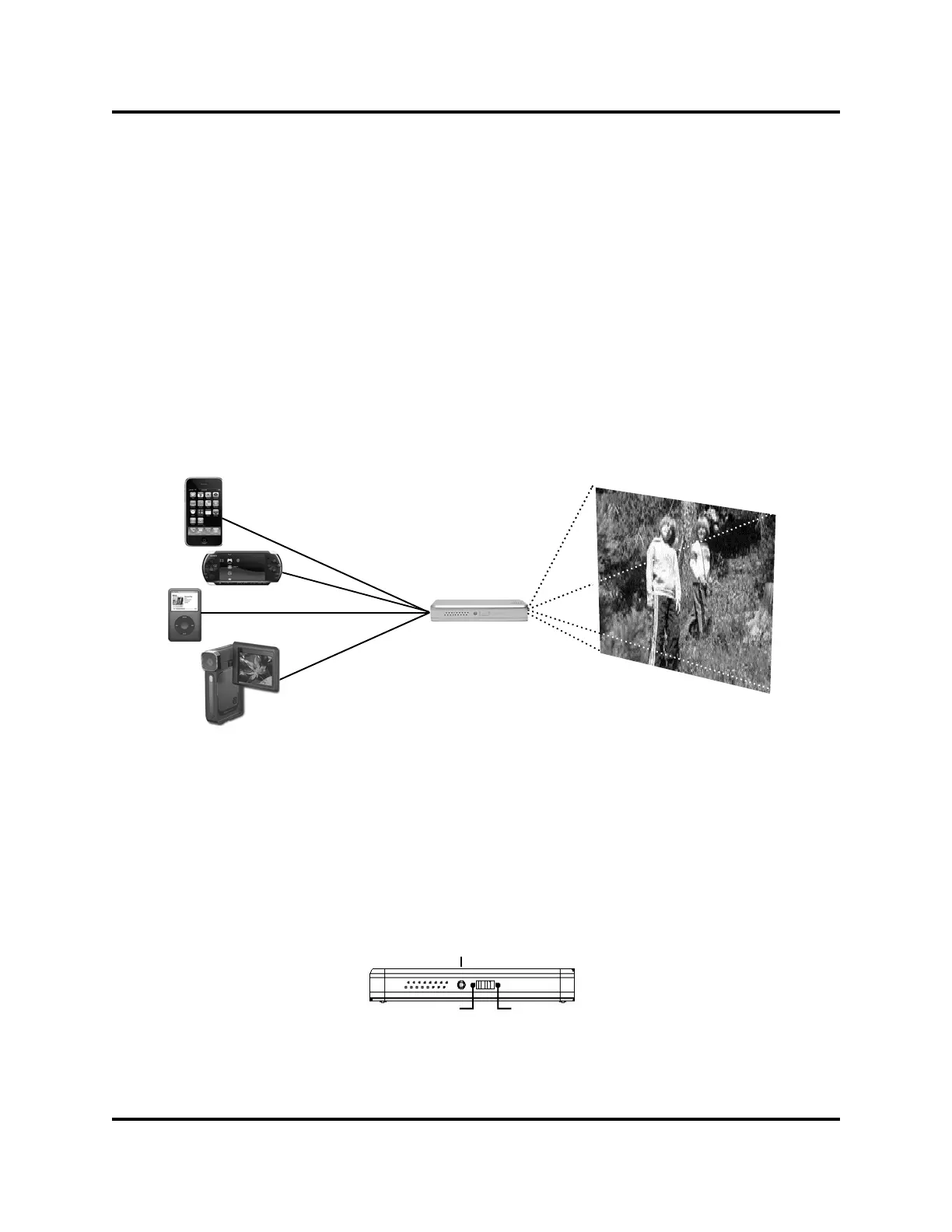
Basic Connection:
The connection diagram represents the installation.
To activate the
Ray Pico Projector
, connect any TV video output from a
camera, CAMCORDER, iPod®, Iphone™, MPEG Video player, or phone
to the TV input terminal of the BEAM.
4
Getting Started with
Ray
Set-up Information:
Slide the ON/OFF switch to the ON position. The Power/Charge Light
will flash at a rapid rate about once every 1/2 second (approximately
120 flashes per minute). If the AC adapter is not attached and the light
does not flash, the Pico Projector Battery must be CHARGED.
Flashing Light
OFF ON


 To Next Page