INTRODUCTION CHARGING YOUR DEVICE
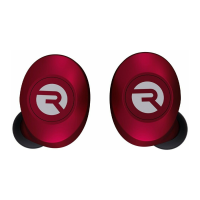
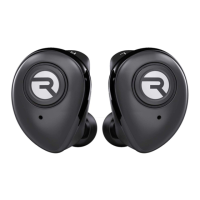
Welcome to your new Raycon E55 Earbuds!
At Raycon, we develop and design innovative
electronics so you can move and conquer your
daily fast-paced life.
Before using your product, we strongly
encourage you to fully read through this user
guide. You can also visit our support center at
www.rayconglobal.com/support.
This web page has more specific guidelines and
helpful videos for you to navigate your product.
For best performance, charge fully beforefirst use.
Pairing ID: Raycon E55 Earbuds
3. Enjoy your Raycon E55 Earbuds!
2. From the source device, go to Bluetooth settings
and ensure Bluetooth is on. Search for “Raycon E55
Earbuds” and select it to pair.
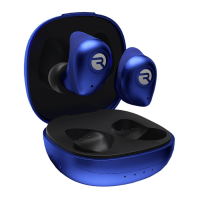
1. Take your earbuds out of the charging capsule.
Both earbuds will power on and connect to each
other automatically.
QUICK START GUIDE
UNIT AT A GLANCE
FUNCTIONS
FAQ & ADDITIONAL
RESOURCES
For frequently asked questions about
your device, simply go to
www.rayconglobal.com/support.
Select the product and you will find more
resourses on how to operate your products
including helpful tips and videos
SUPPORT
Model: RBE755
Paring ID: Raycon E55 Earbuds
Bluetooth version: 5.0
Power Input: 5V/ 1A
Charging time: About 1 hour
Call / Play time: About 7 hours
Total battery life: About 35 hours
Support Profiles: HSP/ HFP/ A2DP/ AVRCP
Sensitivity: 98 ± 3dB
Frequency Response Range: 20Hz - 20KHz
Bluetooth Operating Range: ≤ 10m
SPECIFICATIONS
LIMITED WARRANTY
If your device is not functioning correctly, please
visit www.rayconglobal.com/support
for customer support, and we will be more
than happy to help you.
For more information and instructions
on how to get warranty service,
visit www.rayconglobal.com/warranty.
Raycon E55 Earbuds
SAFETY GUIDELINES
Please follow the safety guidelines below at all
times when operating or caring for your
device.
- Be wary of any edges, uneven surfaces, and
metal parts, including on accessories and
product packaging, to prevent any possible
injury or damage.
- Listen to music at a proper volume to avoid
damaging your hearing and the earbuds.
- Do not store in high temperatures, such as in a
hot vehicle or in direct sunlight.
- Do not expose the earbuds or any of its
supplied parts to rain or other liquids for
extended periods of time. Follow IP Rating
guidlines.
- If wet, please wipe dry as best possible before
charging earbuds or capsule
- Do not drop or cause undue impact to the
earbuds.
- Do not modify, repair, or dismantle the product
on your own.
- Do not use any diluent or volatile liquid to
clean the product.
- Do not use the product in a hazardous
location.
Place the earbuds into the charging capsule, they
will automatically turn off.
Take the earbuds out of the charging capsule, they
will automatically turn on and pair to your device.
Left Earbud Right Earbud
PRESS 1X
HOLD 2 SEC.
PRESS 2X
Play / Pause
Answer / End Call
Play / Pause
Answer / End Call
Power on / Siri
Reject Calls
Power on / Siri
Reject Calls
Power off
Power off
Next song
Previous song
Volume +
Volume -
PRESS 3X
HOLD 4 SEC.
Charging: Both lights remain red (Light on
case: Remains green)
Fully Charged: Red lights turn off (Light on
case: Green light turns off)
Call / Play: about 7 hours
Total battery life: 35 hours
Charging: The light remains red.
Fully Charged: The red light turns off.
A fully charged capsule can completely
recharge the earbuds up to 4 times before
needing to recharge the capsule.
Wireless Charging: Simply place the case on
any Qi-compatible charging mat.
M LXS S
Please select the right size gel tip for
your ear size.
Keep gel tips clean to ensure a great
listening experience.
THE PERFECT FIT
CUSTOMIZE YOUR FIT
Insert the
earbuds into
your ear.
Rotate the
earbuds slightly
forward.
The perfect
fit it should
look like this.
5
6
7
8
1
3
2
9
4
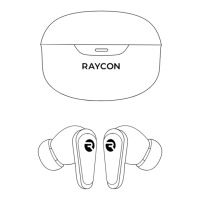
1. Charging Port
2. Charging Capsule
Indicator
3. Earbud Indicator
4. Lanyard Hook
5. Charging Connectors
6. Gel Tip
7. Microphone /
Earbud Indicators
8. Button Controls
9. Wireless Charging Capsule
THE PERFORMER
TRUE WIRELESS EARBUDS
MANUAL
We are Raycon. We create carefully crafted
wireless audio products for go-getters who
need tech that keeps up with them.
We teamed up with expert engineers,
leading taste-makers, and platinum artists
to design products you’ll love to use.
We believe in the the early risers and the
one-more-milers of the world. Premium
audio, inspired by you.
IPX6 WATER-RESISTANT
Handle heavy sweat or rain with ease.


 To Next Page
 Need help?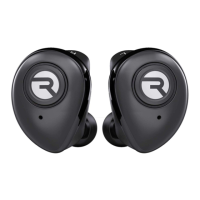


 General