
 Need help?
Do you have a question about the Raycon E50 and is the answer not in the manual?
Guide to selecting the correct size of silicone gel tips for optimal fit and comfort.
Explains button controls for play/pause, volume, calls, Siri, and power on/off for both earphones.
Details charging status indicators for earphones: red for charging, off for fully charged.
Explains charging status indicators for the capsule: red for charging, blue for fully charged.
Step-by-step guide to connect the earphones to a device via Bluetooth.
Instructions for using the right earphone independently and pairing it to a device.
Guide for newer Android phones to sync media volume with Bluetooth settings for better audio.
Instructions on how to reset the earphones to their original factory default settings.
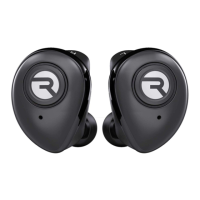
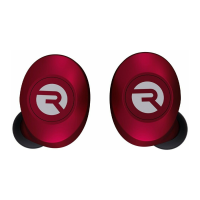
This document describes the Raycon E50 Eardrums, a pair of wireless earphones designed for a fast-paced lifestyle. The manual provides instructions on how to connect, use, and maintain the earphones and their charging capsule.
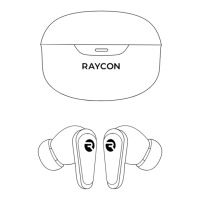
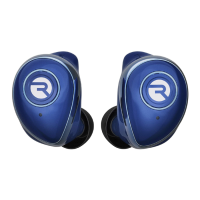
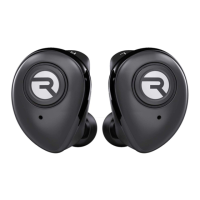
The Raycon E50 Eardrums are wireless earphones that connect to your device via Bluetooth. They are designed for listening to music and making/receiving calls. The earphones come with a portable charging capsule that not only stores the earphones but also recharges them on the go. The earphones feature control buttons for various functions, including playback control, call management, and voice assistant activation.
Getting Started: To begin using your E50 Eardrums, first ensure they are charged. Then, take both earphones out of the charging capsule. Hold the control buttons on both earphones to power them on. They will automatically connect to each other. Next, turn on Bluetooth on your smartphone or laptop and search for "Raycon E50 Eardrums" in the list of available devices. Select it to pair. Once paired, you can enjoy your Eardrums earphones.
Customization - Silicone Gel Tips: The E50 earphones come with seven different sizes of silicone gel tips to ensure a comfortable and secure fit for various ear sizes. These sizes include Double Small (SS), Small (S), Medium Small (MS), Medium (M), Medium Large (ML), Large (L), and Double Large (LL). Users are advised to select the size that best fits their preference and securely attach it over the earphones.
Earphone Functions: The earphones feature control buttons on each earbud for various operations:
Single Press (Right or Left Earphone):
Double Press (Right Earphone):
Double Press (Left Earphone):
Triple Press (Right Earphone):
Triple Press (Left Earphone):
2-Second Hold (Right or Left Earphone):
4-Second Hold (Right or Left Earphone):
Alternatively, placing the earphones back into the charging capsule will also power them off.
Right Earphone Single-Play Mode: For situations where you only want to use one earphone, the Right Earphone can be used independently. To activate this mode, take only the right earphone out of the capsule. Hold its control button for 2 seconds to power it on. The earphone's indicator light will flash blue, and a voice prompt will confirm it's on. Then, on your phone or laptop, turn on Bluetooth and search for "Raycon E50 Eardrums-R" to pair.
Syncing Volume on Android Phones: For optimal audio quality on newer Android smartphones (such as Samsung S9 and Note 8), it is recommended to sync the volume in the Bluetooth settings. After connecting your device via Bluetooth, tap on the "options" menu (usually located in the upper right-hand corner). From there, select 'Media volume sync' and turn it on. It's important to note that this feature may not be available on all Android models, and listening to audio at high volumes for extended periods is not recommended.
Restore Factory Setting: If you encounter issues or wish to reset your earphones, you can restore them to factory settings. While the earphones are powered off, hold the control buttons on both the left and right earphones simultaneously for 8 seconds. This action will reset the earphones to their original factory configuration.
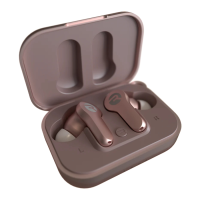
Charging the Earphones: To charge your E50 Eardrums, open the lid of the charging capsule and place both earphones inside. The indicator lights on the earphones will flash red, signifying that they are charging. Once fully charged, the red lights will turn off. The charging process typically takes about 2 hours. When the earphones are fully charged, the lights on the capsule will turn blue and then turn off. A full charge provides approximately 4 hours of call/play time and an impressive 2,000 hours of standby time. The charging capsule can fully charge the earphones up to four times before needing to be recharged itself.
Charging the Charging Capsule: To charge the charging capsule, plug the provided charging cable into the charging port on the capsule and connect the other end to a power source. The indicator light on the capsule will remain red while it is charging. Once the capsule is fully charged, the light will turn blue and then turn off. The charging capsule takes approximately 2 hours to fully charge.
Safety Guidelines: To ensure the longevity of your device and personal safety, adhere to the following guidelines:
For further assistance, frequently asked questions, and additional resources, including helpful tips and videos, users can visit the Raycon support center at www.rayconglobal.com/support. Information regarding the limited warranty can be found at www.rayconglobal.com/warranty.
 General
| Type | In-ear |
|---|---|
| Wireless | Yes |
| Bluetooth | Yes |
| Water Resistance | IPX4 |
| Charging Case | Yes |
| Microphone | Yes |
| Frequency Response | 20Hz - 20kHz |
| Charging Time | 1.5 hours |
| Battery Life | 6 hours |
| Connection Range | 10m |


 To Next Page