EasyManua.ls Logo

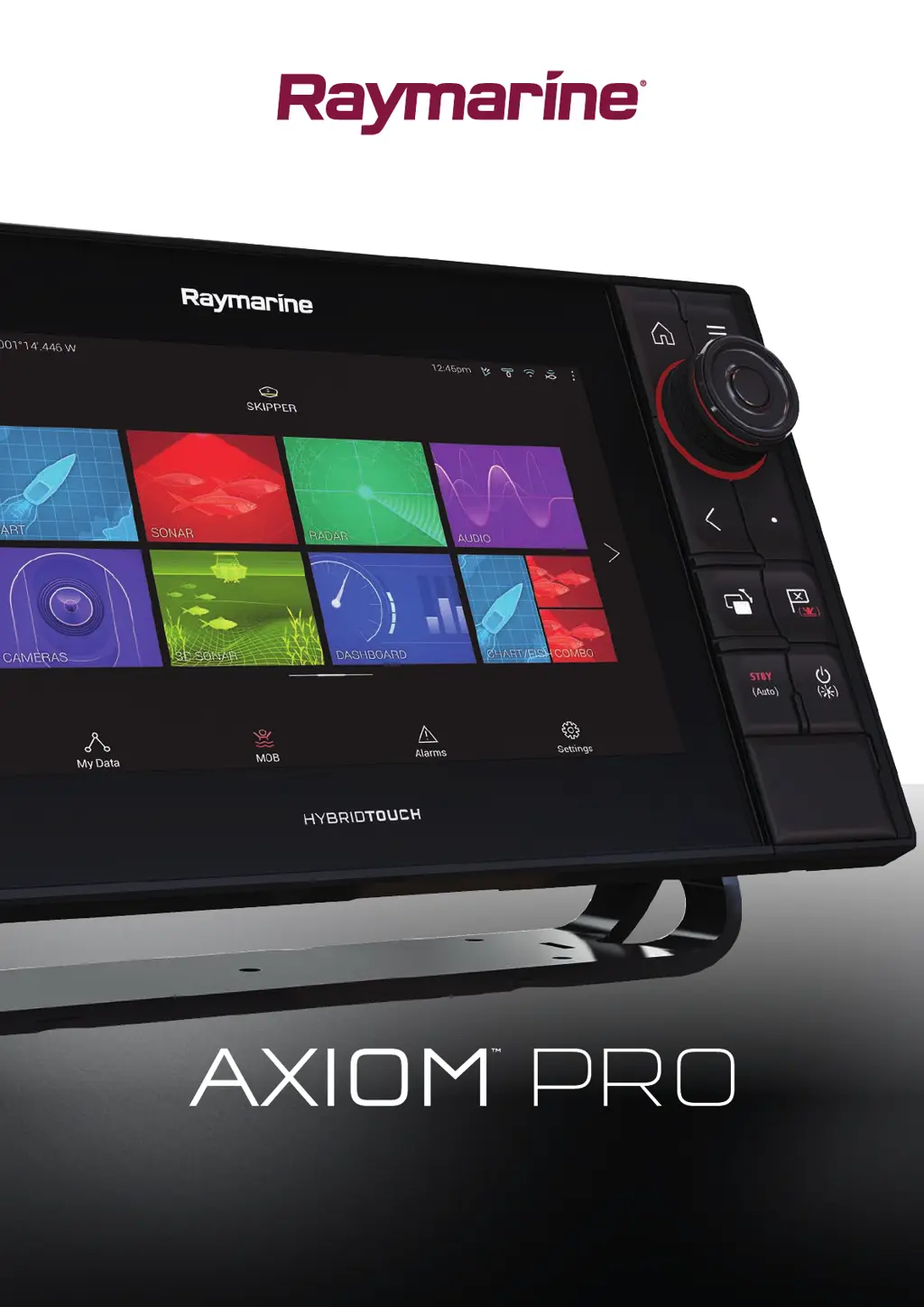
Raymarine axiom pro 9 S - User Manual

Raymarine axiom pro 9 S
360 pages
Print Icon
To Next Page IconTo Next Page
Loading...
© 2017 Raymarine UK Limited
87319-2Document number:
10-2017Date:
English (en-US)
Installation instructions

Table of Contents

Questions and Answers

  • J
    John Allen MDAug 8, 2025
    How to fix Wi-Fi issues on Raymarine axiom pro 9 S?
    • J
      Jeffrey AdamsAug 9, 2025
      Having trouble with Wi-Fi on your Raymarine Marine GPS System? Here's what to check: * **Wi-Fi not enabled:** Make sure Wi-Fi is enabled on both devices and rescan for available networks. * **Wi-Fi automatically turning off:** Power cycle/reboot devices and rescan for available networks, as some devices may turn off Wi-Fi to save power. * **Device not broadcasting:** Try enabling broadcasting of the device’s network in the Wi-Fi settings. If that doesn't work, manually enter the device’s Wi-Fi Name/SSID and passphrase in the connection settings. * **Devices out of range/signal blocked:** Move devices closer together or remove obstructions and rescan for available networks.
  • R
    Rachel Turner MDAug 13, 2025
    What to do if Raymarine axiom pro 9 S Marine GPS System display is behaving erratically?
    • M
      Mario PattonAug 13, 2025
      If your Raymarine Marine GPS System display is behaving erratically, try the following: * **Check fuses and breakers:** Inspect the relevant fuses and breakers. * **Inspect power supply cable:** Check the power supply cable for any damage and ensure all connections are tight and free from corrosion. * **Verify power source:** Ensure the power source provides the correct voltage and sufficient current. * **Software update:** Check for software updates on the Raymarine website. * **Factory reset:** As a last resort, perform a factory reset. Note: This will erase all settings and data stored on the product, so save any important data beforehand.
  • K
    Keith HuntAug 17, 2025
    Why is my Raymarine Marine GPS System connection so slow?
    • C
      Carlos HorneAug 18, 2025
      If your Raymarine Marine GPS System connection is slow or keeps dropping, consider the following: * **Distance:** Move devices closer together, as Wi-Fi performance degrades over distance. For fixed installations like a Quantum Radar, enable the Wi-Fi connection on an MFD closer to the device. * **Interference:** Change the Wi-Fi Channel of the device you are trying to connect to and retry the connection. Temporarily switch off each device in turn until you have identified the device causing the interference.
  • T
    Thomas CollinsAug 26, 2025
    What causes no depth reading on my Raymarine Marine GPS System?
    • J
      Jordan WellsAug 26, 2025
      If your Raymarine Marine GPS System shows no depth reading or has lost bottom lock, check these potential issues: * **Transducer location:** Ensure the transducer is installed according to its instructions. * **Transducer angle:** Adjust the transducer angle if it's too great, as the beam might be missing the bottom. * **Transducer kicked-up:** If the transducer has a kick-up mechanism, ensure it hasn't kicked up due to hitting an object. * **Insufficient power source:** Check the power supply voltage as close to the unit as possible under load. * **Damaged or fouled transducer:** Check the transducer for damage and ensure it's free from debris/fouling.
  • L
    lynnduffyAug 30, 2025
    What to do if Raymarine axiom pro 9 S displays 'No Fix' GNSS status?
    • D
      dennisstevenAug 30, 2025
      If the “No Fix” GNSS status icon is displayed on your Raymarine Marine GPS System, consider the following: * **Geographic location or conditions:** Check periodically to see if a fix is obtained in better conditions or another geographic location. * **GNSS connection fault:** Ensure that external GNSS connections and cabling are correct and fault free. * **External GNSS receiver location:** Ensure the GNSS receiver has a clear view of the sky. * **GNSS installation problem:** Refer to the installation instructions.
  • W
    Walter HansonNov 4, 2025
    How to troubleshoot a Raymarine axiom pro 9 S Marine GPS System that won't turn on?
    • A
      Angela GreenNov 4, 2025
      If your Raymarine Marine GPS System isn't turning on or keeps turning off, there are several potential causes: * **Blown fuse/tripped breaker:** Check the condition of the fuses and breakers, replacing them if necessary. If the fuse keeps blowing, inspect for cable damage, broken connector pins, or incorrect wiring. * **Poor power supply cable/connections:** Ensure the power cable connector is fully inserted and locked. Look for damage or corrosion on the cable and connectors, replacing if needed. Flex the power cable near the display connector to see if it causes the unit to restart or lose power. Also, check the vessel's battery voltage and the condition of the battery terminals and power supply cables, ensuring they are secure, clean, and free from corrosion. * **Incorrect power ...
  • E
    Emily DavisNov 21, 2025
    Why is scrolling image not being displayed on Raymarine axiom pro 9 S Marine GPS System?
    • P
      Paula SanchezNov 21, 2025
      If the scrolling image isn't being displayed on your Raymarine Marine GPS System, here's what you can check: * **Sonar disabled:** Ensure 'Ping Enable' is selected in the Sonar app's Sounder menu. * **Incorrect transducer selected:** Verify the correct transducer is selected in the Sonar app's Transducer menu. * **Damaged cables:** Check the transducer cable connector is fully inserted and locked. Inspect the power supply cable and connectors for damage or corrosion. Flex the cable near the display connector to check for loose connections. Also, check the vessel's battery voltage, the condition of the battery terminals, and power supply cables. * **Damaged or fouled transducer:** Check the transducer's condition, ensuring it's not damaged and free from debris/fouling. * **Wrong ...

Summary

Chapter 3: Installation

Selecting Installation Location

Guidelines for choosing MFD location, considering ventilation and interference.

Surface Mounting Procedure

Step-by-step instructions for securely surface mounting the MFD.

Bracket (Trunnion) Mounting Procedure

Instructions for mounting the MFD using the supplied trunnion bracket.

Chapter 4: Connections

Power and Grounding Connections

Detailed instructions for connecting the MFD to power and optional grounding.

Transducer and Accessory Connections

Information on connecting transducers, adaptor cables, and accessories.

Chapter 5: Maintaining Your Display

Service and Maintenance Recommendations

Guidance on product servicing, repairs, and routine equipment checks.

Chapter 6: Troubleshooting

Power Up and System Issues

Solutions for MFD power-up problems, including restart loops and factory reset.

GNSS and Sonar Issues

Diagnosing GNSS fix problems and common sonar display or reading issues.

Chapter 7: Technical Support

Chapter 12: Camera App

Chapter 14: Mobile App Support

MFD Control via Mobile Apps

Remotely controlling the MFD using RayControl, RayRemote, and RayView apps.

Chapter 15: Troubleshooting

Troubleshooting Introduction

Overview of troubleshooting information for common installation and operation problems.

Power Up and System Troubleshooting

Solutions for MFD power-up, system, and radar connection issues.

GNSS, Sonar, and Camera Troubleshooting

Diagnosing and resolving issues with GNSS, Sonar, and Camera functionalities.

Chapter 16: Technical Support

Raymarine Product Support and Servicing

Information on accessing Raymarine's support services for warranty, service, and repairs.

Raymarine axiom pro 9 S Specifications

General IconGeneral
BrandRaymarine
Modelaxiom pro 9 S
CategoryMarine GPS System
LanguageEnglish

Related product manuals