EasyManua.ls Logo

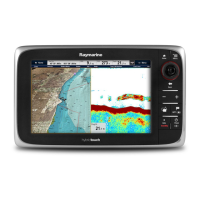
Raymarine c127 - User Manual

Raymarine c127
388 pages
Print Icon
To Next Page IconTo Next Page
Loading...
LightHouse™
OPERATION
INSTRUCTIONS
Release 15
English
© 2015 Raymarine UK Limited
Date: 09-2015
Document number: 81360-2-EN

Table of Contents

Other manuals for Raymarine c127

Questions and Answers

  • T
    Thomas WallerSep 2, 2025
    Why won't my Raymarine Marine Equipment connect wirelessly?
    • U
      ucollinsSep 2, 2025
      If you have no wireless connection on your Raymarine Marine Equipment, ensure that Wi-Fi is enabled on the multifunction display (Homescreen: > Set-Up > System Settings > Wireless Connections > Wi-Fi > On). Also, make sure that the 'Wi-Fi' option is enabled on the iPhone and that the Raymarine connection is selected as the Wi-Fi network. If a passcode has been specified for the multifunction display's Wi-Fi connection, ensure that the same passcode is entered into the iPhone when prompted.
  • O
    Omar HuntAug 25, 2025
    How to troubleshoot Raymarine Marine Equipment that won't start?
    • C
      Cindy WestAug 25, 2025
      If your Raymarine Marine Equipment system or part of it does not start up, there could be a power supply problem. Check the relevant fuses and breakers. Also, verify that the power supply cable is in good condition and that all connections are tight and free from corrosion. Finally, ensure that the power source provides the correct voltage and sufficient current.
  • D
    deborahlinNov 24, 2025
    Why are data readings on my Raymarine Marine Equipment problematic?
    • V
      victoria09Nov 24, 2025
      If you are experiencing problematic data readings on your Raymarine Marine Equipment, check the sonar presets, gain, and frequency settings, as they may be inappropriate for the present conditions. Verify the voltage from the power supply, as a low voltage can affect the transmitting power of the unit. Ensure that the power, transducer, and all other cables to the unit are properly connected and free from damage. Check that the transducer is mounted correctly and is clean. If you have a transom mount transducer, check that the transducer hasn't kicked-up due to hitting an object. Adjust the scroll speed. Note that fish arches are not displayed if the vessel is stationary; fish will appear as straight lines. Turbulence around the transducer due to high vessel speed may also be confusing the...
  • M
    Ms. Mary JacksonSep 8, 2025
    Why is the bearing of a target on the Raymarine Monitor radar screen incorrect?
    • J
      Jeffrey TrujilloSep 8, 2025
      If the bearing of a target on the Raymarine Monitor radar screen is incorrect, it's likely that the radar bearing alignment needs adjusting. Check and adjust the radar bearing alignment.
  • T
    tuckerjohnSep 14, 2025
    Why is the touchscreen on my Raymarine Marine GPS System not working correctly?
    • B
      Brittany RodriguezSep 14, 2025
      If your Raymarine Marine GPS System's touchscreen isn't working as expected, first ensure that touch lock is disabled using the Trackpad on the home screen. Make sure you're using bare fingers on the screen. Calibrate the touchscreen via the setup menus. Clean and dry the screen carefully if there are saltwater deposits.
  • O
    oharmonSep 5, 2025
    Why can't I control my media player with Raymarine Marine Equipment?
    • E
      Eric CampbellSep 5, 2025
      If you have no media player control on your Raymarine Marine Equipment, check the Bluetooth compatibility with the device manufacturer to ensure the media player device is compatible with Bluetooth 2.1+ EDR power class 1.5 (supported profile: AVRCP 1.0) or higher. If the device is not compatible, it is not suitable for wireless use with the multifunction display. Enable “Audio Control” ( Homescreen: > Set-Up > System Settings > Connections > Connections Manager > Audio Control > On).
  • S
    Sydney ShawAug 30, 2025
    How to fix incorrect radar bearing on Raymarine Marine Equipment?
    • R
      Reginald MillerAug 30, 2025
      If the radar bearing of a target on the Raymarine Marine Equipment screen is incorrect, check and adjust the radar bearing alignment.
  • E
    Edward NelsonSep 16, 2025
    Why is my Raymarine Marine GPS System showing an incorrect speed reading?
    • C
      Candice LewisSep 16, 2025
      If you're getting an incorrect speed reading on your Raymarine Marine GPS System, check that the paddle wheel is clean. Add a speed offset if none is set. Re-calibrate the equipment if necessary.
  • A
    andrew13Sep 12, 2025
    How to fix Raymarine Monitor no media player control?
    • J
      Jeffrey WardSep 12, 2025
      If you have no media player control on your Raymarine Monitor, first, check the Bluetooth AVRCP compatibility with the device manufacturer to ensure it supports version 2.1 or higher. Also, enable 'Audio Control' on the multifunction display.
  • J
    Joseph MeyerAug 27, 2025
    Why does my Raymarine Marine Equipment show a “No Fix” GPS status?
    • E
      Emily LynchAug 27, 2025
      If the Raymarine Marine Equipment displays a “No Fix” GPS status icon, it could be due to several reasons. The geographic location or current conditions might be preventing a satellite fix; in this case, check periodically to see if a fix is obtained in better conditions or another geographic location. Alternatively, there may be a GPS connection fault, so ensure that external GPS connections and cabling are correct and fault free. Finally, the external GPS antenna might be poorly positioned, so ensure the GPS antenna has a clear view of the sky.

Raymarine c127 Specifications

General IconGeneral
Display Size12.1 inches
Display Resolution1280 x 800 pixels
Display TypeLCD
TouchscreenYes
ChartplotterYes
FishfinderYes
Radar SupportYes
Sonar SupportYes
Waterproof RatingIPX6 and IPX7
GPS ReceiverInternal
SonarYes
NetworkingEthernet
CartographyRaymarine LightHouse charts

Related product manuals