EasyManua.ls Logo

Raymarine e165 - User Manual

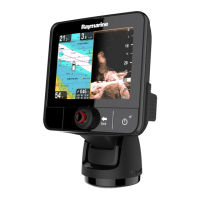
Raymarine e165
388 pages
Print Icon
To Next Page IconTo Next Page
Loading...
LightHouse™
OPERATION
INSTRUCTIONS
Release 15
English
© 2015 Raymarine UK Limited
Date: 09-2015
Document number: 81360-2-EN

Table of Contents

Other manuals for Raymarine e165

Questions and Answers

  • M
    Mark SheppardSep 5, 2025
    How do I get the Raymarine app on my device for Marine Equipment?
    • B
      Brad NelsonSep 5, 2025
      If there is no Raymarine app on your device, it may not be installed and running. Download the required Raymarine app from the relevant application store and start the Raymarine app on your device.
  • J
    jonessarahAug 25, 2025
    How to troubleshoot Raymarine Marine Equipment that won't start?
    • J
      Jonathan HowellAug 25, 2025
      If your Raymarine Marine Equipment system or part of it does not start up, there could be a power supply problem. Check the relevant fuses and breakers. Also, verify that the power supply cable is in good condition and that all connections are tight and free from corrosion. Finally, ensure that the power source provides the correct voltage and sufficient current.
  • D
    Derek TerryAug 26, 2025
    Why does my Raymarine Monitor not turn on or keep turning off?
    • R
      Rebecca BradyAug 26, 2025
      Your Raymarine Monitor might not be turning on or keeps turning off due to several reasons: a blown fuse or tripped breaker (check and replace if necessary, and inspect for cable damage if fuses repeatedly blow), a poor or damaged power supply cable or connections (ensure the cable is fully inserted and locked, check for damage or corrosion, and flex the cable to check for reboots), incorrect power connection (ensure the installation instructions have been followed), or an insufficient power source (check the power supply voltage under load).
  • H
    Hannah YoungSep 13, 2025
    Why is instrument data missing from some displays on my Raymarine Marine GPS System?
    • L
      Lauren WellsSep 13, 2025
      If your Raymarine Marine GPS System displays instrument or other system data missing from some but not all displays, check that all required equipment is connected to the network. If there is a software mismatch, contact Raymarine technical support.
  • T
    Tara ReidSep 23, 2025
    Why does my Raymarine Marine GPS System display behave erratically?
    • T
      Taylor AdamsSep 23, 2025
      If your Raymarine Marine GPS System display behaves erratically with frequent unexpected resets, system crashes, or other erratic behavior, check the relevant fuses and breakers. Verify that the power supply cable is sound and that all connections are tight and free from corrosion. Ensure that the power source is of the correct voltage and sufficient current. Go to www.raymarine.com and click on support for the latest software downloads. Perform a factory reset.
  • R
    Roger GibsonSep 9, 2025
    How to troubleshoot Raymarine Marine GPS System if it does not start up?
    • J
      Joseph GilesSep 9, 2025
      If your Raymarine Marine GPS System or part of it does not start, it is likely a power supply problem. Check the relevant fuses and breakers. Ensure the power supply cable is in good condition and all connections are tight and free from corrosion. Verify that the power source provides the correct voltage and sufficient current.
  • J
    Joshua SimmonsSep 1, 2025
    Why is instrument data missing from some Raymarine Marine Equipment displays?
    • R
      Rhonda FlemingSep 1, 2025
      If instrument or other system data is missing from some but not all displays on your Raymarine Marine Equipment, check that all required equipment is connected to the network. Verify the status of the Raymarine network switch and ensure that SeaTalkhs/RayNet cables are free from damage. If a software mismatch between equipment is suspected, contact Raymarine technical support.
  • J
    James ThomasNov 24, 2025
    Why are data readings on my Raymarine Marine Equipment problematic?
    • C
      Christopher GriffinNov 24, 2025
      If you are experiencing problematic data readings on your Raymarine Marine Equipment, check the sonar presets, gain, and frequency settings, as they may be inappropriate for the present conditions. Verify the voltage from the power supply, as a low voltage can affect the transmitting power of the unit. Ensure that the power, transducer, and all other cables to the unit are properly connected and free from damage. Check that the transducer is mounted correctly and is clean. If you have a transom mount transducer, check that the transducer hasn't kicked-up due to hitting an object. Adjust the scroll speed. Note that fish arches are not displayed if the vessel is stationary; fish will appear as straight lines. Turbulence around the transducer due to high vessel speed may also be confusing the...
  • K
    Kathy CurtisSep 17, 2025
    Why is the image inverted on my Raymarine Marine GPS System?
    • A
      Adam BrownSep 17, 2025
      If the image on your Raymarine Marine GPS System is inverted (upside down), ensure that the Ball down setting within the thermal camera system setup menu is set correctly.
  • D
    David PayneAug 28, 2025
    Why is instrument data missing from all Raymarine Marine Equipment displays?
    • B
      Barry HallAug 29, 2025
      If instrument, engine, or other system data is unavailable at all displays on your Raymarine Marine Equipment, check the data bus (e.g., SeaTalkng) wiring and connections to ensure data is being received at the display. Verify the overall integrity of the data bus (e.g., SeaTalkng) wiring. Check the source of the missing data (e.g., ST70 instrument or engine interface) to ensure it is operating. Also, check the power to the SeaTalk bus. If a software mismatch between equipment is suspected, contact Raymarine technical support.

Raymarine e165 Specifications

General IconGeneral
BrandRaymarine
Modele165
CategoryMarine GPS System
LanguageEnglish

Related product manuals