EasyManua.ls Logo

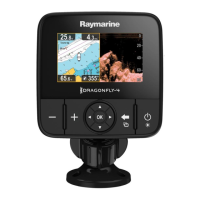
Raymarine E70290 - User Manual

Raymarine E70290
120 pages
Print Icon
To Next Page IconTo Next Page
Loading...
INSTALLATION &
OPERATION INSTRUCTIONS
DRAGONFLY

Table of Contents

Questions and Answers

  • M
    Michael KingAug 7, 2025
    What to do if my Raymarine E70290 Fish Finder will not boot up?
    • A
      Arthur StewartAug 7, 2025
      If your Raymarine Fish Finder won't boot up and is stuck in a re-boot loop, the issue may stem from the power supply and connection. Refer to the solutions for the problem 'Product does not turn on or keeps turning off'. Alternatively, software corruption could be the cause. In that case, try re-flashing the latest software from the Raymarine website. As a last resort, for display products, you can perform a 'Power on Reset,' but be aware that this will erase all your settings, presets, and user data, reverting the unit to its factory defaults.
  • J
    Jodi SantiagoNov 20, 2025
    Why does my Raymarine Fish Finder not turn on?
    • J
      John WardNov 20, 2025
      If your Raymarine Fish Finder doesn't turn on or keeps turning off, start by checking the relevant fuses and breakers, and replace them if necessary. If the fuse continues to blow, inspect the cable for damage, broken connector pins, or incorrect wiring. Also, examine the unit’s connector for bent or broken pins, ensure the cable connector is fully inserted and locked, and check the power supply cable for damage or corrosion, replacing it if needed. Flex the power cable near the display connector while the unit is on to see if it causes a re-boot or power loss; replace the cable if it does. Verify the vessel’s battery voltage and the condition of the battery terminals and power supply cables, ensuring they are secure, clean, and free of corrosion. Finally, with the product under load, use ...

Summary

Chapter 1 Important Information

Safety Warnings and Precautions

Covers product installation, safe navigation, ignition sources, power, grounding, and FCC warnings.

Chapter 3 Planning the Installation

Installation Steps and Parts

Checklist for installation, and lists of supplied parts for different variants.

Transducer Compatibility

Details on transducer compatibility with various display units.

Installation Warnings and Placement

Safety warnings, transducer and display placement guidance.

Chapter 4 Mounting

Transom Mount Bracket Installation

Steps for mounting the transom bracket.

Transducer Mounting

Procedure for mounting the transducer onto the bracket.

Display Unit Mounting

Instructions for mounting the main display unit.

Transducer Testing and Adjustment

Procedures for testing and adjusting the transducer for optimal performance.

Finalizing Transducer Mounting

Steps to secure the transducer mounting after testing.

Chapter 5 Cables and Connections

Cable Connections

Connecting transducer/power cables for various models.

Chapter 6 Wi-Fish

Mobile App Setup

Steps to install and connect the Wi-Fish mobile app.

Chapter 7 Getting Started

Initial Setup Wizard and Tasks

Guidance on the startup wizard, units, and transducer offset.

Chapter 8 Fishfinder Applications

Chapter 9 Chart Application

Waypoint Management

Creating, navigating, and managing waypoints.

Track Recording and Management

How to create, save, and manage navigation tracks.

Navigation Features

Navigating to locations, setting alarms, and accessing menus.

Chapter 10 Mobile Applications

Wi-Fish Mobile App

Information about the Wi-Fish mobile app.

Chapter 11 Tools & Settings

Backup and Reset Functions

Procedures for backing up, restoring, and resetting system data.

Chapter 13 Troubleshooting

General Troubleshooting Guide

Introduction to troubleshooting common marine electronics issues.

Power Up Issues

Solutions for problems related to powering the unit on or off.

GPS Connectivity Problems

Troubleshooting steps for acquiring satellite fixes and outputting GPS data.

Sonar;DownVision Issues

Solutions for scrolling, depth, and image problems.

Wi-Fi Connection Issues

Troubleshooting steps for Wi-Fi network connectivity problems.

Chapter 15 Technical Specification

Dragonfly-4 Specifications

Detailed technical specifications for the Dragonfly-4 model.

Dragonfly-5 Specifications

Detailed technical specifications for the Dragonfly-5 model.

Raymarine E70290 Specifications

General IconGeneral
BrandRaymarine
ModelE70290
CategoryFish Finder
LanguageEnglish

Related product manuals