7
NOTE: Elodrive actuator is Nema 4 rated.
TROUBLESHOOTING
Check your power source using a Volt-Ohm meter;
check the following voltages at TB1 terminal block:
TB1-1 to TB1-2 = 108 VAC Minimum, 132 VAC
Maximum
TB1-1 to TB1-3 = 108 VAC Minimum, 132 VAC
Maximum
TB1-2 to TB1-3 = Must be less than .6 VAC
IF CALL FOR HEAT LED does not illuminate when the
heater has a CFH signal, check for 24VAC at the
heater CPW Board (J17-TRIG) output. If voltage is
present, check wiring using the wiring diagram. If volt-
age is not present, the problem exists in the heater.
IF VALVE DOES NOT MOVE: Check for voltage out at
TB2-1: Should be a 1VDC to 10VDC output to the
actuator valve. If no voltage is present, check for volt-
age at TB2-3, there should be a 12VDC signal. If the
12VDC signal is not present, verify that the converter
is wired correctly using the wiring diagram.
IF SENSOR OUT OF RANGE LED is illuminated: The
set point temperature has not been reached within the
7 minute time period.
• Push the Reset Switch (see Fig. 4) or remove
power and watch for proper operation.
• Check pump sizing and valve/piping sizing and cor-
rect as necessary.
• Replace sensor.
• Check wiring using wiring diagram.
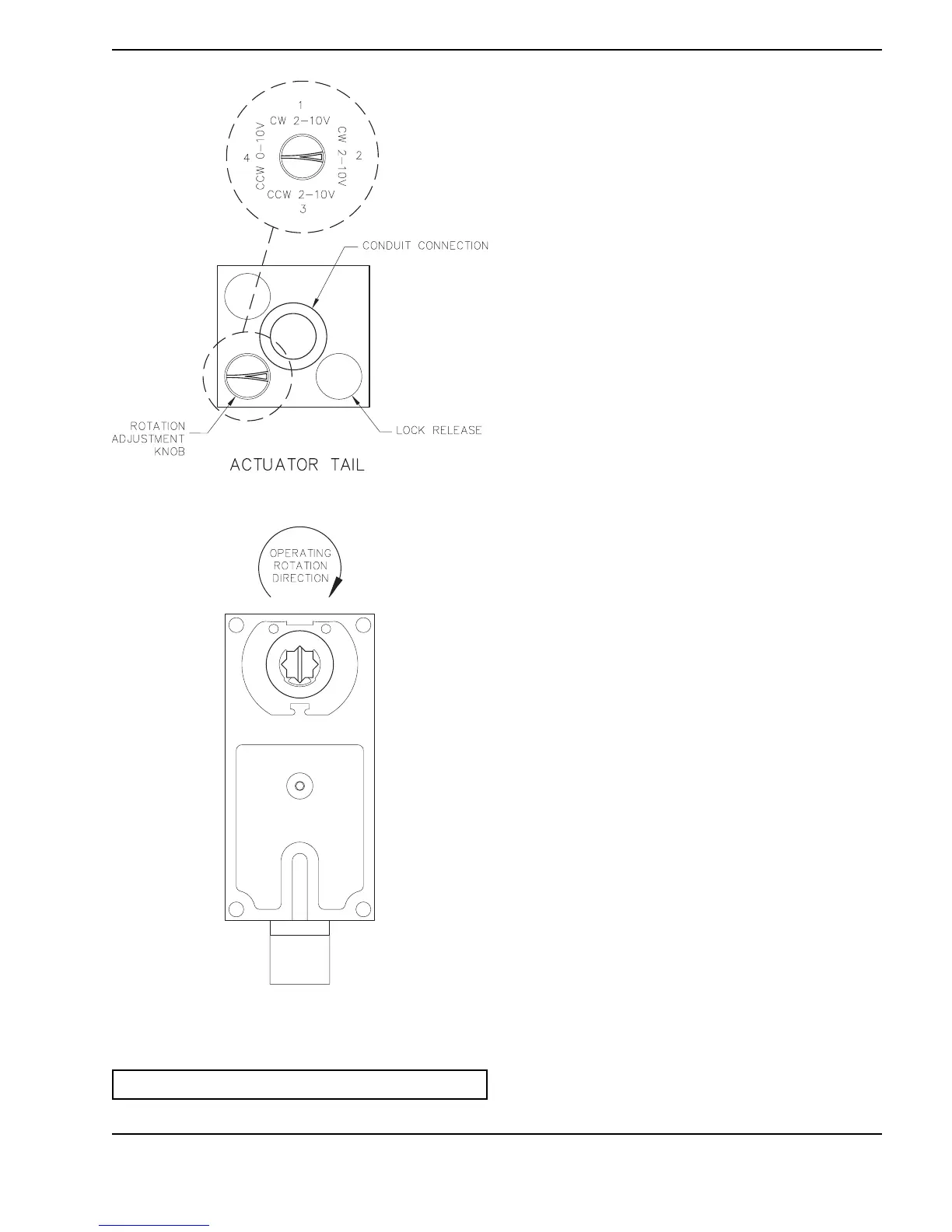
Fig. 8: Elodrive Actuator — Rotation Knob Setting
Fig. 9: Elodrive Actuator — Actuator Shown in Full
System Flow Position



 To Next Page