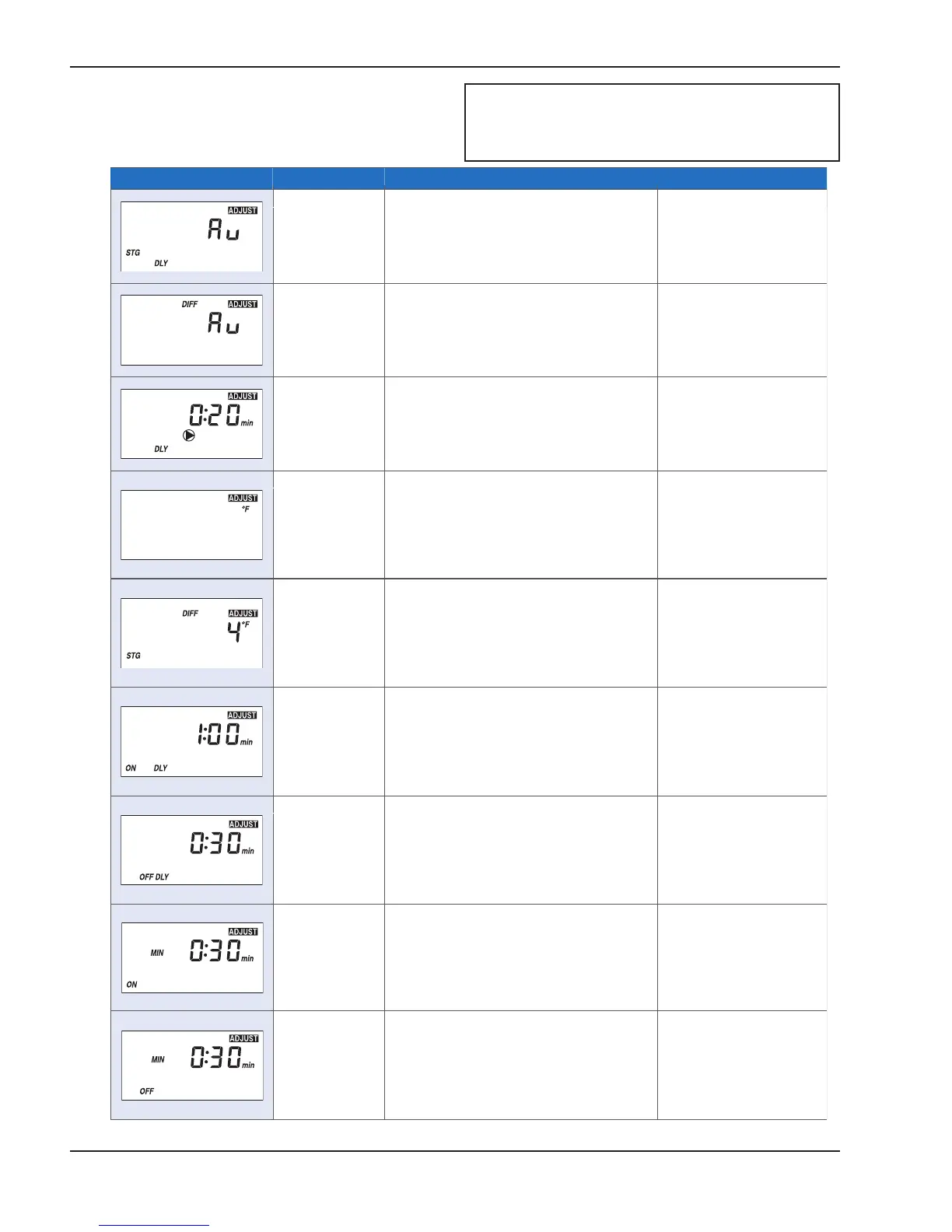
Item Field Range Description Setting
Au, 0:30 to
9:55 min
S
TAGE DELAY
Select the minimum time delay between
stages.
Note: This setting is only available when
STAGE MODE is set to PId.
Au, 2 to 42°F
(1 to 23°C)
DIFFERENTIAL
Select the boiler dierential.
Note: The automatic setting is only available
when STAGE MODE is set to PId staging.
0 to 10°F
(0 to 6°C)
STAGE DIFFERENTIAL
Select the interstage temperature dierential
between stages for proportional staging.
Note: This setting is only available when
STAGE MODE is set to P.
0:10 to 8:00 min
INTERSTAGE ON DELAY
Select the amount of time that must pass
once a stage has been turned on in order
to allow the next stage to turn on.
Note: This setting is only available when
STAGE MODE is set to P.
0:10 to 4:00 min
INTERSTAGE OFF DELAY
Select the amount of time that must pass
once a stage has been turned o in order
to allow the next stage to turn o.
Note: This setting is only available when
STAGE MODE is set to P.
0:10 to 5:00 min
MINIMUM ON TIME
Select the minimum amount of time that
the stage contact must remain on before it
is allowed to turn o.
Note: This setting is only available when
STAGE MODE is set to P.
0:10 to 5:00 min
MINIMUM OFF TIME
Select the minimum amount of time that
the stage contact must remain o before it
is allowed to turn back on.
Note: This setting is only available when
STAGE MODE is set to P.
OFF, 0:20 to
9:55 min, On
PUMP DELAY
Select the system pump purge time after
shutting o the burner.
°F or °C
TEMPERATURE UNITS
Select to display temperature in degrees
Fahrenheit or in degrees Celsius.



 To Next Page