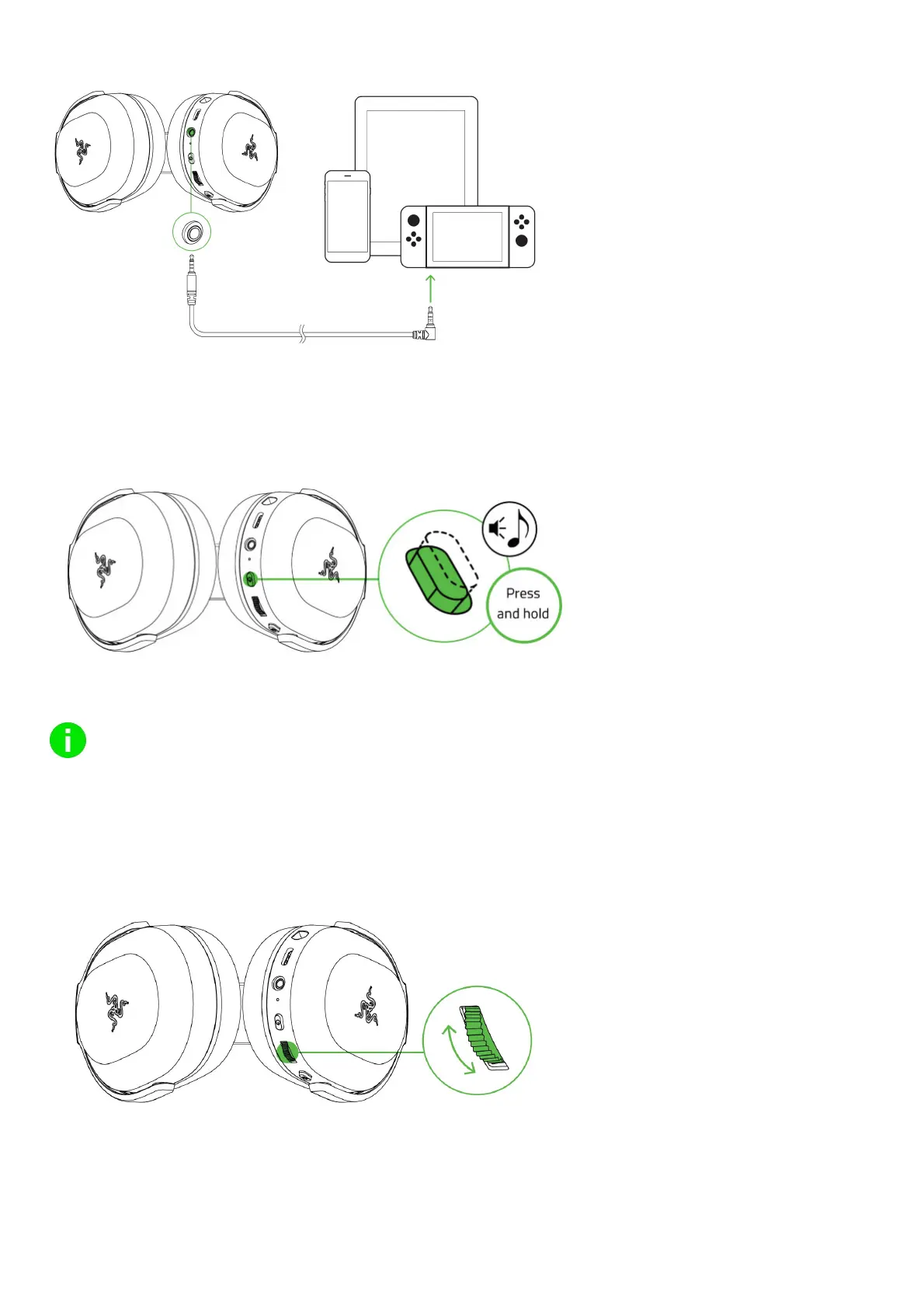
device’s audio jack.
USING YOUR HEADSET
POWER BUTTON
Press and hold the power button until the status indicator turns blue to power on. Press and hold the power button again to power off. Two
distinct tones will help notify you that the headset is powered on or off.
Other power button functions are available when the headset is connected to your device. These functions operate based on your device’s
current activity.
Some features listed here may not be applicable to certain devices.
Single press
Play/pause
Accept incoming calls or end the current call
Double press Skip track
Triple press Previous track
ADJUSTING THE VOLUME
Rotate the volume control wheel as shown to increase or decrease the volume.
USING THE RAZER HYPER CLEAR CARDIOID MIC
Plug the Razerm HyperClear Cardioid Mic to the microphone jack and bend until it is parallel to your mouth. Make sure the mic diaphragm is in
front and the air vent is facing away from your mouth












 To Next Page