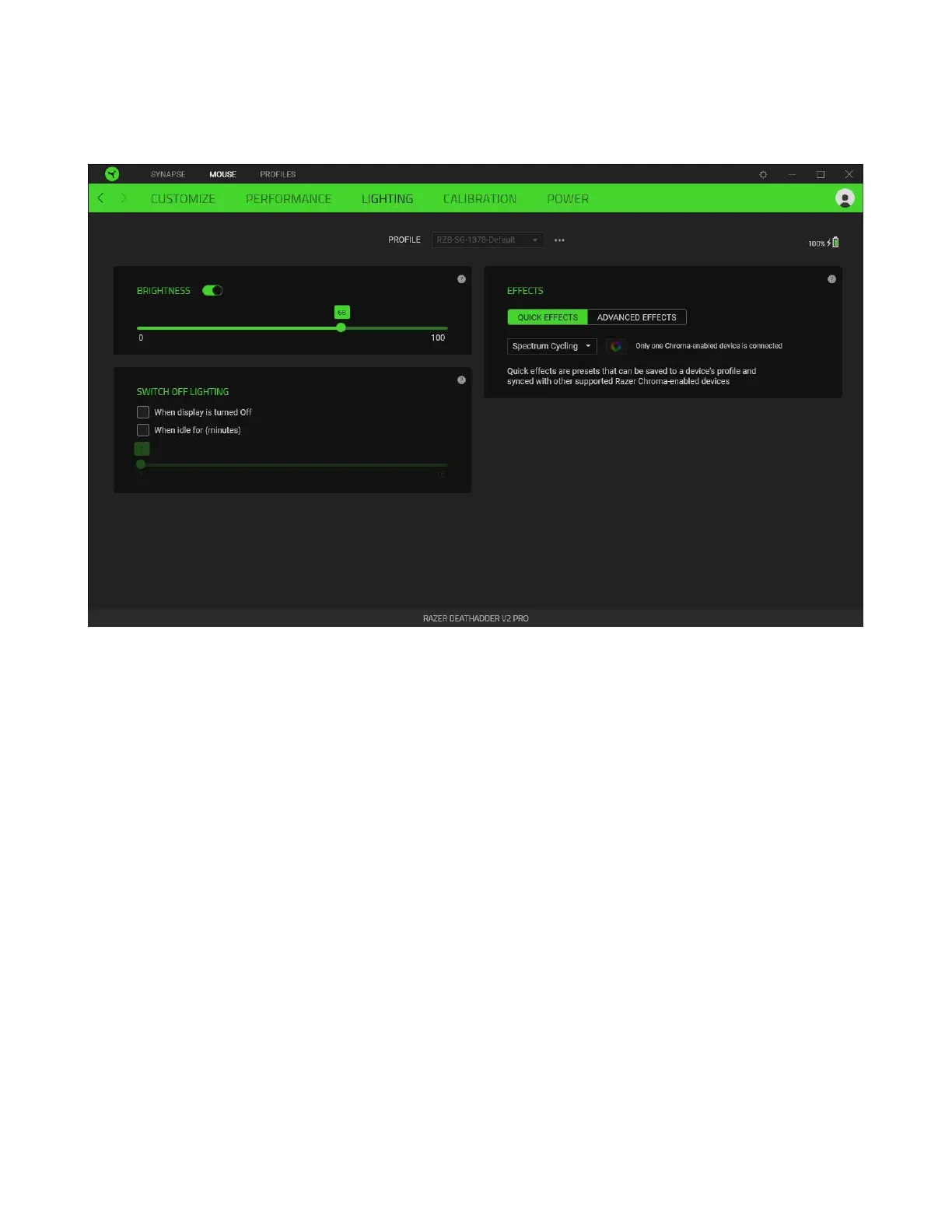
Lighting
The Lighting subtab enables you to modify your Razer device’s light settings.
Brightness
You can turn off your Razer device’s lighting by toggling the Brightness option or increase/decrease
the luminance using the slider.
Switch Off Lighting
This is a power saving tool which allows you to disable your device’s lighting in response to your
system’s display turning off and/or automatically power down when your Razer DeathAdder V2 Pro
has been idle for a set amount of time.













 To Next Page