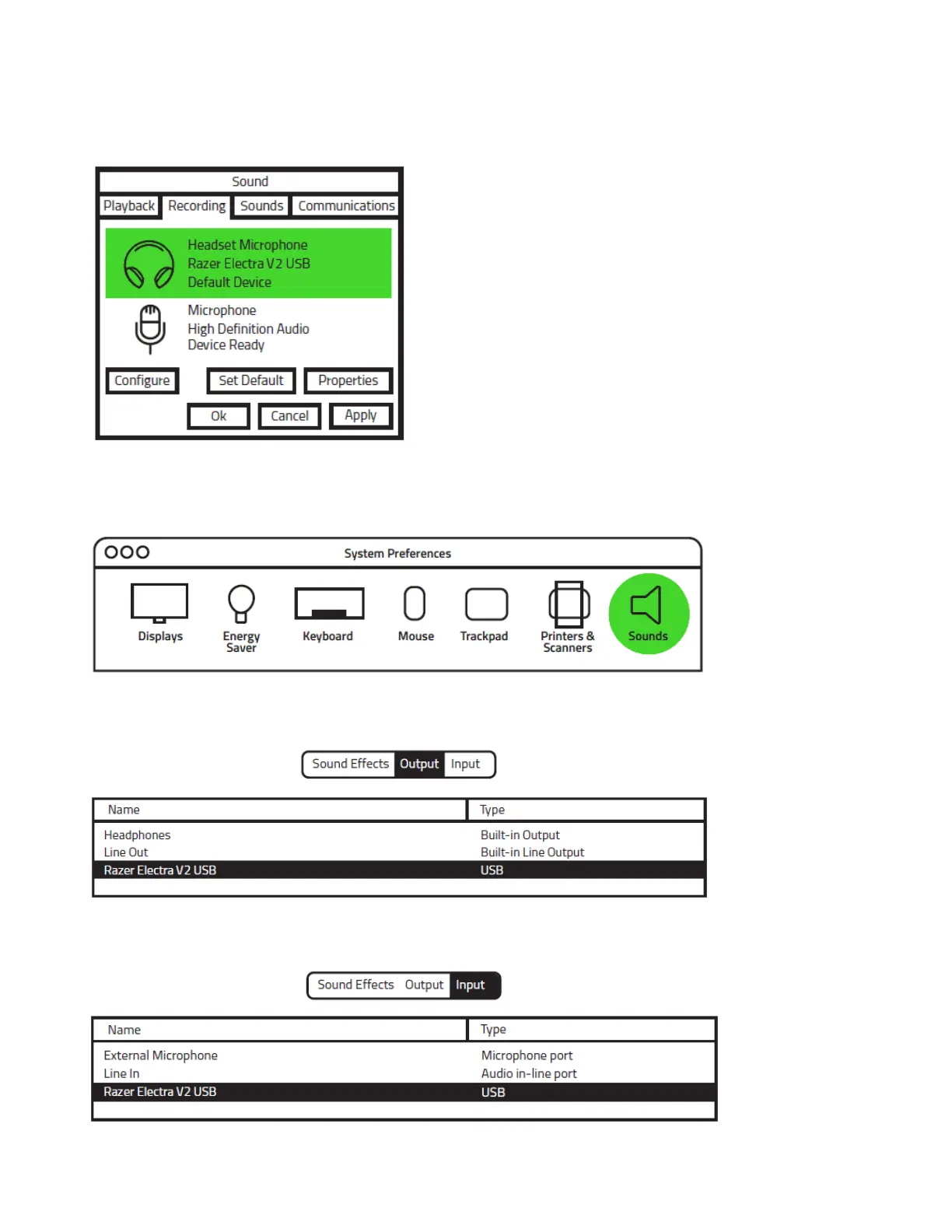
Step 3: In the Recording tab, select Razer Kraken 7.1 Chroma from the list and click the Set Default
button.
FOR MAC USERS
Step 1: Open your Sound settings from System Preferences > Sound.
Step 2: In the Output tab, select Razer Kraken 7.1 Chroma from the list.
Step 3: In the Input tab, select Razer Kraken 7.1 Chroma from the list.











 To Next Page