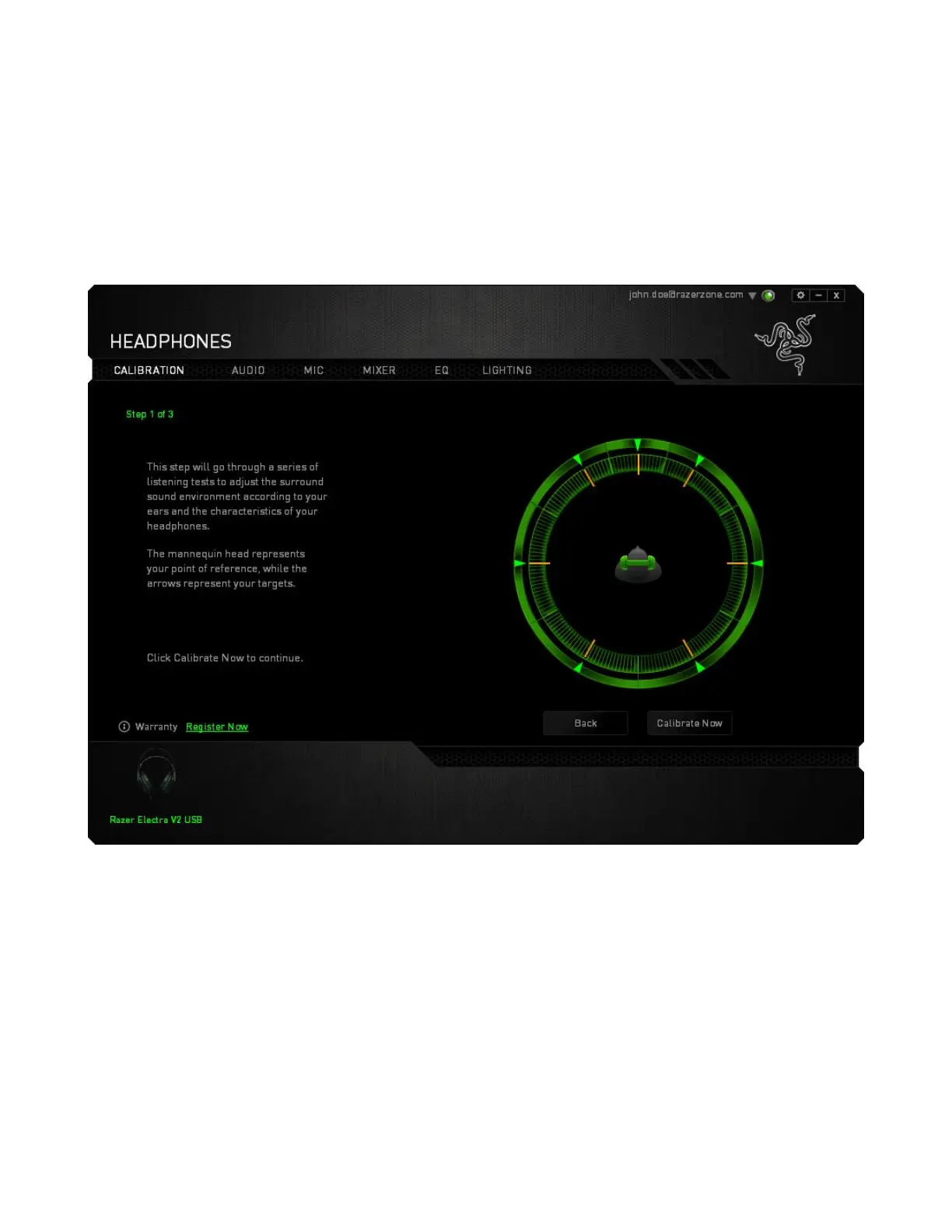
Step 1 of 3
This step introduces the calibration process. Read the instructions carefully and ensure that you are in
a quiet environment in order to hear the audio prompts properly.
In this figure, the mannequin represents your position. The green arrows on each segment represent
the target direction of the audio playback for that particular segment. Each orange line represents the
last saved calibration settings configured on Razer Surround.
Click Calibrate Now once you are ready to begin the calibration.









 To Next Page