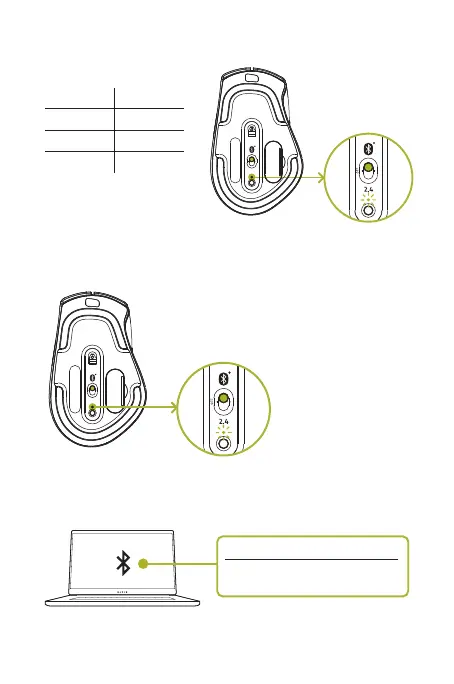
2. Select a slot for your Bluetooth device by tapping the pair/switch button. You can
pair up to 3 Bluetooth devices on your Razer Pro Click.
1 (Default) Blue
Slot Color
2 Green
3 Yellow
2.4
OFF
3. Press and hold the pair/switch button for 3 seconds. The pairing indicator will
blink twice in repeated intervals to show that the device is in pairing mode.
Pairing
2.4
OFF
4. Activate Bluetooth on your device and search for “Razer Pro Click” from the list
of devices found.
Searching for accessories...
Before pairing your Bluetooth devices,
make sure they’re in pairing mode
ProClick_IPIG_200520.indd 9 26/5/20 10:30 AM



 To Next Page