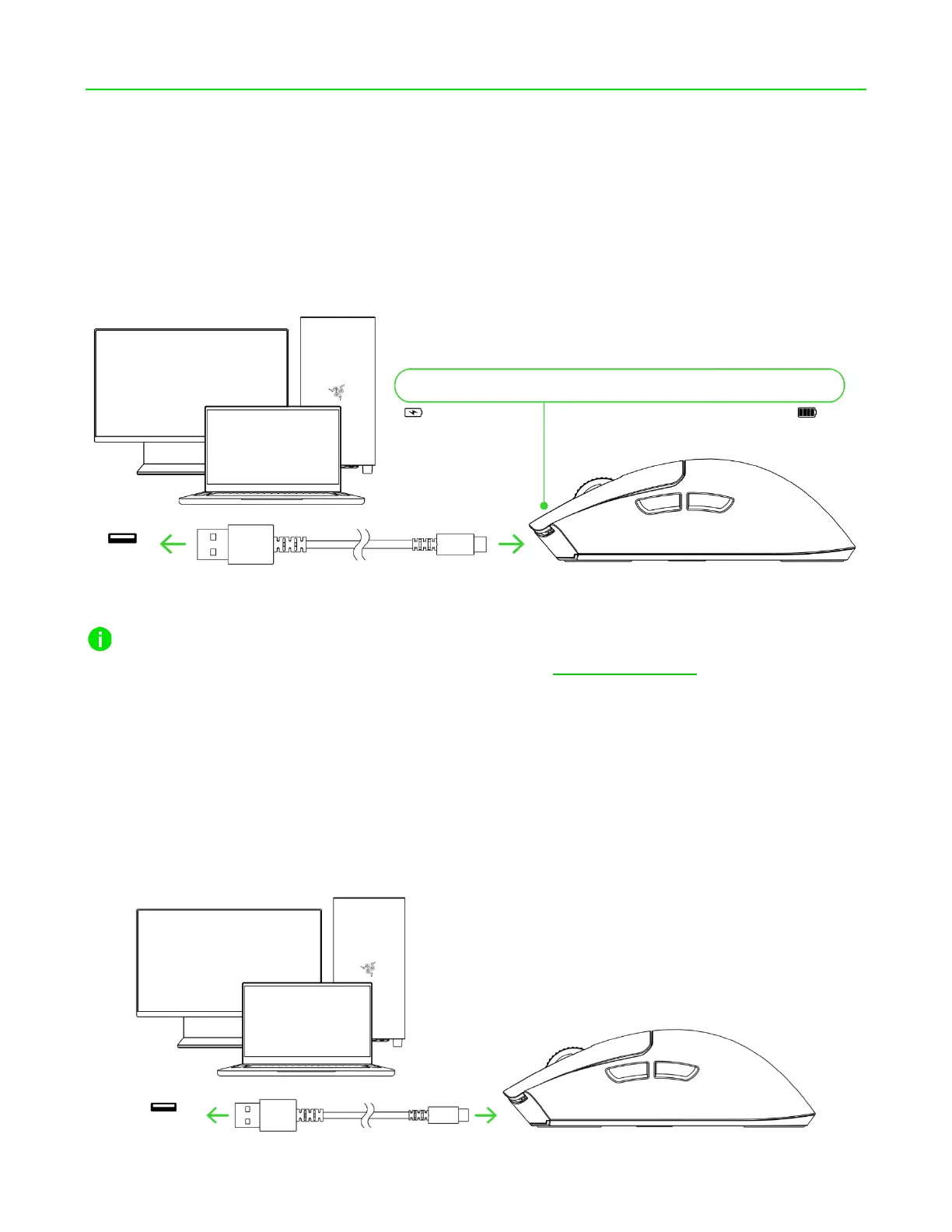
5. SETTING UP YOUR RAZER VIPER V3 PRO
CHARGING YOUR MOUSE
Plug the USB Type A to USB Type C cable from your PC's USB port into the Razer Viper V3 Pro. For best
results, please fully charge the mouse before using it for the first time. A depleted battery will be fully
charged in approximately 4 hours.
For best results, please fully charge the mouse before using it for the first time. Install Razer
Synapse when prompted, or download the installer from razer.com/synapse to personalize your
mouse's DPI settings, button configurations, polling rate, and other features.
CONNECTING YOUR MOUSE
A. Via wired mode
Connect the mouse to any of your PC's USB ports using the charging cable to use it in wired mode.










 To Next Page