EasyManua.ls Logo

Razor DUNE BUGGY - User Manual

Razor DUNE BUGGY
12 pages
Print Icon
To Next Page IconTo Next Page
Loading...
Read and understand this entire manual before allowing
child to use this product! For assistance contact Razor.
DO NOT RETURN TO STORE.
NOTE: Manual illustrations are for demonstration purposes only.
Illustrations may not reflect exact appearance of actual product.
Specifications subject to change without notice.
Please have your product along with the 19 character product I.D. code with you
before contacting Razor for warranty assistance and/or replacement parts.
Product I.D. Code: _____________ - ____________ - ____________
OWNER’S MANUAL
DUNE BUGGY

Other manuals for Razor DUNE BUGGY

Question and Answer IconNeed help?

Do you have a question about the Razor DUNE BUGGY and is the answer not in the manual?

Summary

SAFETY WARNINGS

General Riding Safety

Covers critical safety warnings and general risks associated with operating the Dune Buggy.

Parental Responsibility and Supervision

Emphasizes the necessity of adult supervision and choosing age-appropriate products for children.

Safe Riding Practices and Conditions

Details acceptable riding areas, conditions, and defensive riding techniques to avoid hazards.

Required Protective Gear

Specifies the essential safety equipment, including helmets, pads, and proper footwear, for riders.

CHARGING THE BATTERY

PRE-RIDE CHECKLIST

Essential Pre-Ride Safety Checks

Outlines critical checks for brakes, tires, frame, hardware, and safety gear before each ride.

REPAIR AND MAINTENANCE

TROUBLESHOOTING GUIDE

Troubleshooting: Product Not Running

Helps diagnose issues when the product fails to start or move, covering common causes and solutions.

Troubleshooting: Sudden Stoppage

Provides solutions for unexpected stops, focusing on potential causes like loose connections or blown fuses.

DUNE BUGGY PARTS

WARRANTY INFORMATION

CUSTOMER SERVICE CONTACTS

Overview

This document is an owner's manual for the Razor Dune Buggy, an electric ride-on product. It provides essential information for safe operation, assembly, maintenance, and troubleshooting.

Function Description:

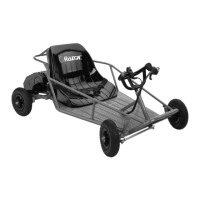
The Razor Dune Buggy is an electric ride-on vehicle designed for recreational use on private property and closed courses. It is intended for a single rider and is powered by an electric motor and rechargeable lead-acid batteries. The product is designed for performance and durability, offering a ride time of up to 40 minutes of continuous use, which can vary based on riding conditions, rider weight, climate, and maintenance. The Dune Buggy is operated using a thumb tab throttle for acceleration and a brake lever for stopping. It features a steering wheel for control and a seat with a lap/shoulder belt for the rider.

Important Technical Specifications:

  • Minimum Rider Age: 8 years and older.
  • Maximum Rider Weight: 120 lb (54 kg).
  • Battery Type: Sealed lead-acid batteries (2-12V/7Ah) with a 30 Amp fuse.
  • Motor: 24V/250W.
  • Initial Charge Time: 12 hours.
  • Recharge Time: Up to 12 hours (maximum 24 hours).
  • Run Time: Up to 40 minutes of continuous ride time.
  • Tire Pressure: Inflate to the PSI indicated on the sidewall of the tires.

Usage Features:

  • Starting: The rider positions themselves in the seat, fastens the lap/shoulder belt, turns the power switch ON, places both hands on the steering wheel, and applies the thumb tab throttle. It is crucial to keep hands on the steering wheel and feet inside the unit while in motion.
  • Stopping: To stop, the rider releases the thumb tab throttle and applies the brake lever until the unit comes to a complete stop.
  • Safety Belt: The supplied safety belt arrangement is for "play" use only and is not an ASTM-approved safety belt system or a lap/shoulder/seat restraining device for larger, faster vehicles.
  • Riding Environment: The Dune Buggy is meant for use on private property and closed courses, avoiding public streets, sidewalks, and areas with pedestrian or vehicle traffic. It should not be used near steps or swimming pools.
  • Weather Conditions: Do not ride in wet or icy weather, and avoid immersing the product in water. Wet, slick, bumpy, uneven, or rough surfaces increase risks.
  • Speed: Avoid excessive speeds, especially downhill.
  • Visibility: Do not ride at night or when visibility is limited.
  • Charger: Use only the recommended charger. The charger is not a toy and should be operated by an adult. It features built-in over-charge protection.
  • Throttle Activation: Only activate the throttle when on the product and in a safe, outdoor environment suitable for riding.
  • Passenger Limit: Never carry passengers or allow more than one person to ride the electric product at a time.
  • Body Contact: Do not allow hands, feet, hair, body parts, clothing, or similar articles to come into contact with moving parts, wheels, or the drive train/chain while the motor is running.
  • Hot Surfaces: Avoid touching the brakes or electric motor when in use, as they can become very hot.
  • Distractions: Do not use headphones, a cell phone, or text while riding.
  • Towing/Hitching: Never hitch a ride with another vehicle.

Maintenance Features:

  • Pre-Ride Checklist: Before each ride, check the brake for proper function, inspect tires for wear and correct pressure, check the frame, fork, and handlebars for cracks or broken connections, and ensure all hardware/loose parts (nuts, bolts, cables, fasteners) are secure.
  • Battery Charging:
    • Charge immediately after riding.
    • Fully charge before storing for extended periods.
    • Unplug the charger from the wall outlet when not in use.
    • Ensure the power switch is OFF during charging and when not in use to prevent battery depletion.
    • Do not store the product in freezing temperatures, as this can permanently damage the battery.
    • The charger light will be green when plugged into the wall, turn red during charging, and green again when charging is complete.
    • Continue charging for up to 12 hours even if the light turns green earlier.
  • Battery Care and Disposal:
    • Do not store in freezing temperatures.
    • Sealed lead-acid batteries must be recycled or disposed of in an environmentally safe manner. Do not dispose of in fire or regular household trash.
    • If a battery leak occurs, avoid contact with the acid, place the damaged battery in a plastic bag, and refer to disposal instructions. Flush skin or eyes with cool water for 15 minutes if contact occurs and consult a physician.
    • Wash hands after handling battery posts, terminals, and related accessories due to lead content.
  • Fuse Replacement: The fuse box is located on the battery. If the fuse burns out due to an overload, replace it with a new one of equal amperage.
  • Tire Inflation: Periodically check and reinflate tires to the correct PSI using a bicycle-style tire pump with a Schrader-type valve. Do not overinflate.
  • Wheels and Drive System: Periodically inspect wheels for wear and adjust/replace drive train components as required.
  • Chain Lubrication: Apply a lubricant like 3-in-1™ or Tri-Flow™ to the chain if it makes loud noises or grinding sounds.
  • Replacement Parts: Use only genuine Razor replacement parts. Aftermarket components may not be compatible and will void the warranty. Replacement parts are available through Razor retail partners or shop.razor.com.
  • Repair Centers: Authorized Razor repair centers can be found online at www.razor.com.
  • General Maintenance: Turn the power switch OFF and unplug the charger before conducting any maintenance. Exercise caution around exposed parts. If unsure about any repair, contact Razor customer service.

Razor DUNE BUGGY Specifications

General IconGeneral
BrandRazor
ModelDUNE BUGGY
CategoryOffroad Vehicle
LanguageEnglish

Related product manuals