EN - 18
Notes:
• You can use micro SD
TM
card and micro SDHC
TM
card (up
to 32GB, SD card not included).
• Never remove or insert micro SD card in On mode.
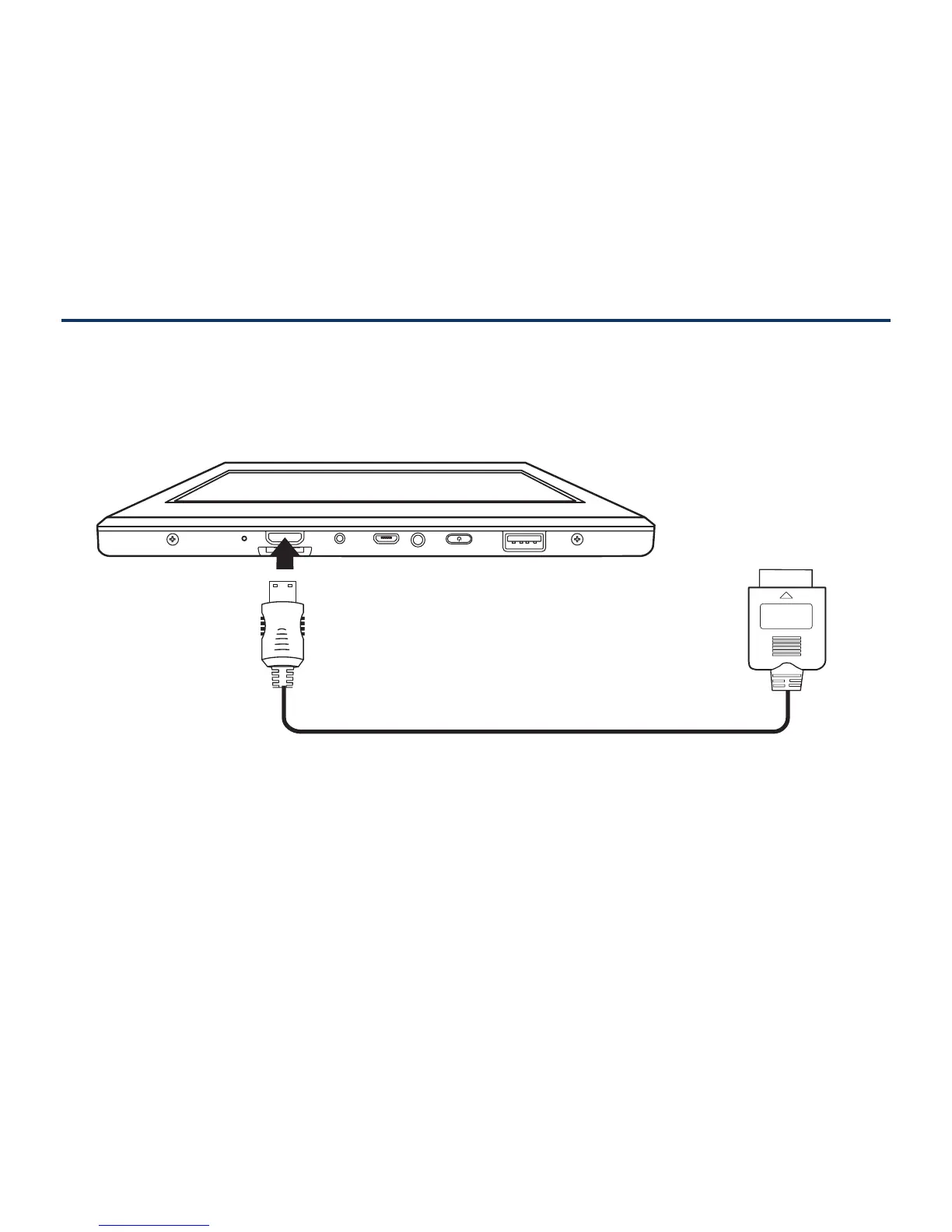
You can connect the unit to a TV or other display device
using an HDMI cable through the HDMI port.
1. Go to Settings -> Device -> Display -> HDMI settings,
to turn on the HDMI.
2. The system interface on the unit is automatically
synchronized with your TV screen.
HDMI
To HDMI port
HDMI cable
(not included)
TV



 To Next Page
 Loading...