EN - 19
Wi-Fi
Connect to a Wi-Fi Network
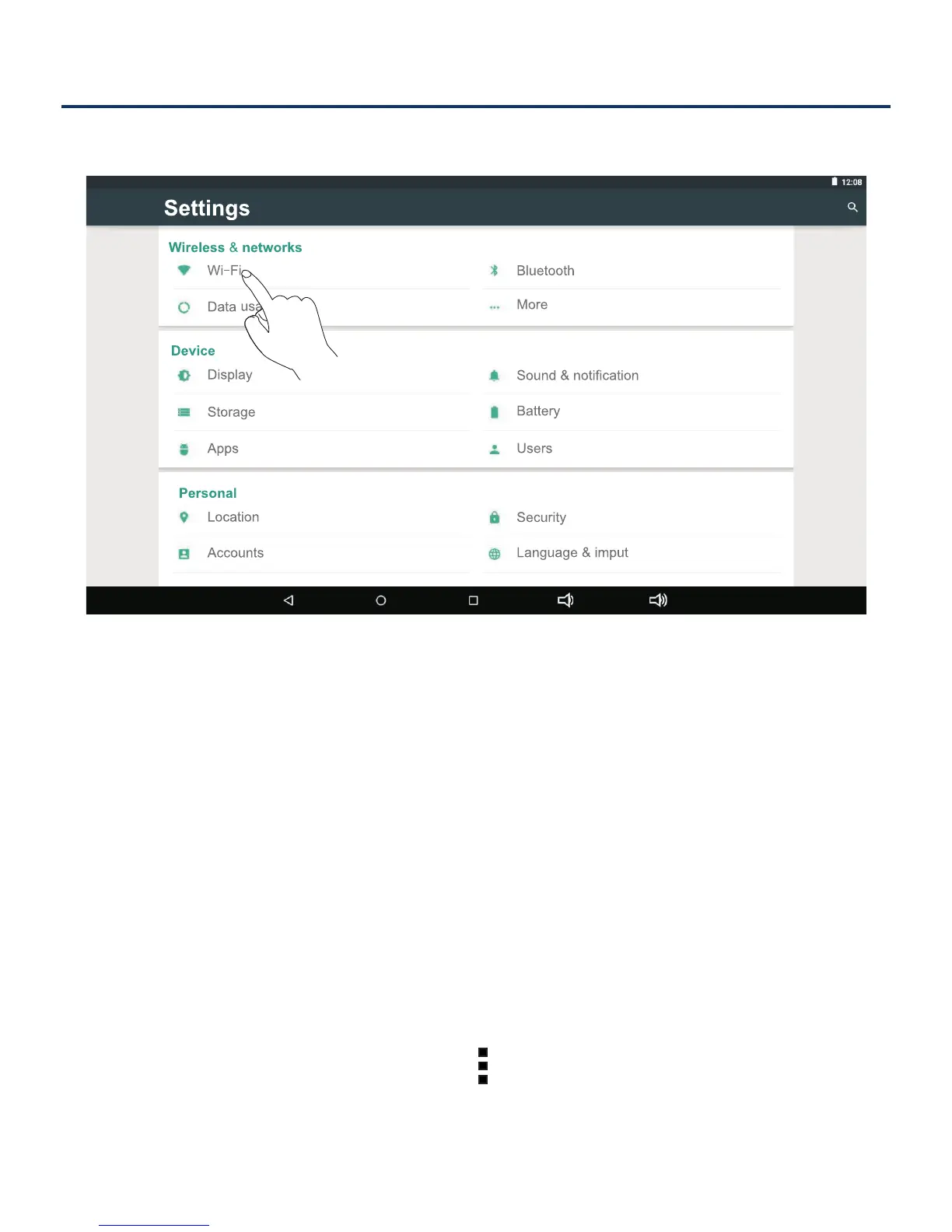
1. Go to Settings -> Wireless & networks, tap Wi-Fi
to open the Wi-Fi screen and slide Wi-Fi to the ON
position.
2. The device will scan Wi-Fi networks automatically and
display the available names.
• If the device finds a network that you connected to
previously, it will connect to it automatically.
3. Tap a network name to connect to it, and enter a
password if necessary.
4. Alternatively, if your Wi-Fi router supports Wi-Fi
Protected Setup, you can go to the Advanced Wi-Fi
screen (tap Menu icon
at the upper right corner
and select Advanced) and select WPS Push Button,
then press the WPS button on your router.



 To Next Page
 Loading...