EasyManua.ls Logo

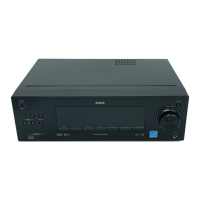
RCA 3-DVD Changer - User Manual

RCA 3-DVD Changer
28 pages
Print Icon
To Next Page IconTo Next Page
Loading...
Owner’s Manual
Please read before using this equipment.
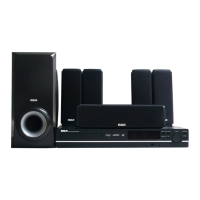
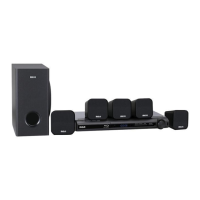
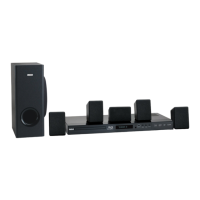
Complete 7-Piece 600-Watt Home
Theater Audio System
with 3-DVD Changer

Table of Contents

Questions and Answers

  • J
    Jennifer WilliamsSep 9, 2025
    Why can't I automatically select broadcast stations on my RCA 3-DVD Changer Home Theater System?
    • D
      Donald AguilarSep 9, 2025
      If broadcast stations cannot be selected automatically, connect an outdoor antenna to improve weak signals.
  • J
    Jonathan JacksonAug 22, 2025
    What to do if there is no picture on my RCA 3-DVD Changer Home Theater System?
    • E
      Emily AyalaAug 23, 2025
      If there is no picture, ensure that the TV is set to receive the DVD signal output, select the appropriate video input mode on the TV. Also, check that the video cable is securely connected into the jacks. Finally, verify that the connected TV is turned on.
  • H
    Heather RomeroAug 25, 2025
    How to troubleshoot no sound on RCA 3-DVD Changer?
    • J
      Jeffrey MoranAug 25, 2025
      If no sound is output when a function is selected, ensure the component is connected correctly. If the sound is muted, press the remote’s MUTE button. Also, check that the volume isn't turned down and adjust it accordingly.
  • J
    Justin JonesAug 26, 2025
    Why won't my RCA Home Theater System DVD player start playback?
    • B
      Bobby CooperAug 26, 2025
      If the DVD player doesn't start playback, make sure a playable disc is inserted correctly with the playback side down and placed within the guide. Check the disc type, color system, and regional code. Clean the disc if it's dirty. If a menu is on the TV screen, press SETUP to turn it off. Also, check if the rating level is set and cancel the rating function or change the rating level if needed.
  • J
    Joel DoyleAug 27, 2025
    What to do if my RCA 3-DVD Changer Home Theater System has no power?
    • V
      Victoria MartinAug 27, 2025
      If there is no power, plug the power cord into the wall outlet securely.
  • Y
    ydaltonAug 29, 2025
    What to do if my RCA 3-DVD Changer receiver does not respond when the buttons are pressed?
    • A
      Anita FordAug 29, 2025
      If the receiver does not respond when the buttons are pressed, disconnect the power plug from the outlet, and insert it again. This may help if static electricity caused by dry air is the cause.
  • M
    mark95Sep 18, 2025
    How to eliminate low hum or buzz sound from RCA 3-DVD Changer Home Theater System?
    • J
      jerry77Sep 18, 2025
      If you are experiencing a low hum or buzz sound, place the system as far away as possible from electric devices that may cause interference, such as fluorescent lights.
  • M
    Michael LeblancSep 19, 2025
    What to do if sound cuts off on my RCA Home Theater System?
    • M
      Michael OrtizSep 22, 2025
      If the sound cuts off or there is no sound even though power is on, turn off the power and then turn it on again. Reduce the volume or change to the correct 6-ohm speakers if the speaker impedance is less than prescribed for this unit.
  • U
    udavisSep 7, 2025
    What to do if my RCA Home Theater System is on, but the DVD player does not work?
    • K
      kgoodmanSep 7, 2025
      If the power is on, but the DVD player does not work, insert a disc and check that the DVD or audio CD indicator in the DVD display is lit.
  • N
    nelsonmelissaSep 4, 2025
    What to do if there is no image output when a function is selected on RCA Home Theater System?
    • M
      Morgan AdamsSep 4, 2025
      If no image is output when a function is selected, ensure the component is connected correctly. Also, press the correct function button to properly select the input source.

Summary

Owners Manual

Read This First

Important Safety Instructions

Making Cable Connections

Guidance on safely connecting cables to the receiver and associated equipment.

Preparation

Connecting Components

Guide to connecting various audio and audio/visual components to the receiver.

Speaker and Remote Setup

Connecting the Speakers

Step-by-step guide for connecting front, rear, center, and subwoofer speakers to the receiver.

Placing the Speakers

Recommendations for optimal speaker placement to achieve the best surround sound experience.

Receiver Operation

Remote Control Operation

DVD Player Operation

Basic DVD Playback

Step-by-step guide to loading, selecting, and playing DVD discs.

Troubleshooting

Troubleshooting Common Issues

A table of common symptoms, their causes, and suggested remedies for receiver and DVD player issues.

RCA 3-DVD Changer Specifications

General IconGeneral
Number of Discs3
Progressive ScanYes
Remote ControlYes
Playable MediaDVD, CD
Disc Capacity3-disc changer
Video OutputComponent
Audio OutputDigital Audio (Coaxial)

Related product manuals