PUSH
Here to Close
\
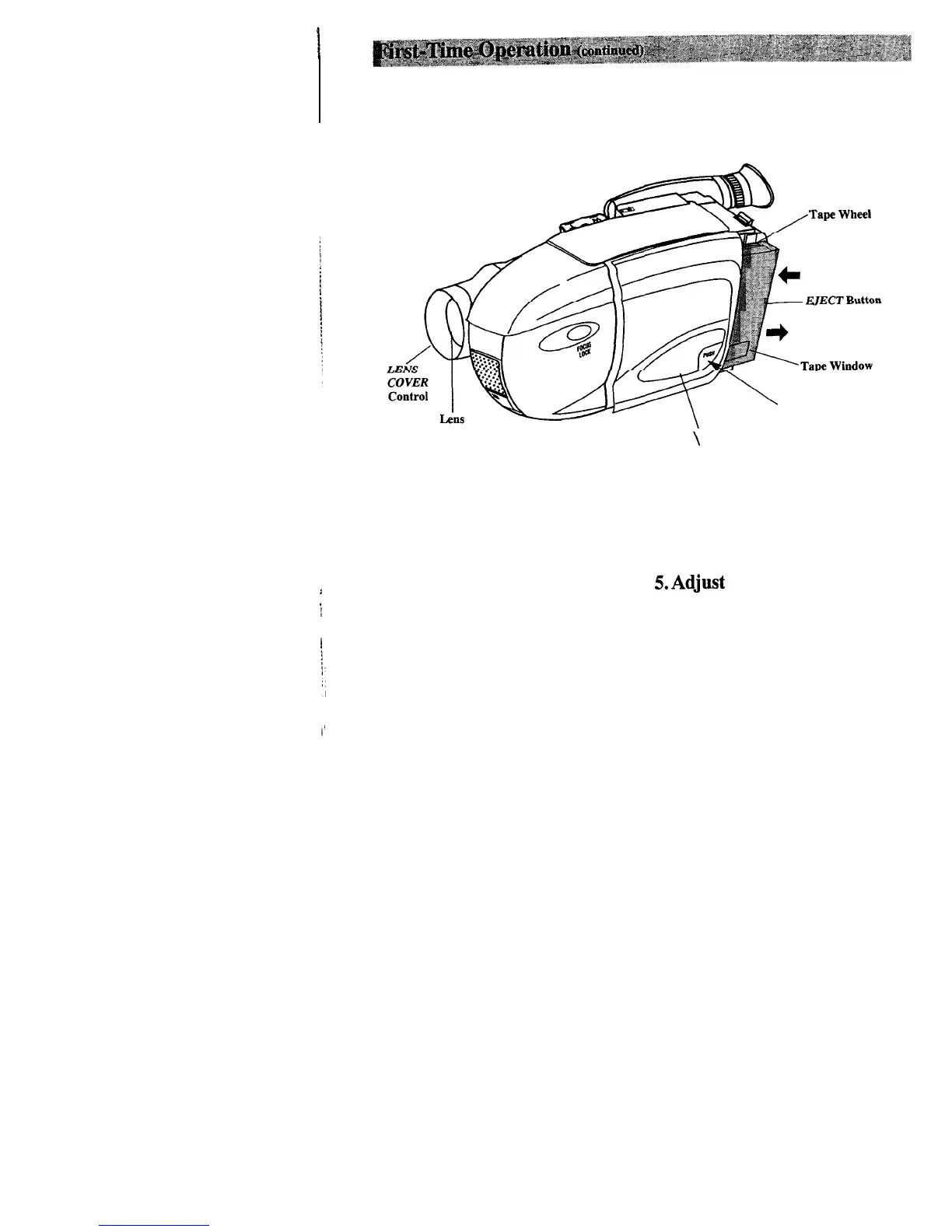
Cassette Compartment Door
3.
Insert a tape.
5.Adjust
the handstrap to fit
*
i
l
Slide
EJECT.
your hand.
l
Turn the tape wheel on the cassette
to remove any slack from the tape.
l
Insert the cassette with the tape
wheel facing up and the tape window
facing out.
l
Press on the area labeled
PUSH
until
the cassette door locks into place.
4. Slide the
LENS COVER
control to open the lens cover.
l
Lift the flap on the hand strap and
separate the velcro strip.
l
Insert your hand, adjust the strap to
fit snugly, and refasten the strap.
10



 To Next Page