Cleaning the Camcorder
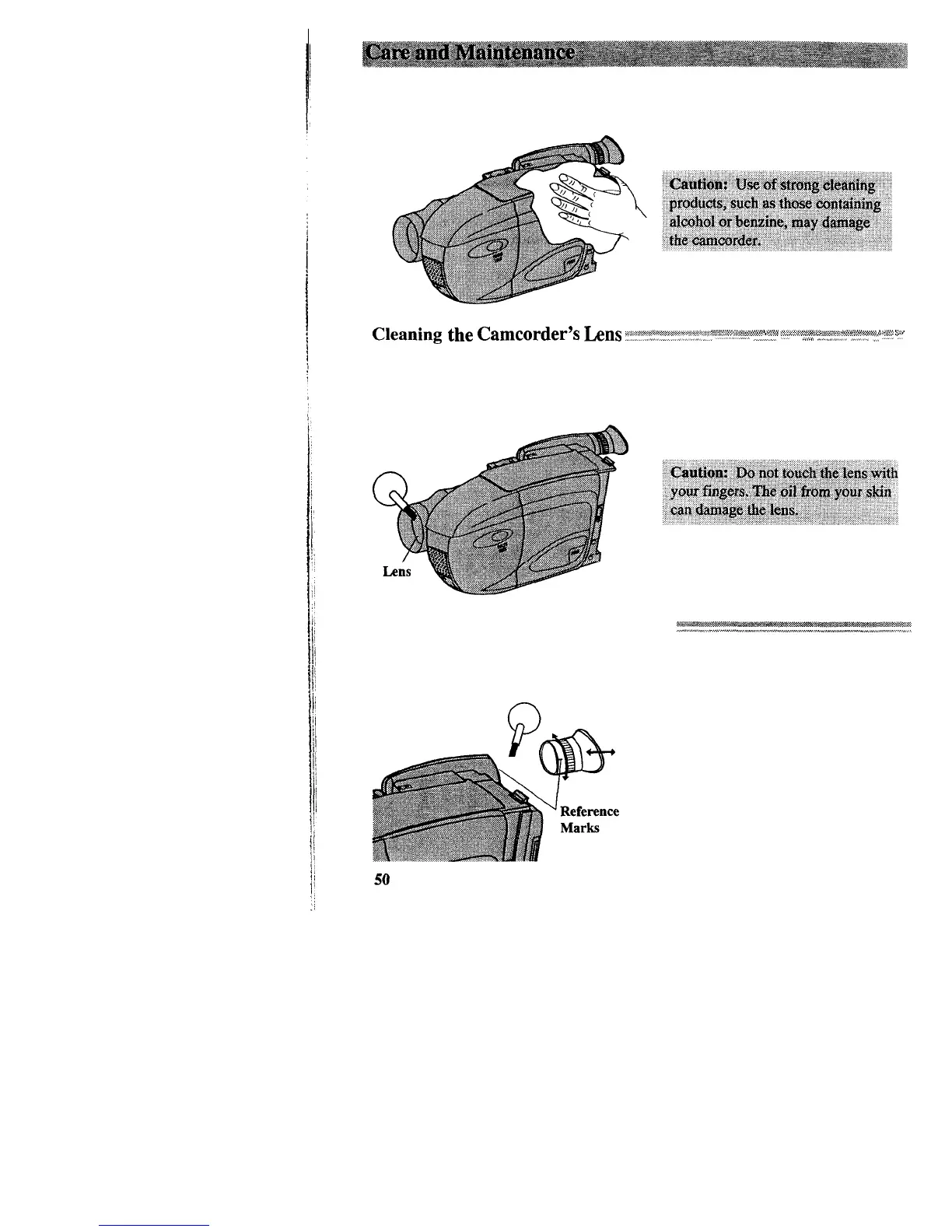
To clean the camcorder’s exterior, remove any power source connected to the
camcorder and gently wipe it with a clean soft cloth.
Cleaning
the
Camcorder's
tins
~:w~~~~~~~~~~:"
.'~;:;,,,:l;,,
:.l.:-'
s...!
:
,,,,,,
i,;.;,;;.:.
'%
.,,.
:x.'.'.
y
RA-,.l,
.,k&x*r
I
*,x:
P,b?:wm***,,4
4+,4"-
we,
_I
'*,
I,
I
To clean the camcorder’s lens, blow it with a blower brush, and then gently wipe the
lens with cleaning tissue and commercially prepared cleaning solution designed for use
on camera lens. Improper cleaning may scratch the lens.
Cleaning the Camcorder’s Viewfinder
The viewfinder eyepiece can be removed for cleaning.
1. Turn the eyepiece
counterclockwise and pull it out.
2. Remove dust using a blower brush.
3. Reattach the eyepiece by aligning
the reference marks, and then turn
the eyepiece clockwise.



 To Next Page